# Felix Rieseberg
> I work on Claude at Anthropic. Electron co-maintainer. Maintainer of too many little open source projects. Some of it is on VHS.
Public Ghost content for AI and LLM tooling. This file includes a bounded export of public pages first, then recent public posts.
Append `.md` to any post or page URL to get the content in Markdown (for example, `/example-post.md`).
## Pages
### About Me
URL: https://felixrieseberg.com/about-me/
Last updated: 2026-10-17T20:48:08.000Z
I work on Claude at Anthropic. [Electron](https://github.com/electron/electron?ref=felixrieseberg.com) Co-Maintainer. Maintainer of too many little open source projects.
I have previously led teams and apps at [Notion](https://notion.so/?ref=felixrieseberg.com), [Stripe](https://stripe.com/?ref=felixrieseberg.com), [Slack](https://slack.com/?ref=felixrieseberg.com), and [Microsoft](https://www.microsoft.com/?ref=felixrieseberg.com). At some point I was also an O'Reilly Author and Trainer but it's been a few years.
## Things I do
I work on whatever allows me to make people productive with AI. In my time at Anthropic so far, I've led engineering for Claude.ai, Cowork, and Code Desktop. Always looking for the next big thing!
I'm a [contributor to and maintainer of a bunch of open source projects](https://github.com/felixrieseberg?ref=felixrieseberg.com) \- with an ever-growing list, but I'm most proud of my work on [Electron](https://github.com/electron/electron?ref=felixrieseberg.com), [Language Model Builder](https://www.languagemodelbuilder.com/?ref=felixrieseberg.com), [MCBP](https://github.com/modelcontextprotocol/mcpb?ref=felixrieseberg.com), [windows95](https://github.com/felixrieseberg/windows95?ref=felixrieseberg.com), [macintosh.js](https://github.com/felixrieseberg/macintosh.js/?ref=felixrieseberg.com), and [clippy](https://felixrieseberg.github.io/clippy/?ref=felixrieseberg.com). I have an uncurable addiction to building things I find fun and cute (and not necessarily super valuable), you can find the full list [on GitHub](https://github.com/felixrieseberg?tab=repositories&q=&type=&language=&sort=stargazers&ref=felixrieseberg.com).
## Things I did
From 2023 to 2025, I led the Web Infrastructure and Desktop App teams at Notion.
From 2021 until 2023, I led a team called Payments Integration Experience working on the future of payments at Stripe.
From 2016 to 2021, I worked as a Senior Staff Engineer and Engineering Manager at Slack, where I got to support a team of amazing C++ engineers building the cross-platform desktop framework Electron – as well as Slack's desktop apps for macOS, Windows, and Linux. I cared a lot about the Node.js and Electron ecosystems, so I wrote an O'Reilly guide called "[Introducing Electron](https://www.safaribooksonline.com/library/view/introducing-electron/9781491996041/?ref=felixrieseberg.com)". I still care today, I just write fewer books.
Before joining the little fledgling Slack, I worked from 2014 to 2016 as an Open Source Engineer at Microsoft, spending my time coding or talking about Open Source. We tried to improve developer's lives by releasing quality code on GitHub — as well as touring the world and presenting the lessons we've learned. I built things like the [windows-build-tools](http://github.com/felixrieseberg/windows-build-tools?ref=felixrieseberg.com) or [npm-windows-upgrade](http://github.com/felixrieseberg/npm-windows-upgrade?ref=felixrieseberg.com).
From 2011 to 2014, I worked with Microsoft Germany and Microsoft Silicon Valley specifically with younger companies as as Startup Developer Evangelist - first focusing on Berlin, then on the San Francisco Bay Area.
I also once wrote an [O'Reilly book on Windows App Development with JavaScript](http://www.amazon.de/Windows-Store-entwickeln-HTML5-JavaScript/dp/3866455674?ref=felixrieseberg.com). It's in German, but even if you do read it, it's very solidly out of date now and contains nothing you should read. I once built a terrible but surprisingly successful game, being the single developer behind [Awesome Zombie Sniper](https://www.youtube.com/results?search%5Fquery=awesome+zombie+sniper&ref=felixrieseberg.com). The code was outrageous but it brought minor joy to more than a million players. The actual goal of the work was to help developers succeed on Windows, Windows Phone, and Xbox by exploring cross-platform issues with Unity and the game was a surprisingly lucky "Hello World" demo.
From 2007 to 2011, I got my startup experience leading the German [Apfeltalk.de](http://www.apfeltalk.de/?ref=felixrieseberg.com) magazine as Executive Editor where we served 10 million monthly users everything they needed to know about iOS and macOS. I'm proud that our team took the website from a small community to one of the biggest tech sites in Europe.
Academically, I graduated from the MSc program at the University of Oxford's Internet Institute, researching at the intersection of sociology, law, economics, and computer science. Before that, I studied at the University of Duesseldorf where I also spent some time as visiting lecturer for app development and New Media Research Associate.
### Speaking & Training
URL: https://felixrieseberg.com/speaking/
Last updated: 2025-05-06T02:30:53.000Z
I've been fortunate enough to speak about my work in dozens of countries to audiences both small and large. I tend to talk about cross-platform development, web technologies, and modern development practices.
If you're organizing something cool and you'd love to hear about how I do things, [hit me up](https://www.twitter.com/felixrieseberg?ref=felixrieseberg.com)!
I've also been passionate about education developers about the latest and greatest in JavaScript, Node.js, and web technologies. If you're interested in teaching your team some fancy JavaScript skills, [please get in touch](mailto:felix@felixrieseberg.com).
I'm also the organizer of the 1000+ members strong [Electron Meetup](https://www.meetup.com/Bay-Area-Electron-User-Group/?ref=felixrieseberg.com) and [CovalenceConf](http://www.covalenceconf.com/?ref=felixrieseberg.com), a conference focused on building apps with web technologies.
### Previous Speaking Engagements
Recordings aren't always available, but if you have any questions about anything I talked about, feel free to reach out directly!
[dotJS](https://www.dotjs.io/?ref=felixrieseberg.com)
Paris, France - November 9th, 2018
[NodeSummit](https://www.nodesummit.com/events/2018/?ref=felixrieseberg.com)
San Francisco, US - July 23rd, 2018
[Modern Web Taipei '18](https://modernweb.tw/?ref=felixrieseberg.com)
Taipei, Taiwan - July 18th, 2018
[FullStackLondon '18](https://skillsmatter.com/conferences/9815-fullstack-2018-the-conference-on-javascript-node-and-internet-of-things?ref=felixrieseberg.com)
London, United Kingdom - July 11th, 2018
[NgVikings](https://ngvikings.org/?ref=felixrieseberg.com)
Helsinki, Finland - March 1st, 2018
[SeattleJS Conference](http://seattlejs.com/?ref=felixrieseberg.com)
Seattle, US - August 10, 2017
[BuildersCon Tokyo](https://builderscon.io/tokyo/2017?ref=felixrieseberg.com)
Tokyo, Japan - August 3rd, 2017
[NodeSummit](http://www.nodesummit.com/?ref=felixrieseberg.com)
San Francisco, US - July 26th, 2017
[InfoShare](https://infoshare.pl/?ref=felixrieseberg.com)
Gdańsk, Poland - May 17th, 2017
[Microsoft //build](https://build.microsoft.com/?ref=felixrieseberg.com)
Seattle, US - May 12th, 2017
[42us](https://www.42.us.org/?ref=felixrieseberg.com)
Freemont, US - April 4th, 2017
[Electron Workshop](https://electron-workshop.eventbrite.com/?ref=felixrieseberg.com)
San Francisco, US - February 25th, 2017
[Script '17](https://scriptconf.org/?ref=felixrieseberg.com)
Linz, Austria - January 27th, 2017
[NodeConf Argentina](https://2016.nodeconf.com.ar/?ref=felixrieseberg.com)
Buenos Aires, Argentina - November 17th, 2016
[Node Interactive Europe](http://events.linuxfoundation.org/events/node-interactive-europe?ref=felixrieseberg.com)
Amsterdam, Netherlands - September 15th, 2016
[EmberConf](http://emberconf.com/?ref=felixrieseberg.com)
Portland, USA - March 29th, 2016
[Decoded](www.decodedshow.com/events/)
Dublin, Ireland - May 5th, 2016
[DroidCon](http://droidcon.de/?ref=felixrieseberg.com)
Berlin, Germany - June 5th, 2015
[DroidCon Dubai](http://droidcon.ae/?ref=felixrieseberg.com)
Dubai, UAE - April 15th, 2015
[Mobile World Congress](https://www.mobileworldcongress.com/?ref=felixrieseberg.com)
Barcelona, Spain - March 4th, 2015
[J and Beyond](https://jandbeyond.org/?ref=felixrieseberg.com)
Cologne, Germany - May 20th, 2012
[CeBit 2012](https://www.cebit.de/en/?ref=felixrieseberg.com)
Hannover, Germany - March 8th, 2012
iPhone Developer Conference
Cologne, Germany - November 29th, 2011
### JavaScript Course
URL: https://felixrieseberg.com/js-course/
Last updated: 2019-11-07T02:45:12.000Z
[You'll be redirected.](https://www.notion.so/JavaScript-Course-7251e393ec3a44a8a350070e6b967a86?ref=felixrieseberg.com)
### Interviews
URL: https://felixrieseberg.com/interviews/
Last updated: 2026-10-21T00:41:10.000Z
- [MTS](https://www.youtube.com/watch?v=%5FFSxDLhTQ5o&ref=felixrieseberg.com), October 2026
- [Silicon Valley Girl](https://www.youtube.com/watch?v=D-SVFneJ%5FNk&ref=felixrieseberg.com), October 2026
- [Hanselminutes](https://hanselminutes.com/1053/language-model-builder-with-felix-rieseberg?ref=felixrieseberg.com), August 2026
- [Summation](https://summation.buzzsprout.com/1783651/episodes/19523120-anthropic-s-felix-rieseberg-why-ai-wins-a-nobel-before-a-pulitzer?ref=felixrieseberg.com), July 2026
- [How I AI](https://www.lennysnewsletter.com/p/how-i-ai-how-the-engineer-behind?ref=felixrieseberg.com), May 2026
- [The MAD Podcast](https://www.youtube.com/watch?v=9MEJ4syOVrQ&ref=felixrieseberg.com), April 2026
- [Latent Space](https://www.latent.space/p/felix-anthropic?ref=felixrieseberg.com), March 2026
## Posts
### How to be more ambitious: A tutorial for humans with models
URL: https://felixrieseberg.com/how-to-be-more-ambitious-a-tutorial-for-humans-with-models/
Last updated: 2026-10-16T00:47:44.000Z
I work on Claude. It's an interesting experience: Every day I learn about yet another feat accomplished with or by Claude that I hadn't considered, didn't think possible, or simply lacked the curiosity and time to try. This month, it may have helped [discover a new planet](https://gizmodo.com/did-claude-help-an-amateur-astronomer-discover-a-new-planet-2000824393?ref=felixrieseberg.com), I've seen the first AI music video that [I really like](https://www.youtube.com/watch?v=AoNnbz237E0&ref=felixrieseberg.com), and we are discussing [a new era of math](https://terrytao.wordpress.com/2026/10/10/math-2-0/?ref=felixrieseberg.com).
Model capabilities don't grow uniformly. Models are, as Terence Tao puts it, "astounding in some directions, while inadequate in others". Some people manage to pilot the astounding capabilities and seem to be flying - it's addicting to watch people reach incredible heights with the products I've built. Many others are still struggling to get their new wings to work, wondering what they're good for beyond asking "What is the capital of France" or "Can you make this email sound less angry".
I frequently proclaim (together with other people working on AI) that we **ought to be more ambitious** when using it. It's become a rallying cry. Whenever we see something impressive, we repost and write "we're not ambitious enough". **I understand how tricky it is to follow that advice, so here's a tutorial on being more ambitious.**
I think of ambition in four types: Speed, Altitude, Depth, and Range.
- **Speed:** The same work in less time, the bread and butter for AI's economic value: If you need some code written, I'll do it faster with Claude. Well established and requires little creativity in how you approach AI, so I'll skip this one.
- **Altitude:** Going up in abstraction and considering the outcome rather than the individual task.
- **Depth:** Considering a task the way a field-leading expert would. Rather than operating at the task's layer, we go one level deeper and touch the underlying data, tools, and problems.
- **Range:** Drawing on multiple fields rather than just the one the task might need at the surface, using knowledge, tools, and techniques you normally wouldn't.
I primarily use Claude (duh) but my advice is not model-specific.
# Altitude
We often flippantly call this "letting the model operate at a higher abstraction". When you give the model a task, it's executing your best guess at how to get the outcome you want. To be more ambitious in altitude, ask yourself - **what do you want to happen next?** What's the goal beyond the goal? At the beginning of last year, I still asked Claude to fix individual crashes for me. Eventually I asked Claude to simply keep our apps crash-free.
Let's consider an everyday (dare I say mundane?) office task. You're at Acme Inc, an imagined company, where you need to put together a deck for the quarterly business review (QBR). Given a bunch of data, Claude will happily make you some slides. Maybe you even have a template and it just needs to fill it in.That's hardly comparable to finding a new planet, so let's look at some concrete steps to make our approach more ambitious. We'll start basic and get a little bit more ambitious with each step:
- As input, most reviews want to know what changed this quarter, why, and what should be done about it. Resist the urge to just update whatever numbers are in the template - give the model too as much data as you can get your hands on so it can understand your business: "Tell me what changed this quarter, why, and what we should do about it."
- Meetings (the good kind, anyway) ideally end with some decisions. Ask Claude: "Work out which three decisions are most urgent in the face of everything you've learned, and start working on potential directions with for/against arguments."
- QBRs are from a time when good reviews required humans to carefully sift through data, figure out what the data means, and if the business should adjust. Ask Claude: "The review exists so leadership catches problems early and moves money and people to the right places. Design a better way to do that than a quarterly deck, show from our own history that it would have caught things sooner, and run it beside the current one for a quarter."
The altitude approach works best if you really are after some ultimate outcome; it works less well for creative endeavors. A good tell-tale sign that ambition in altitude is a good idea is if you're going to have meetings to discuss whatever you're working on. There are currently limits ("Claude, go make money" doesn't seem to work for most businesses by itself in 2026), but I generally see that models seem to be able to operate at higher levels of abstraction the more capable they become.
Altitude is also where people find durable workflows that take the human out of the loop, making it less necessary for you to constantly update the model with task after task. Doing this well often involves changing your workflow - in order to let Claude make sure our app is crash-free, I first had to make sure it can easily fetch crash reports, understand which app version maps to what git commit, and give it access to Windows, macOS, and Linux computers so it can actually independently reproduce and verify fixes.
# Depth
Sometimes, you just want a task executed really well. Being ambitious in depth means pushing the model to use the tools, techniques, media, and knowledge employed by the best professionals in the field - and to keep pushing until even those people might learn something new from your work.
Let's continue with our Acme Inc example of a quarterly business review deck. Assume for a second that Acme Inc struggles with some user churn (customer loss over time). I've found a mix of the following techniques useful:
- **Insist on the same instruments used by the best in the industry:** When prompted to act like a professional, models often switch vocabulary without actually switching methods. To work on our problem with depth, we need to use the same tools as the best data scientists and statisticians. When Claude reaches for markdown tables, insist on the use of databases and statistical models. You don't necessarily have to know what the experts use, Claude usually does.
- **Pick unreasonable goals and tell the model that they're very reasonable:** You need your website to load in 5s instead of 10s? Ask for 200ms. Does something seem impossible to the model? Reiterate that it's very much solvable, it just needs to keep going.
- **Challenge what you know:** Especially in business, a lot of things we believe to be true are rough approximations of reality. Give the model access to the raw information and data and ask it to adversarially check assumptions. "We believe churn is an onboarding problem. Try to reproduce that from the raw data."
- **Produce new knowledge:** Easily tacked onto challenging what you know - once Claude is already deep inside the data, ask it to find blind spots. "Build a simulation of our customers that reproduces the last year from our logs. Then find the earliest signal of churn we don't know about yet, and show it predicts on data it has not seen."
- **Use an outside judge:** Do *not* ask the model to judge itself.I assume that this will eventually be solved with increasing model intelligence, but in October 2026, I implore you to insist on outside validation. Ideally that's a tool the model can run to get feedback immediately.
A simple prompt that often helps me:
> I want a deeper version of this task, not a bigger one. Before rewriting it: (1) say what a top professional in this field would do here that I'm not asking for; (2) name the rawest material they would start from instead of what has already been digested for me; (3) name the specific methods and tools they would use; (4) say what, other than you or me, would show the result is right. Then rewrite my prompt to ask for exactly that.
# Range
In short, being ambitious in range means that we consider our work from the perspective of different fields - more fields than would have been economical in the past. This isn't a particularly unique insight, every single heist movie spends the first 30 minutes assembling a diverse cast of characters and talents. As AI products make it easier and easier to run multi-agent systems (with multiple threads, orchestrators, or simply subagents), I've seen really interesting results by imploring Claude to bring in additional fields.
Putting this into practice isn't easy; it requires you to be creative. Until I saw my colleague Alex Albert use Blender to render interior designs, I never considered using Claude for 3D environments for my [homepage](https://www.felixrieseberg.com/?ref=felixrieseberg.com) \- even though I've previously made video games! However, this is easily where I see the most magic happen.
So, how do we do this? I use the following techniques:
- **Try to replace the nouns with verbs:** An old trick from *The Art of Innovation* by Tom Kelley and Jonathan Littman. A quarterly review isn't "a deck". It's "getting busy people to believe a story about cause and effect, and to decide under uncertainty, in 30 minutes". Having the verbs makes it easier for both me and Claude to understand which fields might bring in a unique and useful perspective.
- **Assemble the crew:** The deck needs to be amazing, otherwise aliens will blow up Earth. What kind of team will humanity get together? For production quality, I'd bring in an analyst, a journalist, and an editor. If it has to be presented, probably a motion and audio designer, too. It might be useful to employ an adversarial "red team", too, so let's bring in a short seller and a forensic accountant.
It is easy to accidentally engage in role play, which will make your transcript weirder without improving the actual outcome. Use this method to find fields and techniques. Don't ask the model to *write* like a short seller, ask it to *do* what a short seller *does* to research their position.
All the ways in which I describe ambition require the model to have a computer with the ability to install software and access to all kinds of relevant data (either using MCP connectors or other means). Plenty of tools make this possible and I recommend that you use one.
# We have been here before
That's my concrete advice for how to be more ambitious. If you're willing to stick around for a minute, I'd like to tell you *why* I think this is even necessary in the first place.
We humans have always been held back by what we believe possible - and what's worse, we usually trust ourselves only in very narrow disciplines. Michelangelo famously didn't want to paint the Sistine Chapel - you see, he was a sculptor, not a painter.
While researching the problem of ambition, I learned that psychology has a name for this: [self-efficacy](https://en.wikipedia.org/wiki/Self-efficacy?ref=felixrieseberg.com). In short, people with high self-efficacy believe in their own abilities more, and in turn actually accomplish more. There's evidence that self-efficacy can be hacked: Locke and Latham pored over 35 years of goal-setting research to confidently proclaim that humans who are given specific hard goals [perform better than those who are simply told to try their best](https://med.stanford.edu/content/dam/sm/s-spire/documents/PD.locke-and-latham-retrospective%5FPaper.pdf?ref=felixrieseberg.com). Stripe founder Patrick Collison maintains a ["Fast" list](https://patrickcollison.com/fast?ref=felixrieseberg.com), chronicling the many things humans have accomplished when given both audacious goals and tight deadlines. Some hacks that are well documented:
- **Accomplish hard things by believing them to be possible:** In 1939, George Dantzig showed up late to a statistics class at Berkeley, copied two problems off the blackboard, and handed in his solutions thinking they were homework. They were two unsolved problems in statistics.
- **Accomplish hard things after watching somebody else do them:** For decades, humans chased the four-minute mile. Roger Bannister broke it in May 1954 but remained the only human to do so for a mere 46 days. If you're into running, we're watching something similar happen to the two-hour marathon: Sabastian Sawe ran the first official sub-two-hour marathon in London this April. In the same race, the runner-up also broke the two-hour mark.
- **Accomplish hard things by giving yourself permission to fail:** Apparently everyone's favorite business book is *The Inner Game of Tennis*, which I discovered just last week. The book's core thesis is that you're not playing your best game of tennis if you're trying really, really hard. We engineers might remember Linux, announced as "just a hobby, won't be big and professional like gnu".
Self-efficacy isn't a new problem, but it is a more powerful one now. In a world where our abilities make leaps every couple of weeks, we need techniques that allow us to do things we didn't really consider or believe possible. If you find more techniques that allow you to be more ambitious, please let me know!
The image for this post is by [Francisco Goya](https://en.wikipedia.org/wiki/Francisco%5FGoya?ref=felixrieseberg.com), “Modo de volar” (A Way of Flying)
### Made by mechanical means
URL: https://felixrieseberg.com/made-by-mechanical-means/
Last updated: 2026-09-28T07:01:26.000Z
One notable difference between working on Claude and the other productivity tools I've touched is that feature requests are surprisingly not the #1 discussion topic. Instead, people want to know how I'm using Claude, how they should be using Claude, and whether there are any cool magic spells I can share.
In this post, I'd like to walk you through the process of redesigning my homepage without touching or running code or even using traditional Claude Code. No PRs were made, nor did I open GitHub. If you haven't seen the full end result, maybe [check it out first](https://www.felixrieseberg.com/?ref=felixrieseberg.com).
0:00
/1:31
1×
The redesign in 90 seconds
Roughly 60 threads worked, often in parallel, on my increasingly outrageous requests, which included creating a CGI parody of a Werner Herzog documentary in Blender and synthesizing soundtracks from scratch. Despite the complexity, a considerable amount of that orchestration happened on my phone rather than my computer - in fact, I didn't have to run any code locally. Claude worked entirely in the cloud.
I'm writing this in late September 2026, and I suspect my workflow will look very different in six months. Even compared with the beginning of the year, I'm noticing a stark difference - my work is now a lot more creative, less bounded by the technologies I've mastered, and so much more visual and emotional. I've used Opus 5.5 for all the work.
I started by creating a new Claude Project. [Projects are becoming a layer that spans Chat, Cowork, and Code](https://support.claude.com/en/articles/9517075-what-are-projects?ref=felixrieseberg.com); you can think of them as sitting above domain-specific concepts. You talk to one Claude with the ability to spin off additional sessions, share files and memory between them, and supervise the entire fleet of Claudes to achieve goals.
Earlier this year, I would have joked that I get a lot done by telling a bunch of Claudes to do work. Now, I've put one Claude in charge of each of my projects, and in turn, that Claude knows how to manage tasks, investigations, and threads. We're talking more about goals and less about how to achieve them.
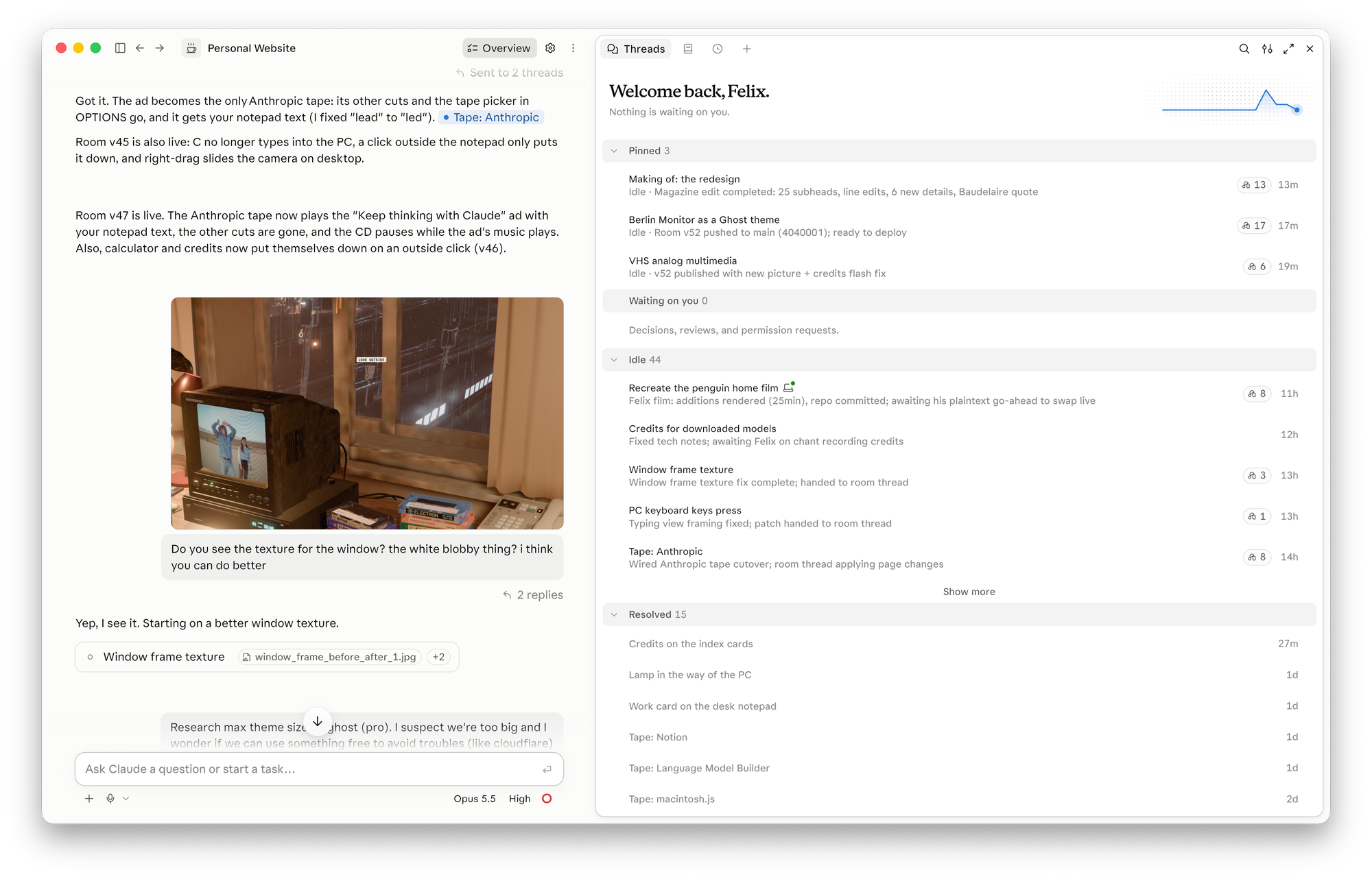
My little Project setup.
Every thread gets its own computer in the cloud, where it installs whatever it needs (Blender, FFmpeg, Playwright), checks its work with screenshots from a headless browser, and publishes a private preview page for me to click through. All threads share one folder of files and one memory. Claude is smart enough to write down decisions I made in memory and makes sure newly started threads follow them without me having to repeat myself.
# Brainstorming a new direction
I started the way I'd start with a design team: by dumping a bunch of inspiration on the table. Those included 90s rave posters, movies I liked, ads that spoke to me, photos I keep coming back to, even just concepts I like.
Ten threads explored those directions in parallel with very little guidance. One came up with portfolio directions for somebody who really likes camping in national parks; another imagined what an 80s *Ghost in the Shell* website would look like. Both, it turned out, felt a little overdone to me. I wanted to make something new, not just clone something already out there.
Whenever I liked a direction, I asked Claude to double down, get creative, and give me five more variations of the same direction.
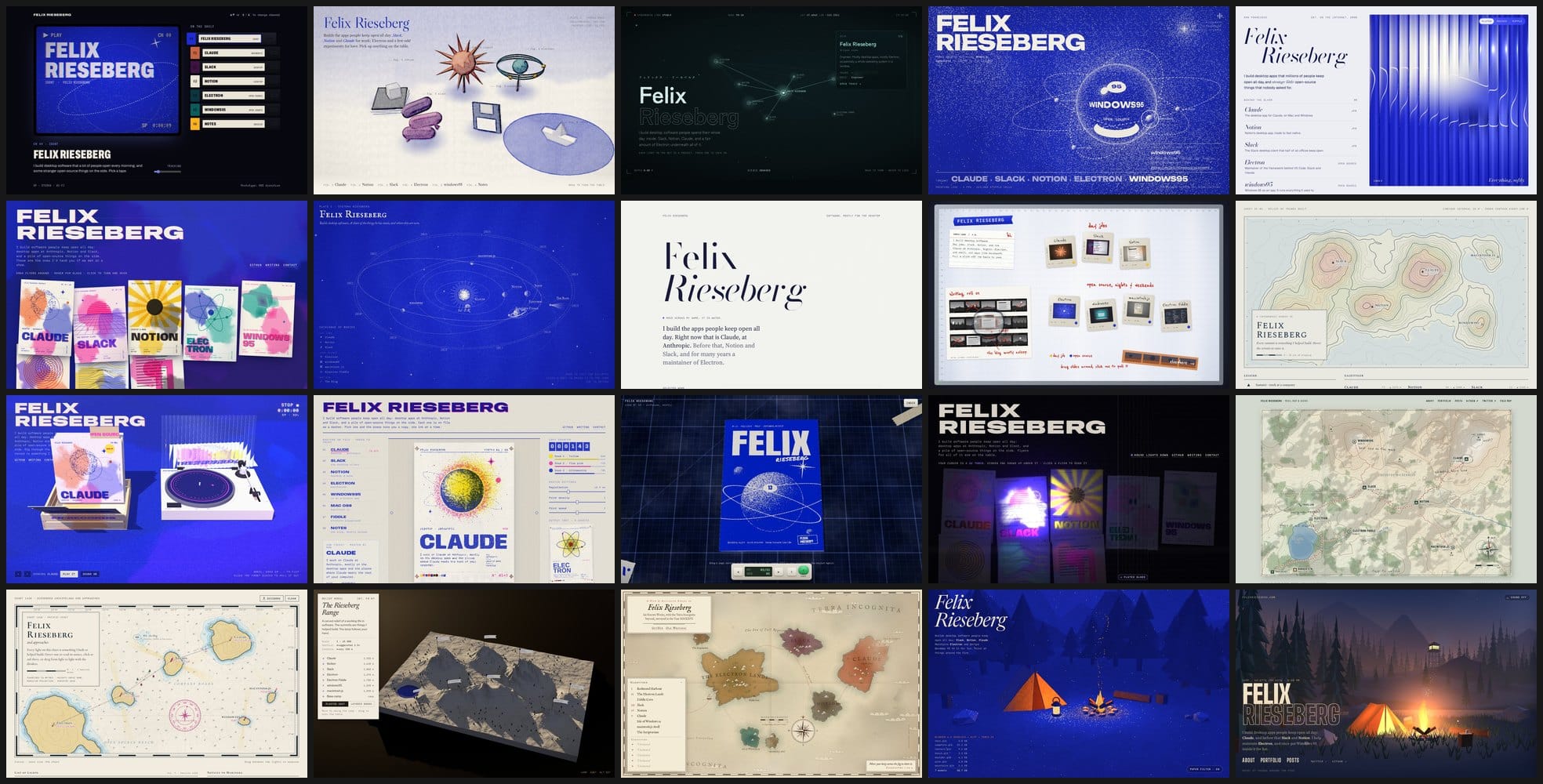
**Twenty of the 25 brainstorm sites. Top left: the VHS direction that became the room.*
While most directions used HTML, Three.js, and other libraries to achieve some of my hopes and dreams, I pretty quickly found myself pushing Claude to use Blender. Claude doesn't click around Blender's interface, instead writing code and using Blender as a Python module. When I briefly considered turning my website into a cozy campsite, Claude promptly modeled one.
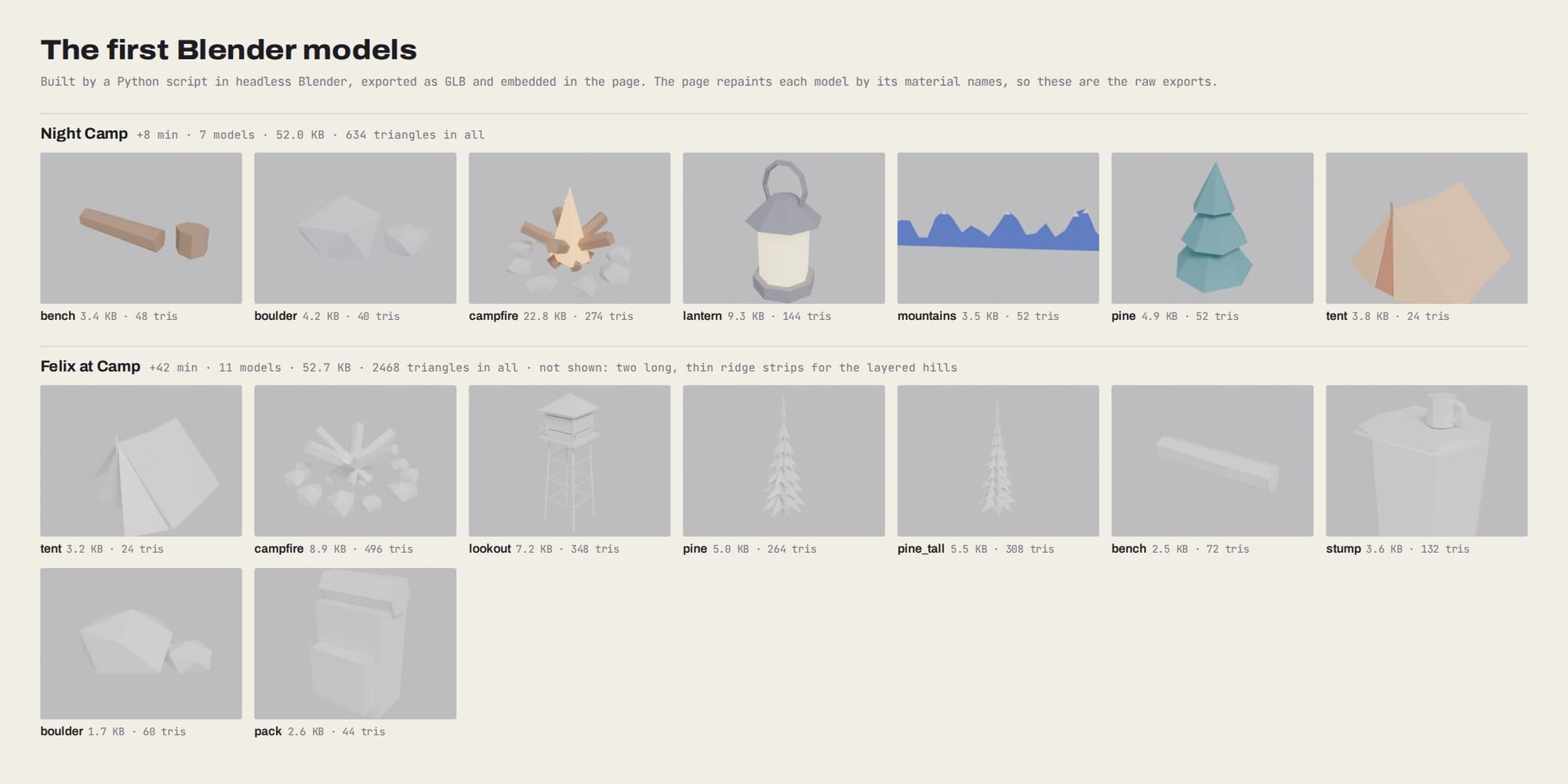
Some of Claude's first Blender models for an abandoned idea (a cozy camp fire)
Given the direction of vintage technology I liked (Game Boys, record players, Walkmans, etc) and the task of coming up with a creative portfolio gallery, Claude eventually suggested VHS tapes.
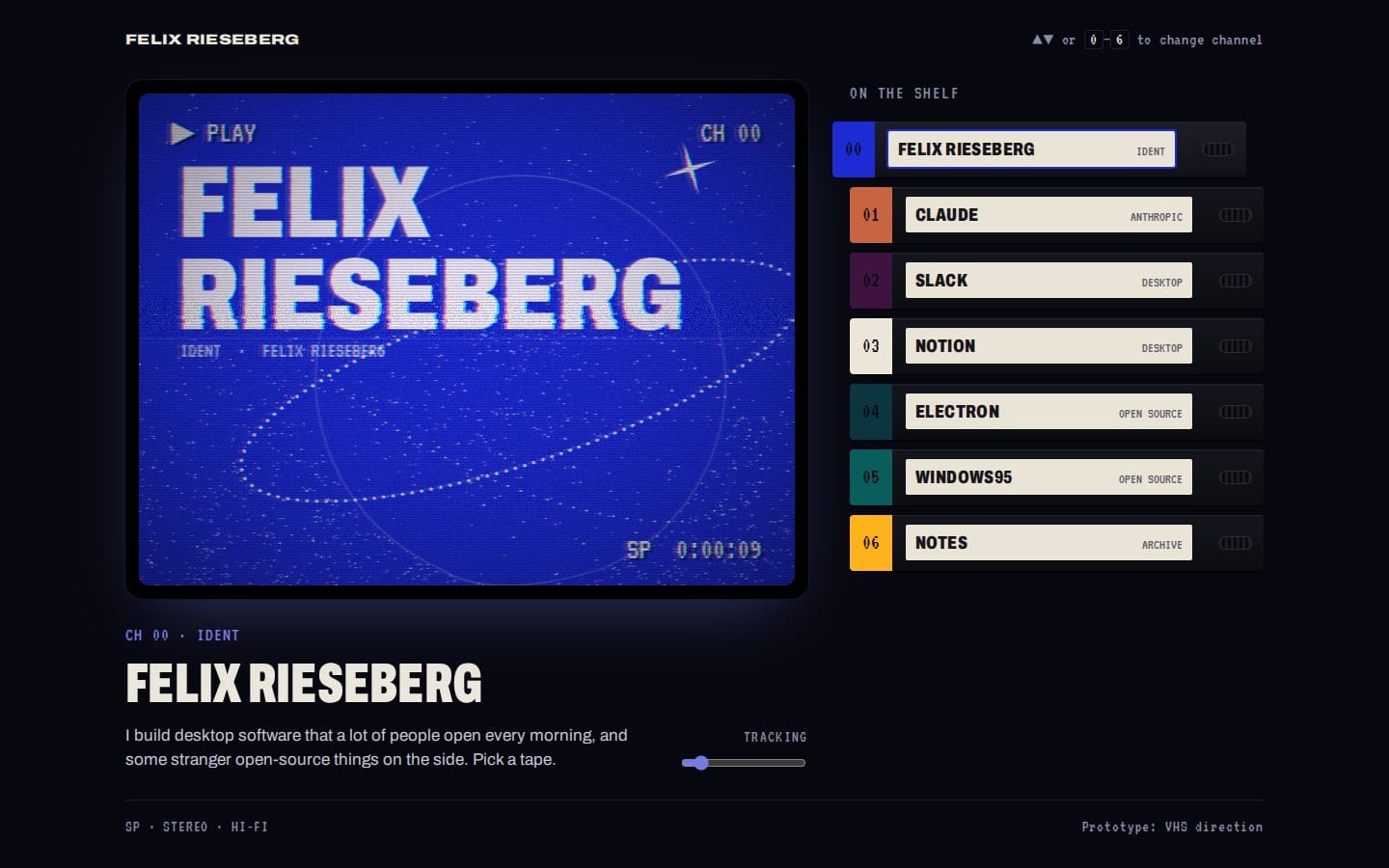
Claude's prototype for a portfolio where every gallery item is a VHS tape
Together, we combined Claude's idea (VHS tapes) with my own vision for the website, which included an interactive version of the kind of room a 90s German movie would give a journalist.
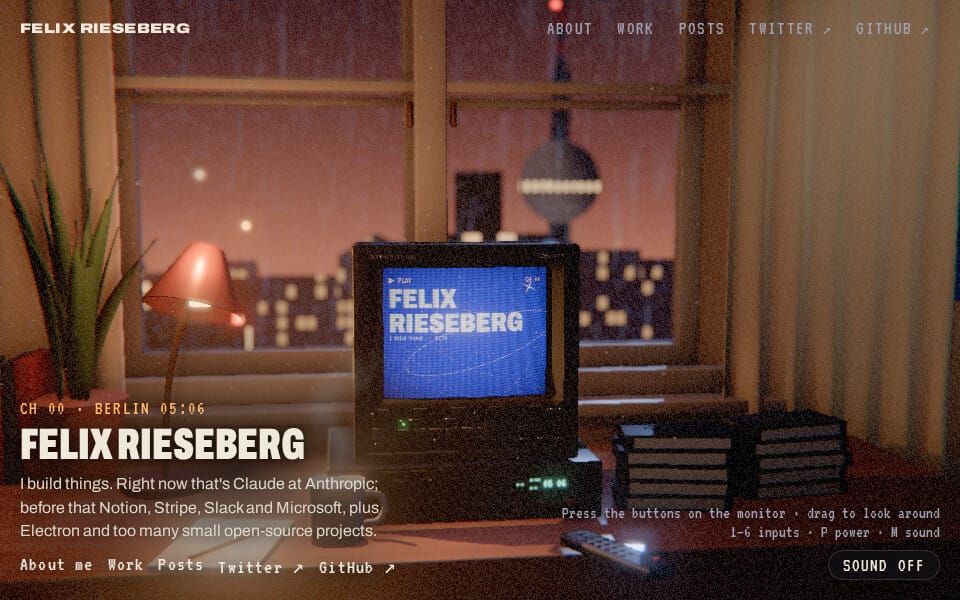
**The VHS direction's second version*
Claude's second draft, including my directions about the room setup and encouragement to use Blender creatively, was *shockingly* good. The version I shipped took roughly 60 iterations, but the second draft, which arrived 39 minutes after my first brief, is already recognizably the room you see today.
Early on, Claude decided that the code should be modular, allowing threads to work on elements of the room in parallel. As an example, each tape is its own file that paints onto a 2D canvas.
```js
export default {
id: "notion",
title: "Notion",
years: "2023–2025",
mount({ canvas, ctx, width, height, audio }) {
return {
frame(t, dt) { /* draw one frame */ },
input(event) { /* play, stop, next, prev, click */ },
stop() { /* clean up */ },
};
},
};
```
After every iteration step, Claude published a new version of an artifact, a private web page where I could see the current version, both on my computer and my phone. I constantly asked for a few options, clicked through them, sent back some critique, and went on with my day. Doing that from my phone felt particularly powerful. I would be on my bike, have some ideas while riding, quickly fire off some ideas to Claude, and check out the results on the next coffee stop.
# Building the room
Let's talk about the room, which is probably where I pushed Claude to be most ambitious. One of the most beautiful parts of LLM tools is that they allow me to do things I wouldn't have been able to do before - I have no idea how to use Blender. I describe the things that I want, Claude writes the geometry as code, renders a still, and I give feedback.
The room is now \~3,000 lines of Python code, controlling Blender as a library. Some of those scripts are:
- `tape_model.py` (332 lines): one VHS cassette, 187 × 103 × 25 mm, as a hollow shell with reels, tape ribbon, guides, and a hinged dust door.
- `gear90s.py` (659 lines): a 90s journalist's desk. A phone with a microcassette answering machine standing on a phone book, a Rolodex, floppies, a pager, a solar calculator, a Discman, and a Walkman, with cords running behind the desk to a wall socket.
- `retro_pc.py` (431 lines): a late-80s beige PC clone from a made-up brand, with two 5.25" drives, a key lock, a red paddle switch, a 14" green CRT on a tilt-and-swivel foot, and an XT-style keyboard.
- `room_back.py` (290 lines): the half of the room behind the camera, which you only see in reflections and in free-look: a four-panel door with a key in the lock and light under it, a Bakelite light switch, a stucco cornice, and a tiled stove.
Claude decided on its own when to scour the Internet for freely licensed models and when to model props from scratch. Some furniture came from Poly Haven (CC0-licensed), but most items are "made by Claude" - like the desk, the TV & VCR, Discman, Walkman, the entire old PC, or the entire room geometry. The surface textures are code, too: Claude's wood, plaster, plastic, and metal are procedural noise, not photographs.

**The home view in Blender.*
I kept pushing for a photorealistic look, which soon had us talking about light maps. Real-time lighting in a browser can't do the soft bounce light I wanted, so Claude decided to use Cycles, Blender's path tracer, and bake the light into textures. It's a surprisingly involved process: Every static surface gets a second UV set packed into atlases, and each atlas gets up to four maps: its color without light, the light from the room's own lamps (desk lamp, city glow, moon), the light from the TV alone, glowing plain white, and the room with the desk lamp switched off. The shader tints the TV's light with whatever the tape shows, so a blue tape turns the room blue:
```glsl
vec3 lamps = pow(texture2D(irrA, uv).rgb, vec3(3.0)) * sA; // desk lamp, city, moon
vec3 tv = pow(texture2D(irrB, uv).rgb, vec3(3.0)) * sB; // the TV alone, baked white
vec3 light = lamps + tv * tvColor;
```
Things that move (tapes, knobs, the VCR's door, LEDs, the screens) aren't baked. They're lit live.

**The home view path-traced in Cycles with the TV off: All visible light here is pre-rendered.*
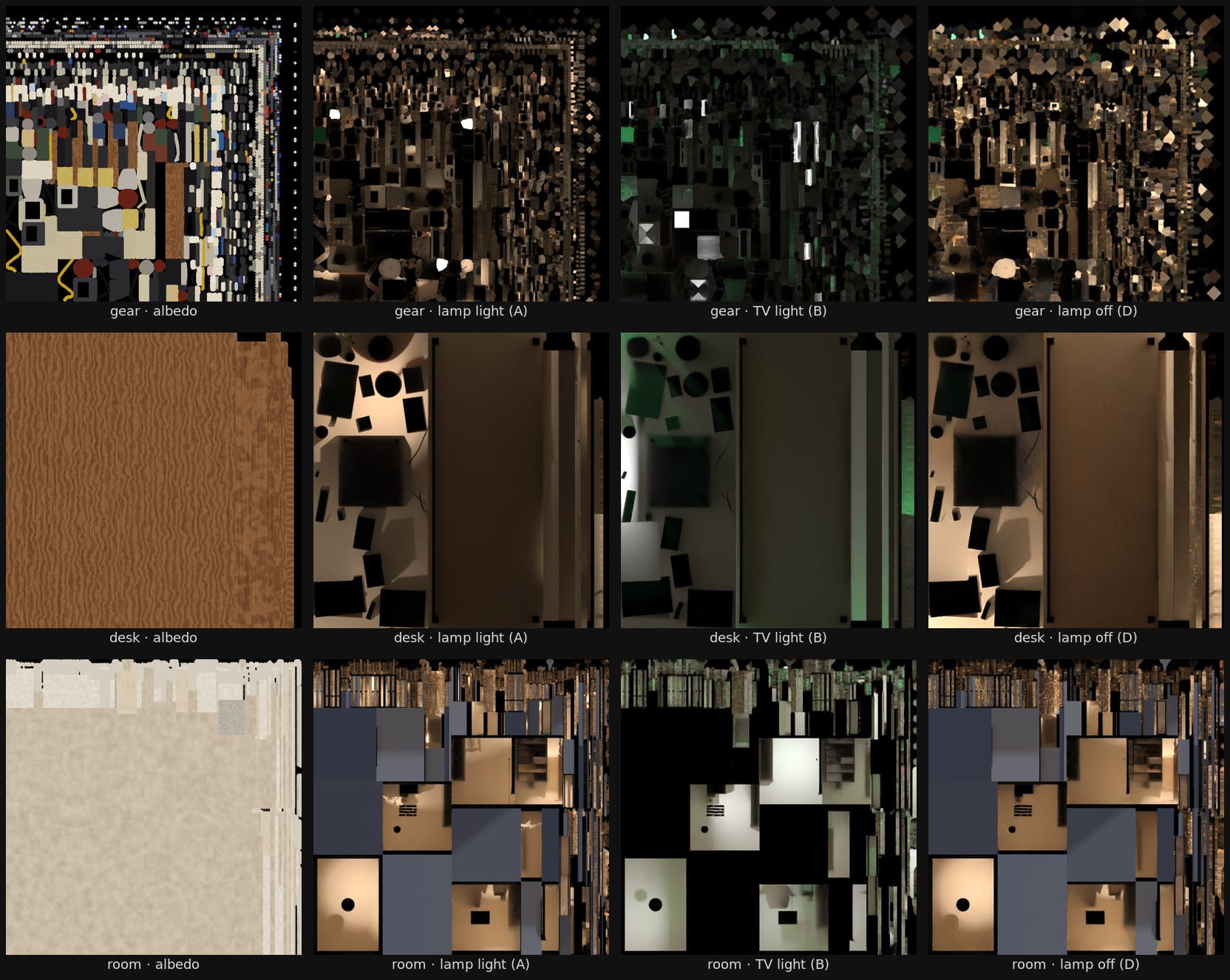
**Three of the texture atlases, each as color and three light maps: the lamps, the TV alone, and the desk lamp off.*
Not to toot Claude's horn here too much - but it's insane to me that all of this can simply happen in code.
For what it's worth, while it's pretty cool to see Claude work in the cloud while I'm riding my bike around, intense 3D work really benefits from dedicated GPUs. You can attach your own computer in any thread by hitting the little "+" icon and selecting `Work Locally`, which allows Claude to use your computer for speedier rendering.
## The view outside
I had very specific ideas about what the "outside" should look like: photorealistic, alive, without eating too many CPU/GPU cycles on visitors' machines. You'll be unsurprised to hear that once again I didn't really have to know what'd work best; we simply built every single option.
The first placeholder was a photo ("Berlin Skyline" by Billie Grace Ward; CC BY 2.0). I thought I'd be clever and generate an entire skyline in Blender. It looked pretty good, just not quite as good as the photo, so I abandoned that direction.
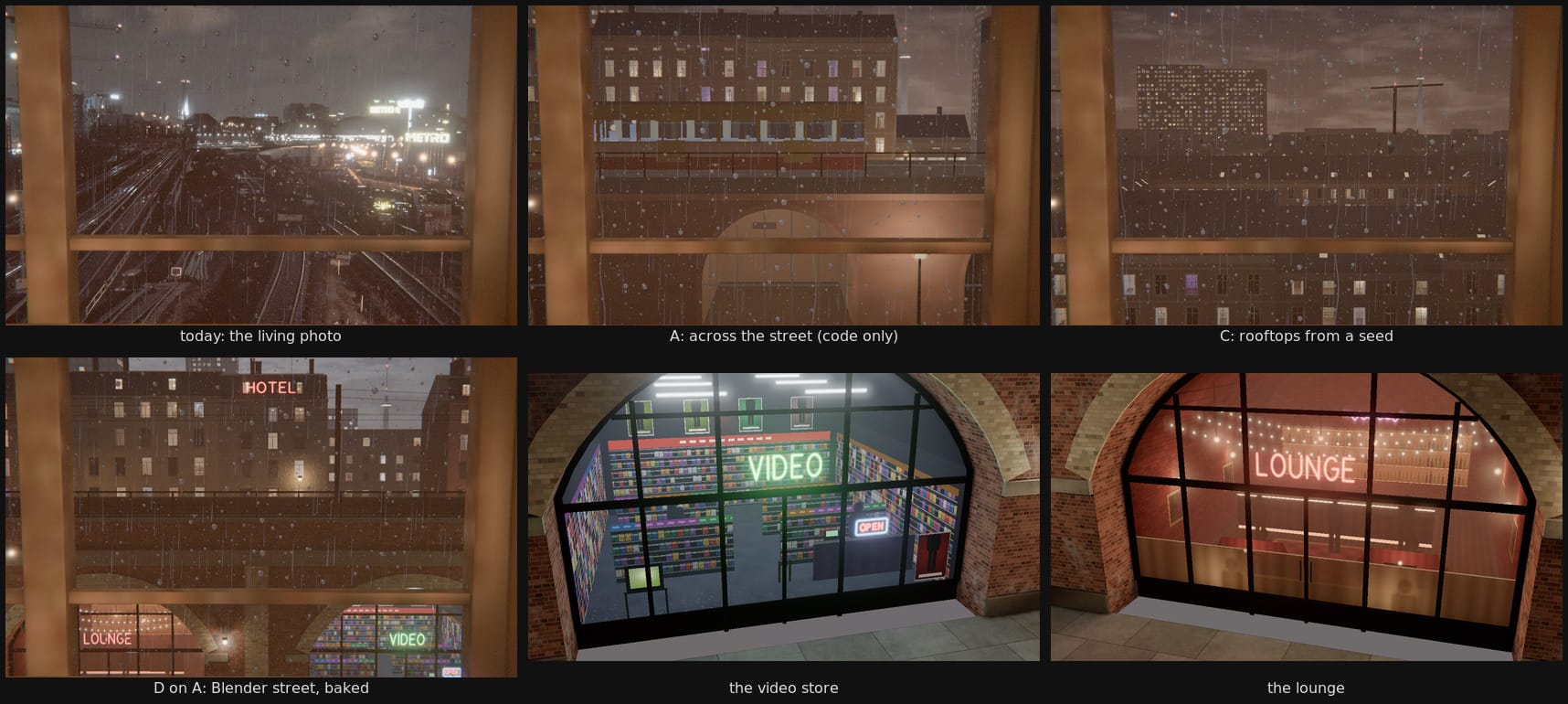
**The window directions: the photo that shipped, a street drawn in code, rooftops generated from a seed, and a Blender street baked like the room, with its video store and lounge up close.*
Claude had a better idea: We used [Depth Anything V2](https://github.com/DepthAnything/Depth-Anything-V2?ref=felixrieseberg.com), an open depth-estimation model, and turned the photo into a 50 KB depth map with two channels: a soft one, so masts, signals, and near buildings slide against the skyline when the camera drifts, and a sharp one, so trains can disappear behind buildings.
That gave us the best of both worlds - the visible photo but also depth to enable animated lights and trains. They're all drawn by the GPU on top of the photo, at almost no CPU cost:

**The photo and the two depth maps: soft for parallax, sharp to hide trains*
# Creating the nihilistic penguin
Let's talk about my favorite part of the entire project: creating a parody of the "[nihilistic penguin](https://www.youtube.com/watch?v=O%5FXehlRTz%5FU&ref=felixrieseberg.com)", a scene from Werner Herzog's *Encounters at the End of the World*: one penguin leaves the colony and walks inland, toward the mountains, alone.
Claude and I started simple, with a childlike animation drawn entirely in SVGs. It allowed us to discuss exactly what kind of parody I wanted.

**The first version, drawn in code.*
Once we had a pretty good idea of what I wanted, I asked Claude to create a CGI version that would first mimic the original closely, so that we could add my changes later. I'm told that Claude did what a VFX artist would do:
- It broke the scene down into eight shots, cut on the original's shot boundaries.
- It tracked the camera frame by frame and tried to match every pan, zoom, and wobble of the handheld camera.
- It built (surprise, surprise) the world using code in Blender, once again using the "Blender via Python" approach. This includes everything you see - snow, mountains, gravel, penguins.
It rendered 2,787 individual 640×480 frames at 23.976 fps, which resulted in a 116-second long video.
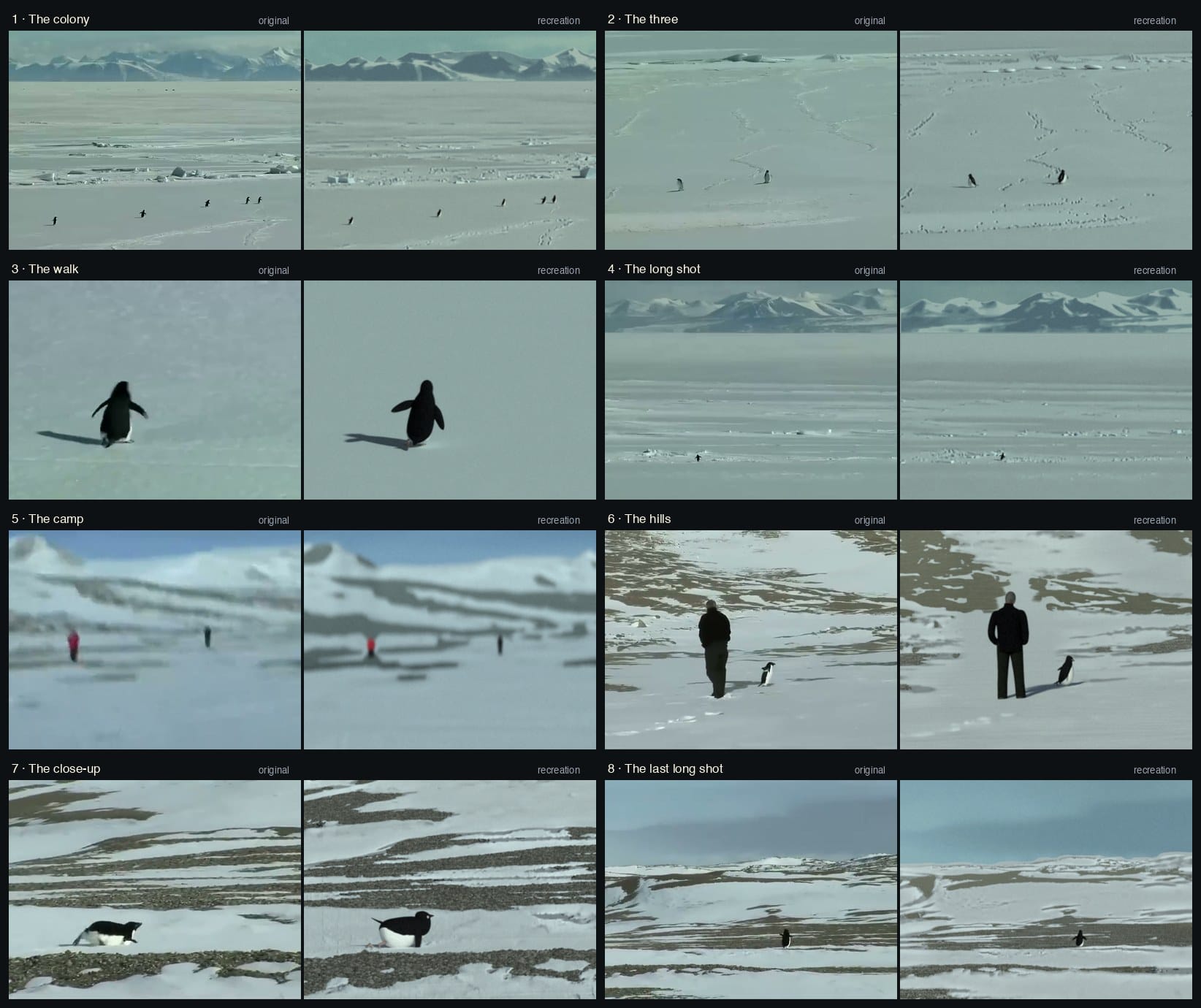
Claude's comparisons of original (left) and the CGI reproduction (right)
Any good parody thrives on being pretty close to the original with a few small details changed: a desk with a computer on the ice, a row of corporate flags across the lonely penguin's way (one for each place I've worked), or a silly reference to the fact that I have a blog that gets a new post like once a year.
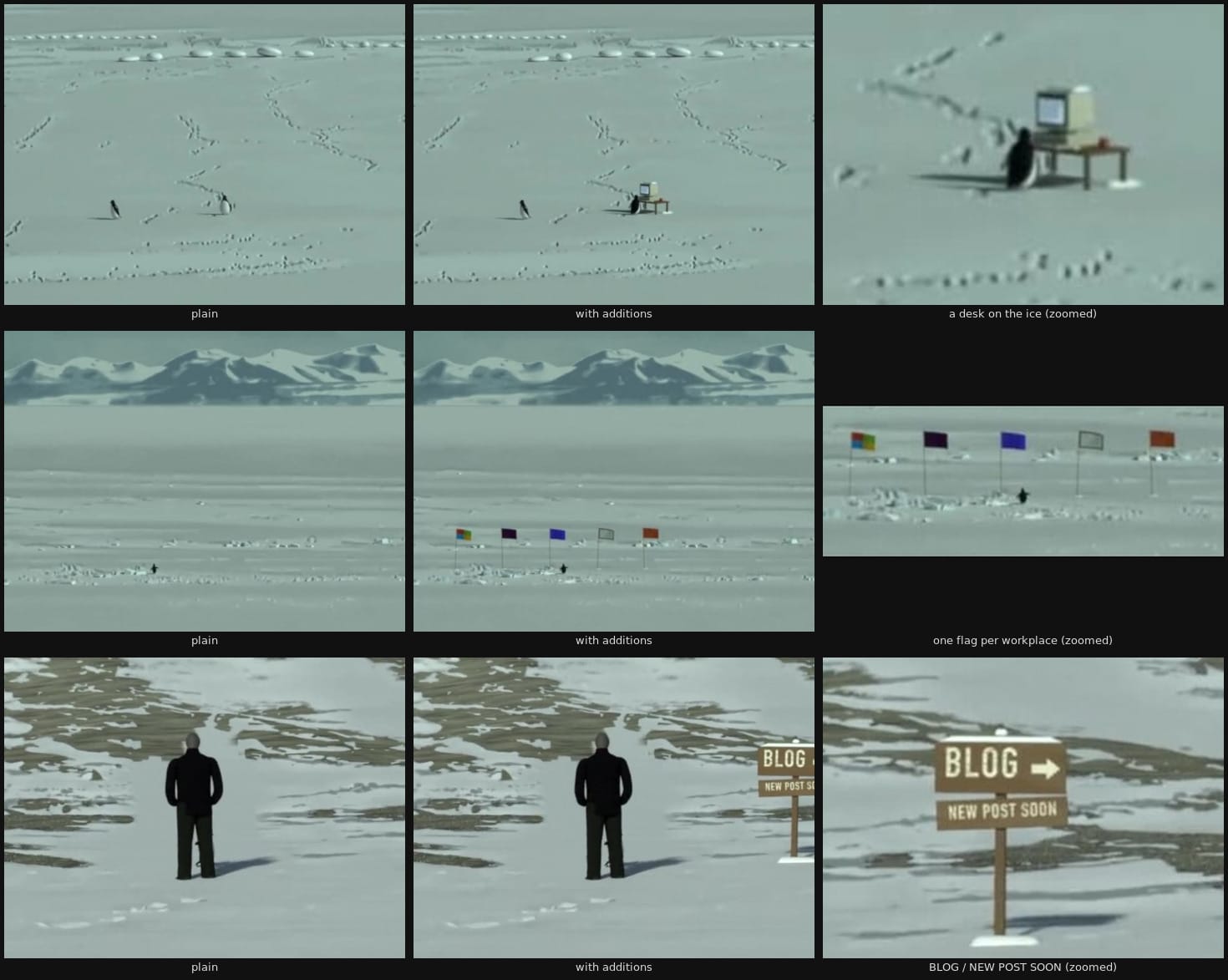
Oh look, the penguin is turning into an engineer
While Claude was overall excellent at sound design, it initially tried some free open-source models to generate a voice over. It worked but was a little lackluster in terms of quality, so I signed up for an ElevenLabs Starter account and simply gave Claude the API key.
# Synthesizing music
Oh, also, did I mention that Claude composed and synthesized three soundtracks on the website from scratch? It used (again, surprise!) Python. It first wrote a score, then a synthesizer engine. I have *no idea* how to make music. I asked Claude about its approach: "Deep Field is six four-bar chords in C# minor (C#m(add9), Amaj7(#11), F#m9, F#m(add9)/G#, C#m(add9), B) over a C# drone at 34.6 Hz. Late Shift is a 32-bar AABA song form." I have *no idea* what any of that means but I was able to give Claude Rick Rubin-style feedback in the form of "I like this" or "No, make it... less excited".
# Not reading the code
I think a lot of engineers are experiencing a crisis of faith: If I've got dozens of Claude threads buzzing away at the same time, there's no way I'm reading all that code. Which is true: I'm not reading the code. I suspect that this is easier to understand for people who've worked both as an engineer and as an engineering manager - as a manager, you have to find ways to establish quality without reviewing every single change your people make. Entire books have been written about how exactly you do that without micromanagement, but I apply roughly the same mechanisms. Two classic examples are demanding rigorous processes and measurements, or tasking individual agents with breaking things (aka adversarial agents who consider their success to prove that the code is bad).
Multiple QA threads drove the site round after round in a headless browser and wrote about 3,000 lines of findings to the shared folder. The coordinating Claude quickly figured out which other thread was at fault and passed the finding on. The multi-Claude world is, as it turns out, not blameless. The adversarial agents found cassettes with blank labels, leftover German, links that stayed clickable behind cards, and a race when you switch tapes quickly. A single Claude thread doesn't write perfect code, a fleet of Claudes holding each other accountable meet my bar.
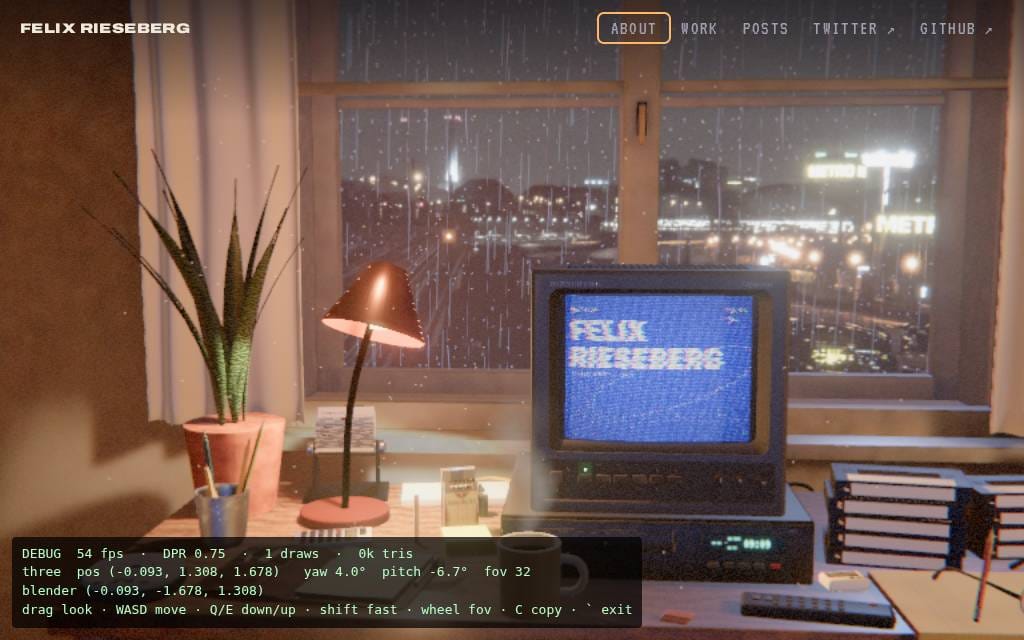
**The debug view during a QA run on an older version of the room.*
## Hill climbing performance
Models are *very* good at hillclimbing. Tasking threads with specific targets, like frame rate, draw calls, or shadow draws, gets you very far.
You'd think that models have a hard time telling whether two versions of a scene look roughly the same. Claude came up with a clever solution - it took comparative screenshots and actually calculated the pixel-by-pixel difference. If you do that from multiple angles, you get a fairly foolproof method of ensuring that the performance gains are real gains and not just quality degradations.
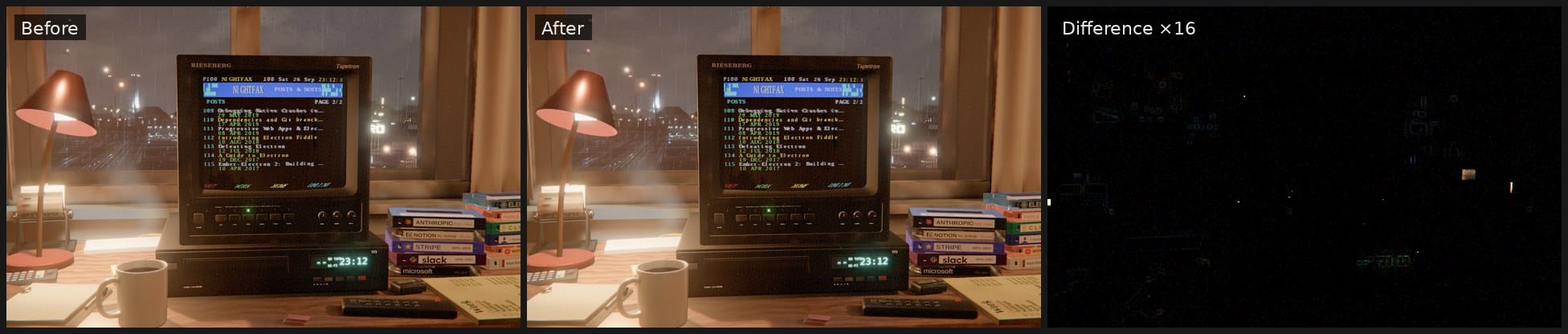
Claude calculating the visual difference between two versions.
# Some closing thoughts
I want to be sensitive to those who might be reading this post with an ache in their heart, feeling like it's outrageous that somebody who never went through the pain of learning the theory or practice of 3D modeling suddenly claims they're building 3D things. I'm sure you could find single elements that are low quality and call them slop, pointing out differences between the thing I worked on for 24 hours and a room designed painstakingly by hand over weeks.
I've certainly heard similar feelings from engineers, both when Electron made desktop app development easier and obviously during the rise of AI-assisted coding. I'm probably a fairly median engineer, but I *am* a professional one - I've worked on plenty of things that made it to many users. In 2026, I wouldn't have considered rebuilding my website without AI, but it's funny that I didn't even reach for Claude Code as a dedicated "for coding" tool. I just used Claude. Opus 5.5 and the generic harness didn't need to be told that we're "coding" here.
The San Francisco Museum of Modern Art just had a wonderful Matisse exhibit that included a restaging of the famous 1905 Paris Salon d'Automne, where a critic dismissed Matisse and his friends as "wild beasts." It reminded me of all the "photography?!?!?" drama 50 years earlier, also around one of the Paris Salons: The French poet Charles Baudelaire [had the spiciest takes on photography](https://www.metmuseum.org/art/collection/search/270956?ref=felixrieseberg.com), which entered the Paris Salon for the first time in 1859\. Considering photos as art was, in his eyes, obviously a symptom of artistic decline. Counting a mechanical process as creative was not just wrong! A threat to French taste! Photography is "the refuge of every would-be painter, every painter too ill-endowed or too lazy to complete his studies".
Maybe I am too ill-endowed in skill or too lazy to redesign my entire homepage from scratch. And yet, here I sit, being pretty proud of my new homepage, made entirely through mechanical means. I'm not French, and I'm not sure I have more taste than anyone else - but it's exactly the way I saw it in my head, a mere 48 hours ago, and I'm pretty excited to show it to my friends.
### The Fanciest eCards
URL: https://felixrieseberg.com/the-fanciest-ecards/
Last updated: 2025-02-28T19:55:34.000Z
I believe the best engineering leaders are *students* of engineering management, which is to say people who constantly and shamelessly try to steal inspiration from other managers. I joined Stripe in the immediate aftermath of the California Covid-19 lockdowns, when the company had just freshly moved to a new office, and also experimented with hot desks (in other words: not giving engineers dedicated desks).
My manager at the time, Jeff Chan, introduced me to a tradition of his: Whenever there was an opportunity to celebrate a team member (say, for a work anniversary or a birthday), he would build slightly over-engineered eCards. The core format was what you might be used to: Collect greetings, then present the person to be celebrated with everyone's well-wishes. At Stripe, kudoboard.com was popular to do so – but it always felt a little impersonal. Jeff, instead, collected messages from people and then combined them into an adorable website tailor-made for the person in question. I remember the eCard for a team member who used to be a lead on Gmail. It was a simple clone of Gmail's frontend, filled with little jokes both about the person's work and messages from all of their colleagues as fake emails. I wish I had taken a screenshot.
I have since started to build completely over-engineered eCards for my colleagues. Some of the best examples are the "[Buch Fashion Week](https://happy-five-years-buch.vercel.app/?ref=felixrieseberg.com)", "[Aliceland](https://main.d2ljwuh76vw3o8.amplifyapp.com/?ref=felixrieseberg.com)", "[Jigram](https://happy-one-year-ji.vercel.app/?ref=felixrieseberg.com)", or "[MajaBnb"](https://happy-one-year-maja.vercel.app/?ref=felixrieseberg.com).
[](https://happy-five-years-buch.vercel.app/?ref=felixrieseberg.com)
Buch Fashion Week ([https://happy-five-years-buch.vercel.app](https://happy-five-years-buch.vercel.app/?ref=felixrieseberg.com))
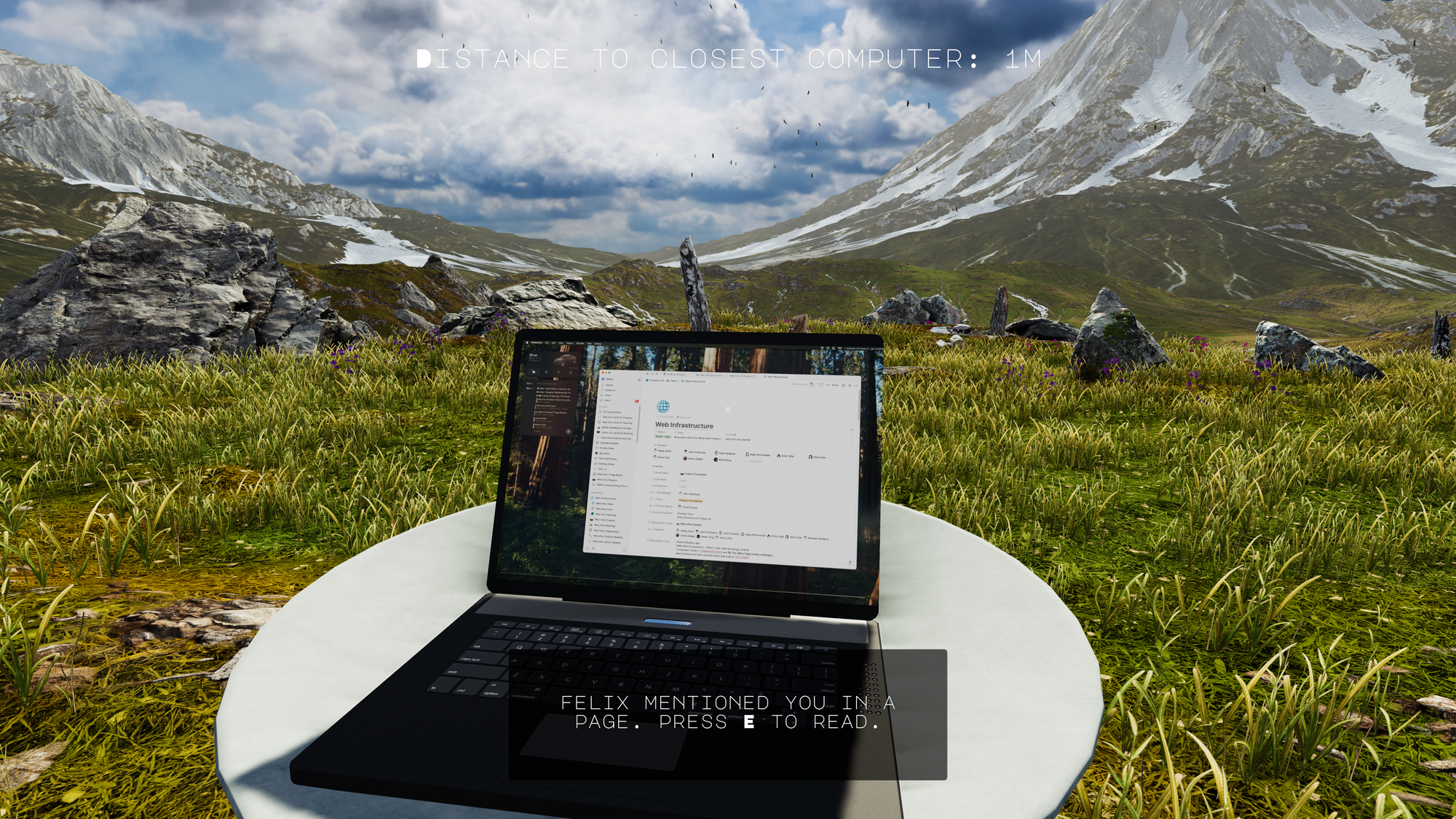
Aliceland ([https://main.d2ljwuh76vw3o8.amplifyapp.com](https://main.d2ljwuh76vw3o8.amplifyapp.com/?ref=felixrieseberg.com))
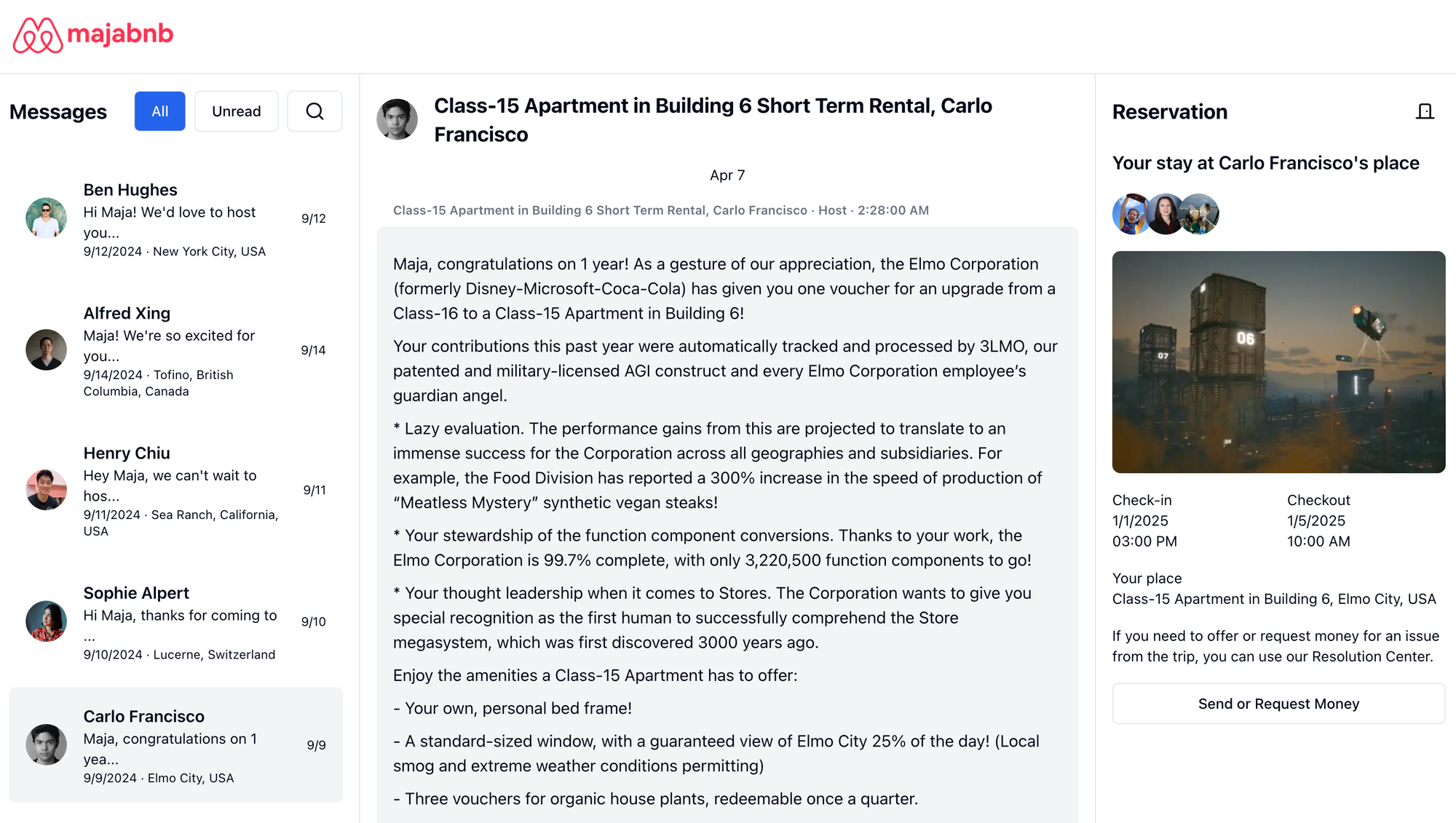
Majabnb ([https://happy-one-year-maja.vercel.app](https://happy-one-year-maja.vercel.app/?ref=felixrieseberg.com))
Obviously, building little prototypes that only aim to bring joy to one person is fun — but there are two major benefits that I'd warmly recommend to other EMs:
### **1: Really see your team**
Corporate celebrations, especially of individuals, run the risk of creating slightly dystopian vibes in the vein of [Severance's Music Dance Experience](https://www.youtube.com/watch?v=XHRApHMKvC8&ref=felixrieseberg.com). I like Jeff's approach so much because it is authentic and genuine. Building something yourself just for that one person, regardless of how bad or janky it turns out, gives you an opportunity to really "see" the person being celebrated. If I ever enter "anniversary" or "3 years" into a gif search box again I'll know that I'm probably missing the mark.
It's also an opportunity for everyone to make their contributions more personal than a "Happy two year anniversary! — Jen" would be. Tee up a more personal approach for your team and you'll see how people start to engage with each other's humanity more.
### **2: Play with code**
I advocate for engineering managers to code occasionally, ideally also playing with newer technologies. Getting a healthy dose of exposure to both the code your team works with every day but also what the industry is exploring is, in my view, a prerequisite to coming up with good answers to a large subset of engineering management problems.
Building fancy celebrations is an excellent opportunity to do just that. I work a lot with web technologies, so a lot of my celebrations are web experiences — but I'm confident that I could come up with ways to do something similar in the API, AI, or Game space, too. I use different languages, frameworks, tools, and hosting providers for my little eCards. It's my way of spending less than two days on a technology potentially relevant to my company or team without building yet another to-do app implementation.
## How To Find the Time
When sharing my approach with people, the question I get asked the most is "Where do you find the time?".
For me, staying current with code is non-negotiable. When Richard Feynman died, his blackboard read in large lettering "What I cannot create, I do not understand". Obviously, I'm not the best engineer on my team, nor should I be. I'm sure that there are Engineering Leaders out there who do well and don't understand the work they're leading —but speaking only for myself, I don't think I could be one of them. To go one step further, I've found being at least somewhat aware of emerging technologies to be useful for me. The best way I can sort-of understand those technologies is by trying to use them to build something small.
Given that I need to understand current and emerging technologies *and* that the best way I can do so is to build something small, my fancy eCards don't cost me additional time. I believe I'd spend the same amount if I'd walk around the office getting people to sign a physical card and also built a Svelte to-do prototype just to see what all the hype is about. I'm just combining two things I'd do anyway to make them serve me better.
## Embracing the Human Side of Engineering Leadership
For me, this approach to celebration reflects what truly matters in engineering leadership: blending technical craftsmanship with genuine human connection. These over-engineered eCards transform routine workplace milestones into meaningful moments that say, "I see you as both an engineer and a person." The underlying philosophy is something I believe in more than my approach to achieving that goal — it doesn't have to be eCards, just something that reflects both technical interests and your team's unique personalities. Small, unexpected gestures that make someone feel truly valued for exactly who they are are, in my experience as both an IC and EM, an important tool. Jeff had a lot of good tools.
### Things people get wrong about Electron
URL: https://felixrieseberg.com/things-people-get-wrong-about-electron/
Last updated: 2025-01-21T19:48:35.000Z
I dedicated years bringing web technologies and desktop apps closer together. The most recent and most successful project in that vein is [Electron](https://electronjs.org/?ref=felixrieseberg.com), which I've spent the last ten years working on.
As an open source project, our website never had to "convince people" to use Electron, so I never took the time to actually explain *why* I'm betting on web technologies to build user interfaces or *why* I prefer bundling a rendering engine.
Electron's choices, especially the very idea of building interfaces with web tech and shipping large parts of Chromium to render them, are not uncontroversial. Reasonable people wonder why we made those choices. Operating systems already have user interface libraries. In those libraries is usually also some kind of WebView, often actually based on Blink (Windows) or WebKit (macOS, many Linux distributions). Why go through all that trouble of bundling parts of Chromium? And, even if we go through that trouble, why do so many apps (Visual Studio Code, Slack, Discord, Figma, ChatGPT, Claude, Notion, 1Password, Docker Desktop, and many more) go along with it?
I finally took the time to write down the arguments for the choices that we made. **You can find** [**that document on the Electron homepage**](https://www.electronjs.org/docs/latest/why-electron?ref=felixrieseberg.com)**. It tries to pre-empt a lot of common misconceptions.** This post is a pairing suggestion —and discusses some of the things I believe people get most wrong about Electron on the Internet today.
## Electron pits JavaScript versus native code
The argument: JavaScript isn't the right choice for everything. Native is better. Electron is not native.
This misconception is likely the fault of Electron's maintainer team and especially me. Most of the talks I've given in the earlier days of Electron highlighted its ability to interact with the operating system from JavaScript.
However, the entire point of Electron is that you can pair your web app with any native code you want to write—specifically with C++, Objective-C, or Rust. Some apps (like mine) only reach for native code when I want to use native UI components, offload some particularly processing-intensive work, or use a native dependency like SQLite. Other apps, like 1Password, [have most of their code written entirely in Rust](https://dteare.medium.com/behind-the-scenes-of-1password-for-linux-d59b19143a23?ref=felixrieseberg.com).
Electron's proposition is for developers to mix and match. Writing an app that uses primarily OS-native UI libraries will always be more fun and productive in XCode or Visual Studio, but Electron's superpower is that you can combine HTML for your UI with as much native code as you feel like.
Demos are often easier to follow than long step-by-step tutorial, so I've created an example repository that [features a simple "todo app interface" implemented in SwiftUI, GTK, and Win32 using Swift, Objective-C, Objective-C++, and C++](https://github.com/felixrieseberg/electron-native-code-demos?ref=felixrieseberg.com).
## **Web apps are bad**
The argument: All native apps are better than all web apps. Any given web app would be better as a native app.
You can obviously feel that way, but the market does not reflect that sentiment. Software ate the world, and then the web ate software. Bad apps are bad—and plenty of web apps are bad, for sure—but some of the most-used, most-purchased, and most-loved apps *are* web apps.
My personal take is that web technologies make up the most successful, versatile, and capable UI stack out there today. To take it straight from my `Why Electron` document: "NASA’s actual [Mission Control](https://github.com/nasa/openmct?ref=felixrieseberg.com) is written with web technologies. The [Bloomberg Terminal](https://en.wikipedia.org/wiki/Bloomberg%5FTerminal?ref=felixrieseberg.com), the computer system found at every financial institution, is written with web technologies and runs inside Chromium. It costs $25,000 per user, per year. The McDonald’s ordering kiosk, powering the world’s biggest food retailer, is entirely built with Chromium. The [SpaceX’s Dragon 2 space capsule](https://old.reddit.com/r/spacex/comments/gxb7j1/we%5Fare%5Fthe%5Fspacex%5Fsoftware%5Fteam%5Fask%5Fus%5Fanything/ft62781/?context=3&ref=felixrieseberg.com) uses Chromium to display its interface."
Nothing is without tradeoffs, web technologies aren't perfect, and well-built native applications using operating system-native UI libraries can be works of art. However, assertions that web apps are inherently inferior and that web apps are only written by people who couldn't bother to learn native technologies is at best ignorant and at worst lacking empathy with the requirements and constraints, and in turn with end users empowered with choice.
## Operating System WebViews are more performant
The argument: macOS, Windows, and most Linux distributions ship with a built-in WebView primitive. That WebView is "better" than the latest version of Chromium.
Before moving eventually to Electron, the first versions of Slack's desktop app used built-in WebViews on macOS through a framework called [MacGap](https://github.com/MacGapProject/MacGap1?ref=felixrieseberg.com), which *sounded* great (and was, in fact, ahead of its time):
> These Apps run in OS X's WebView and take advantage of WebKit technologies. MacGap exposes a JavaScript API for OS X integration, such as displaying native notifications or writing data to a file. MacGap is extremely lightweight and nimble; a blank application weighs less than 1MB.
All `UIWebViews` run in a single process, which ends up using less CPU and Memory when directly compared with Electron. However, when running the actual Slack web app, users would report slow performance. Whatever the user wanted to do, it'd be faster in Chrome. Eventually, Apple moved towards a multi-process architecture with shared utility processes as popularized by Chrome et all with `WKWebView`. This "catch up" game remains – the very best web app rendering engines and runtimes can be found in our best browsers. Operating system WebViews will eventually catch up — but I have yet to see them ahead.
In other words, I have not seen data that proves that built-in WebViews perform better than Chromium. Naively, it seems unlikely to me that an operating system-bundled renderer would beat the best available renderer code out there, as long as the most funding goes towards optimizing browsers. It's not inconceivable: Apple, Microsoft, or another operating system provider might eventually build a browser stack that blows Chromium out of the water.
The operating system has, in theory, the ability to share some resources between all applications using a WebView. In practice, many resources remain strictly isolated to the owning app, largely for security purposes. As a result, I have yet to see a benchmark that shows that an interactive app (think GMail, Notion, Figma, Loom, Slack) perform better in a built-in WebView than in the latest version of Chromium.
But: You might be surprised to hear that performance is not the primary reason why many Electron developers prefer a bundled engine. [The primary reason is allowing developers to control the stability, security, and reliability of their applications](https://www.electronjs.org/docs/latest/why-electron?ref=felixrieseberg.com#why-bundle-anything-at-all) independently from a WebView that's tightly coupled with the operating system and therefore out of their control.
## Bundle size matters
The argument: End users prefer apps that are 5 MB over apps that are 200 MB.
Most Electron apps clock in around 100 to 300 MB. From first principles, smaller is obviously better. Nobody argues that a bigger app is better than a smaller app.
But: Users, both in the consumer and business space, do not care. One hour of Netflix at 4K is roughly 7 GB, a typical Call of Duty update regularly clocks in more than 300 GB. In practice, we have not seen end users care about binary size more than they do about virtually anything else your engineering team could spend time on.
# Defeating Electron
In the past, I've written about how Electron only exists because a small group of people passionate about building desktop apps feels like they need to build a framework to enable them to build the kind of apps they want to build. Noticeably, the end goal is to build desktop apps, not to build a framework to do so. This still remains true.
Electron isn't here to compete with anyone. It's a free open source community effort filling a gap. If you want to defeat Electron, you will need to fill it too; and you will need to do a better job than Electron is doing today — at the things that allow us to deliver a good experience. Many of the Electron maintainers are here to build desktop apps that end users love. If you succeed in helping them with that difficult task by building a better platform, they will smile, shake your hand, and thank you.
### Using WebGL Shadertoy Shaders in Three.js
URL: https://felixrieseberg.com/using-webgl-shadertoy-shaders-in-three-js/
Last updated: 2024-09-21T17:01:45.000Z
In this post, I'll explain how to port shaders made with and for Shadertoy to Three.js.
Shadertoy is an online community and tool for creating and sharing shaders through WebGL, used for both learning and teaching 3D computer graphics in a web browser. Crucially, it's also where I often find inspiration for amazing shaders — being left in awe with the amount of creativity people have. Turning math into pretty images is a skill I admire so much.
I'm more of a web developer myself - and I sometimes find myself trying to re-use parts of Shadertoy shaders in Three.js scenes in web apps (only where allowed and with proper attribution, of course). Porting Shadertoy shaders over to Three.js is surprisingly straightforward, but it took me a while to figure it out - none of the popular LLMs knew about it, neither could I find anything with Google. If you're trying to do the same thing, let me tell you how.
# Scene Setup
There are dozens of ways to setup a Three.js scene - and which one you choose doesn't matter for the steps below. Below, I'm using TypeScript, React, and [react-three-fiber](https://github.com/pmndrs/react-three-fiber?ref=felixrieseberg.com), but don't worry about those choices if you made different ones. The way you'll interact with the shaders below remains the same and the changes I'm making should easily translate to other frameworks and libraries.
In short, I'm setting up a scene, an orthographic camera, a simple plane mesh, and a shader material. `` is a custom component that we'll cover in the next step. For now, let's call out the only weird thing: We're setting a new `key` on the `` every time the window size changes. That's necessary because shaders tend to break if we try to change the resolution on them dynamically, so we'll likely have to reset the entire renderer. You'll also have to do this whenever you want to swap out the shader dynamically. Whenever your Canvas goes black after some kind of interaction, simply make sure you update your `key` \- or whatever the equivalent is in your framework or web app.
```TypeScript
import { useEffect, useState } from "react";
import { invalidate, Canvas } from "@react-three/fiber";
import { OrthographicCamera } from "@react-three/drei";
import { ShaderMaterial } from "./shader-material";
import { useWindowSize } from "../hooks/use-window-size";
export function ShaderCanvas() {
const { innerWidth, innerHeight } = useWindowSize();
const [ key, setKey ] = useState(`${innerWidth}-${innerHeight}`);
// The shaders tend to be brittle and tend to break when we
// change the window size or the underlying shader material.
//
// To force rerenders, we use a unique key for the canvas
// that changes whenever the window size changes.
useEffect(() => {
setKey(`${innerWidth}-${innerHeight}`);
invalidate();
}, [innerWidth, innerHeight, key]);
return (
);
}
```
shader-canvas.tsx
If you're curious about the `useWindowSize()` hook, here's the one I tend to use:
```TypeScript
import { useEffect, useState } from "react";
import { debounce } from "lodash";
export function useWindowSize() {
const [size, setSize] = useState({
innerWidth: window.innerWidth,
innerHeight: window.innerHeight
});
useEffect(() => {
const handleResize = () => {
setSize({
innerWidth: window.innerWidth,
innerHeight: window.innerHeight
});
};
const debouncedHandleResize = debounce(handleResize, 250);
window.addEventListener('resize', debouncedHandleResize);
return () => {
window.removeEventListener('resize', debouncedHandleResize);
}
}, []);
return size;
}
```
use-window-size.ts
# ShaderMaterial
Below, I'm setting up a Three.js [ShaderMaterial](https://threejs.org/docs/?ref=felixrieseberg.com#api/en/materials/ShaderMaterial) and making important additions to enable Shadertoy shaders.
First, we're importing two shaders: A `FragmentShader` and a `VertexShader`. We'll cover the definitions of both later. Let's cover everything noteworthy here:
## Mouse Interaction
Mouse interactions: Shadertoy uses a "pixels from the bottom left" coordinate system, so we'll have to re-calculate mouse events. You'll notice that I'm multiplying values by `window.devicePixelRatio` \- this ensures that your shader is dealing with the correct resolution.
## Uniforms
Uniforms: A [uniform](https://www.khronos.org/opengl/wiki/Uniform%5F%28GLSL%29?ref=felixrieseberg.com) is a "global shader variable". We'll have to inject the variables that are always available in Shadertoy. Below, I'm covering the most popular ones (`iTime`, `iTimeDelta`, `iResolution`, `iMouse`). The flow is always the same: We first declare the uniform and its type in our Three.js ShaderMaterial and will then also declare it later in our `FragmentShader`.
All uniforms available are below. Search your shader for these values, and if they exist, add them following the same pattern I'm using below.
```
uniform vec3 iResolution;
uniform float iTime;
uniform float iTimeDelta;
uniform float iFrame;
uniform float iChannelTime[4];
uniform vec4 iMouse;
uniform vec4 iDate;
uniform float iSampleRate;
uniform vec3 iChannelResolution[4];
uniform samplerXX iChanneli;
```
All the Shadertoy uniforms
You'll also notice that I'm manually updating the uniforms on each frame.
```TypeScript
import { useRef, useState, useEffect, useMemo, useContext } from "react";
import { useFrame } from "@react-three/fiber";
import * as THREE from 'three'
import fragmentShader from './shaders/fragment.glsl'
import vertexShader from './shaders/vertex.glsl'
export function ShaderMaterial() {
const materialRef = useRef()
const [mouse, setMouse] = useState({ x: 0, y: 0 })
const dpr = window.devicePixelRatio
useEffect(() => {
const handleMouseMove = (event: MouseEvent) => {
// Convert mouse position to Shadertoy's coordinate system
// (pixels from bottom-left)
setMouse({
x: event.clientX * dpr,
y: (window.innerHeight - event.clientY) * dpr
});
};
window.addEventListener('mousemove', handleMouseMove);
return () => window.removeEventListener('mousemove', handleMouseMove);
}, []);
const uniforms = useMemo(() => ({
iTime: { value: 0.0 },
iTimeDelta: { value: 0.0 },
iResolution: { value: new THREE.Vector2(1, 1) },
iMouse: { value: new THREE.Vector3(0, 0, 1) }
}), [])
useFrame((state) => {
if (materialRef.current) {
const { uniforms } = materialRef.current;
const { elapsedTime } = state.clock;
uniforms.iTime.value = elapsedTime;
uniforms.iTimeDelta.value = elapsedTime - uniforms.iTime.value;
uniforms.iResolution.value.set(
window.innerWidth * dpr,
window.innerHeight * dpr,
1
);
uniforms.iMouse.value.set(mouse.x, mouse.y, 1);
}
})
return (
}
vertexShader={vertexShader}
fragmentShader={fragmentShader}
uniforms={uniforms}
/>
)
}
```
shader-material.tsx
# FragmentShader
This is where we'll actually "port" the Shadertoy shader. Let's take [this animated Windows 10 "wallpaper" as an example](https://www.shadertoy.com/view/lllSR2?ref=felixrieseberg.com). Credits go to [gyabo](https://www.shadertoy.com/user/gyabo?ref=felixrieseberg.com) (and, I assume, Microsoft).
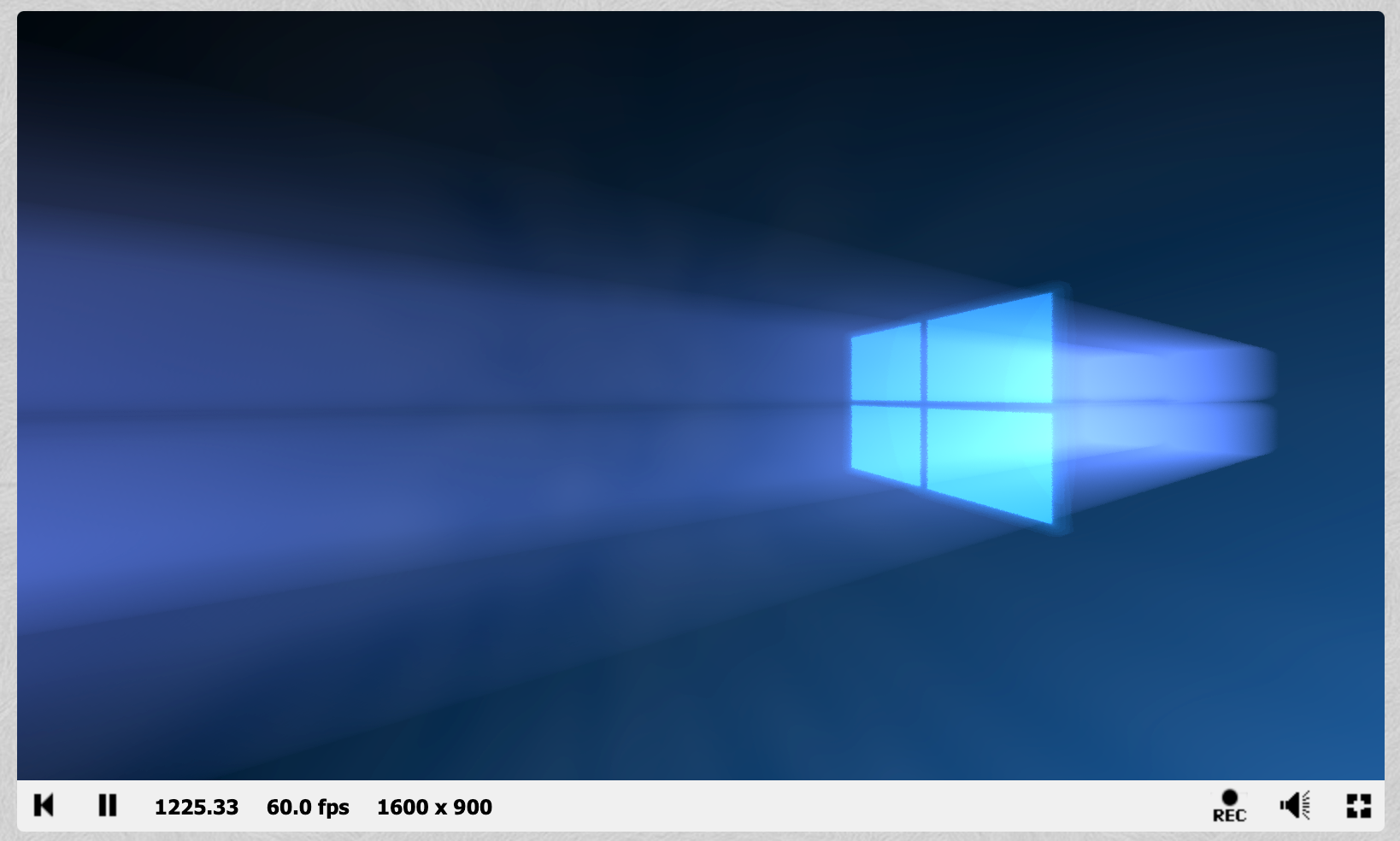
Pretty!
The code for that shader is fairly simple:
```GLSL
#define PI 3.1415926535897921284
#define REP 25
#define d2r(x) (x * PI / 180.0)
#define WBCOL (vec3(0.5, 0.7, 1.7))
#define WBCOL2 (vec3(0.15, 0.8, 1.7))
float hash( vec2 p ) {
float h = dot( p, vec2( 127.1, 311.7 ) );
return fract( sin( h ) * 458.325421) * 2.0 - 1.0;
}
float noise( vec2 p ) {
vec2 i = floor( p );
vec2 f = fract( p );
f = f * f * ( 3.0 - 2.0 * f );
return mix(
mix( hash( i + vec2( 0.0, 0.0 ) ), hash( i + vec2( 1.0, 0.0 ) ), f.x ),
mix( hash( i + vec2( 0.0, 1.0 ) ), hash( i + vec2( 1.0, 1.0 ) ), f.x ),
f.y
);
}
vec2 rot(vec2 p, float a) {
return vec2(
p.x * cos(a) - p.y * sin(a),
p.x * sin(a) + p.y * cos(a));
}
float nac(vec3 p, vec2 F, vec3 o) {
const float R = 0.0001;
p += o;
return length(max(abs(p.xy)-vec2(F),0.0)) - R;
}
float by(vec3 p, float F, vec3 o) {
const float R = 0.0001;
p += o;
return length(max(abs(mod(p.xy, 3.0))-F,0.0)) - R;
}
float recta(vec3 p, vec3 F, vec3 o) {
const float R = 0.0001;
p += o;
return length(max(abs(p)-F,0.0)) - R;
}
float map1(vec3 p, float scale) {
float G = 0.50;
float F = 0.50 * scale;
float t = nac(p, vec2(F,F), vec3( G, G, 0.0));
t = min(t, nac(p, vec2(F,F), vec3( G, -G, 0.0)));
t = min(t, nac(p, vec2(F,F), vec3(-G, G, 0.0)));
t = min(t, nac(p, vec2(F,F), vec3(-G, -G, 0.0)));
return t;
}
float map2(vec3 p) {
float t = map1(p, 0.9);
//t = max(t, recta(p, vec3(1.0, 1.0, 0.02), vec3(0.0, 0.0, 0.0)));
t = max(t, recta(p, vec3(1.0, 1.0, 0.02), vec3(0.0, 0.0, 0.0)));
return t;
}
// http://glslsandbox.com/e#26840.0
float gennoise(vec2 p) {
float d = 0.5;
mat2 h = mat2( 1.6, 1.2, -1.2, 1.6 );
float color = 0.0;
for( int i = 0; i < 2; i++ ) {
color += d * noise( p * 5.0 + iTime);
p *= h;
d /= 2.0;
}
return color;
}
void mainImage( out vec4 fragColor, in vec2 fragCoord ) {
fragColor = vec4(0.0);
for(int count = 0 ; count < 2; count++) {
vec2 uv = -1.0 + 2.0 * ( fragCoord.xy / iResolution.xy );
uv *= 1.4;
uv.x += hash(uv.xy + iTime + float(count)) / 512.0;
uv.y += hash(uv.yx + iTime + float(count)) / 512.0;
vec3 dir = normalize(vec3(uv * vec2(iResolution.x / iResolution.y, 1.0), 1.0 + sin(iTime) * 0.01));
dir.xz = rot(dir.xz, d2r(70.0));
dir.xy = rot(dir.xy, d2r(90.0));
vec3 pos = vec3(-0.1 + sin(iTime * 0.3) * 0.1, 2.0 + cos(iTime * 0.4) * 0.1, -3.5);
vec3 col = vec3(0.0);
float t = 0.0;
float M = 1.002;
float bsh = 0.01;
float dens = 0.0;
for(int i = 0 ; i < REP * 24; i++) {
float temp = map1(pos + dir * t, 0.6);
if(temp < 0.2) {
col += WBCOL * 0.005 * dens;
}
t += bsh * M;
bsh *= M;
dens += 0.025;
}
//windows
t = 0.0;
float y = 0.0;
//for(int i = 0 ; i < REP * 50; i++)
for(int i = 0 ; i < REP; i++)
{
float temp = map2(pos + dir * t);
if(temp < 0.1) {
//col += WBCOL2 * 0.005;
col += WBCOL2 * 0.5;
}
t += temp;
y++;
}
col += ((2.0 + uv.x) * WBCOL2) + (y / (25.0 * 50.0));
col += gennoise(dir.xz) * 0.5;
col *= 1.0 - uv.y * 0.5;
col *= vec3(0.05);
col = pow(col, vec3(0.717));
fragColor += vec4(col, 1.0 / (t));
}
fragColor /= vec4(2.0);
}
```
To port it over, we'll need to do the following things:
## Add our uniforms
At the top, add our uniforms:
```GLSL
uniform float iTime;
uniform float iTimeDelta;
uniform vec2 iResolution;
uniform vec3 iMouse;
// ...rest of the shader
```
## Add a main() function
Then, at the bottom, add a `main()` function that calls the default Shadertoy `mainImage()` function:
```GLSL
// ...rest of the shader
void main() {
mainImage(gl_FragColor, gl_FragCoord.xy);
}
```
# VertexShader
The VertexShader doesn't have to do a lot of work, we do most of it in the FragmentShader. This default one should work for almost all ShaderToy shaders:
```
varying vec2 vUv;
void main() {
vUv = uv;
gl_Position = projectionMatrix * modelViewMatrix * vec4(position, 1.0);
}
```
# Tweaking Things
For most shaders, the work done above should be enough. However, some shaders might require a bit of surgery to ensure correct colors. When you run the example above for instance, you'll discover that you see bright shapes but not at all what you expected:
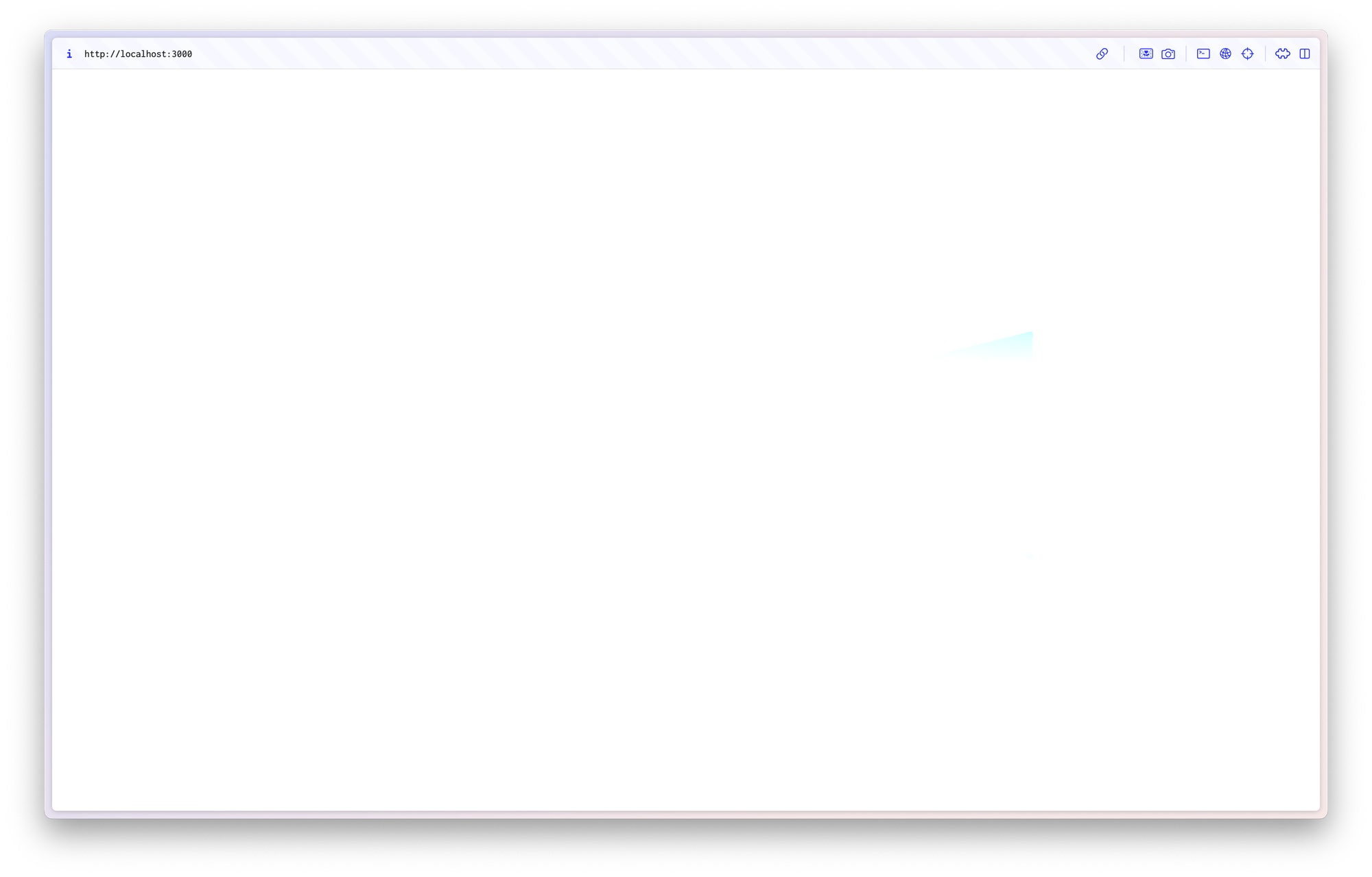
Where's my shader?
The problem: Transparency. Not all shaders write fully opaque pixels, some of them are transparent. Whenever they are transparent, things tend to look bad. To fix this, we'll need to perform surgery on the shader itself and set the "alpha channel" of each pixel to 1\. This requires you to understand a bit of the WebGL basics, so bear with me: The `mainImage()` function in your FragmentShader is given a pixel coordinate and is supposed to change its pixel color. You can see that in the function definition: `void mainImage( out vec4 fragColor, in vec2 fragCoord )`. At the very bottom of the function, you'll set the "alpha channel" to `1.0` by calling `fragColor.a = 1.0;`
In our example above, I'm adding it here:
```
// ...rest of the shader
void mainImage( out vec4 fragColor, in vec2 fragCoord ) {
// ... rest of the function
fragColor.a = 1.0;
}
void main() {
mainImage(gl_FragColor, gl_FragCoord.xy);
}
```
And then, finally, we have a working Shadertoy shader in Three.js:
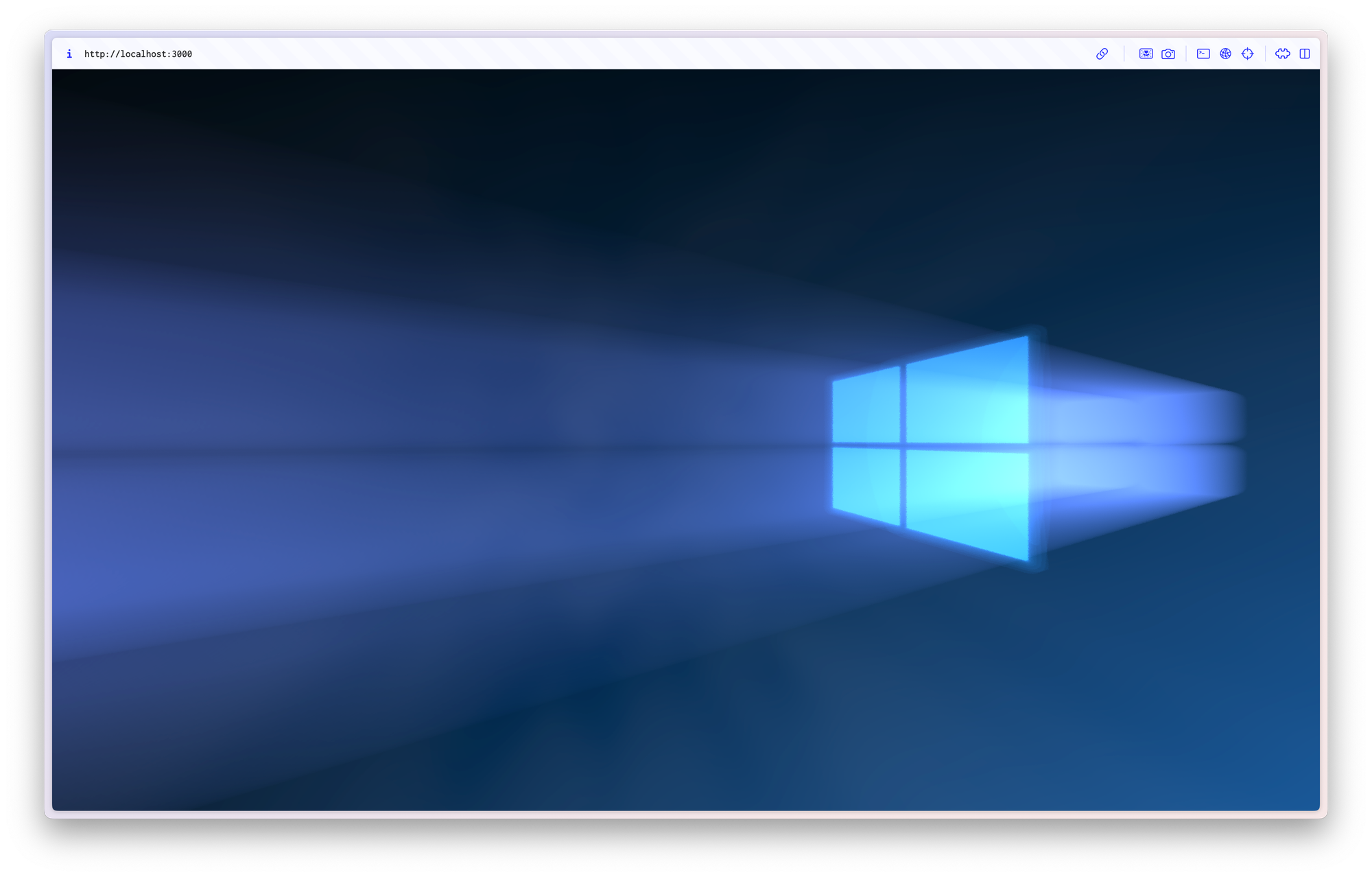
# Find the code on GitHub
You can find the demo code [for this tutorial on GitHub](https://github.com/felixrieseberg/shadertoy-in-threejs?ref=felixrieseberg.com) \- together with [a deployed live demo](https://felixrieseberg.github.io/shadertoy-in-threejs/?ref=felixrieseberg.com).
### Adventures in Measuring JavaScript
URL: https://felixrieseberg.com/adventures-in-measuring-javascript/
Last updated: 2026-10-17T20:48:08.000Z
This is a post about my attempts to measure the CPU cost of JavaScript in a large codebase using thread instruction counters within Chrome's tracing tools. If you came here for a solution, I'll have to disappoint: While I managed to get *something* working, I have not implemented it in my organization and cannot recommend that you do either. This post explains the progress I've made, what options I've encountered on my journey, and offers some actual code you can use, too.
# Performance is hard
Let's begin with the problem statement: Helping an entire organization to write performant code is tricky. Too frequently, you die a death of a thousand cuts - and while each Pull Request seems innocent, you end up with a slow and heavy application in aggregate. Ideally, you want to create a team goal, report progress against it, and allow developers to quickly see whether or not a single code change is making things better or worse.
That's fairly straightforward for dimensions like bundle size. For every PR, you have bots run `webpack`, analyze the bundle, and report back to the developer whether or not they made it bigger or smaller. As an organization, you can gamify the numbers and race towards the bottom together.
We had dreams about doing the same with the CPU cost of JavaScript. Specifically, we wanted to measure and improve the total work required for our application to load and for content to be visible. Our app is mostly CPU-bound, so optimizing individual algorithms can have an outsized impact on how snappy the application feels and actually operates. On the flip side, little changes to an `Array.map()` or a state layer can make the entire app slower – often without the developer ever noticing.
The problem: Measuring the CPU cost of JavaScript is something that we, as an industry, have seemingly not figured out.
## You can't just time it
You might want to reach for time: If you have two functions, the one that's faster is the one that's better. That method works well for benchmarking a single function and tools like [jsperf](https://github.com/rd13/jsperf.app?ref=felixrieseberg.com) support developers curious enough to try out different implementations. Sadly, the time-based approach breaks down completely once you're changing a complex, large application: Due to countless browser and system optimizations, two runs of JavaScript are rarely the same. Here's what we tried:
1. Use `performance.mark()` calls to measure the time it takes from navigating to our-app.com until content is visible.
2. Do that `n` times to create some statistical significance.
In our testing, even on local hardware, the coefficient of variation between runs for a total of \~15 MB of uncompressed, unminified JavaScript was around 30%. In other words, any changes below 30% in either direction could simply hide in the noise of highly optimized execution. That variance increases in the cloud, where "noisy neighbor" problems exist. Once you do anything involving the network, all timing results become quickly worthless.
## You can't just tell developers to "write better code"
In an engineering interview, we might sit down and stare at every single line in detail, discussing O(n) notations, carefully thinking through the performance of the code we're discussing. In a complex web app in 2023, the implications of code changes are often opaque. As a simple example, back in 2017 Visual Studio Code battled with a performance issue that had the editor use up to 20% of available CPU resources – [all because the blinking text editor cursor was being animated with CSS](https://github.com/microsoft/vscode/issues/22900?ref=felixrieseberg.com#issuecomment-288529120), which was an [unoptimized path deep inside Chromium](https://bugs.chromium.org/p/chromium/issues/detail?id=361587&ref=felixrieseberg.com). I am confident in saying that most developers would have not caught this problem in a code review. I also believe that many of us would have told a junior developer to not animate the cursor in JavaScript and to use CSS instead. I would have been surprised to discover that manually flipping visibility with JavaScript was, in fact, the more performant choice.
Surprises like these are everywhere: `document.querySelectorAll('.test-class')` was, for a long time, 99% slower (!!!) than the modern `document.getElementsByClassName('test-class')`.
Now, throw in a thick layer of React, state management, and server-driven reactivity and I am confident in saying that developers are not equipped to detect small performance regressions or improvements on a per-PR-level.
# Let's count the instructions
So, if you can't simply measure the time and you cannot trust developers to intuitively know which code creates more work, what do you? You measure the number of *instructions*. Instead of measuring the *time* it takes to reach our `performance.mark()`, we count the number of instructions sent to the CPU it took to reach it. In other words, we ask the CPU how hard it had to work to execute the JavaScript we're testing. Below: An explanation of how you measure instruction counts for JavaScript with Chrome's own tracing.
### Requirements
**Computer:** A Linux or Windows on Linux environment that supports CPU instruction counters. Due to the nature of virtual CPUs, you will need an *actual physical* machine *and* a CPU that includes a Performance Monitor Unit (PMU).
A virtual machine, including one offered by the cloud providers, will not work. I used WSL2 with Ubuntu on Windows 11 on a Lenovo X1 Thinkpad with an Intel i7-1165G7 processor.
```
WSL version: 1.2.5.0
Kernel version: 5.15.90.1
WSLg version: 1.0.51
MSRDC version: 1.2.3770
Direct3D version: 1.608.2-61064218
DXCore version: 10.0.25131.1002-220531-1700.rs-onecore-base2-hyp
Windows version: 10.0.22621.2283
```
Once you have your Linux environment running, you can confirm whether or not you have support enabled by running `dmesg` and checking for a running PMU driver:
```
root@Notion-26823:~# dmesg | grep PMU
[ 0.097297] Performance Events: AnyThread deprecated, Icelake events, 32-deep LBR, full-width counters, Intel PMU driver.
```
See how it says `full-width counters` and `Intel PMU driver`? That means we're in business!
**Linux Perf Tools:** To actually measure the instruction counters, we'll need the Linux Perf Tools.
```
apt install linux-perf
```
**Chrome**: In order to measure the cost of JavaScript for a single execution, you'll need the browser's help to embed instruction counters into performance profiles and traces recorded with `performance.mark()`.
Let's start with the bad news: This feature no longer exists in Chrome. It [was initially added to Chromium](https://chromium-review.googlesource.com/c/chromium/src/+/1436079?ref=felixrieseberg.com) by Facebook performance engineer [Andrew Comminos](https://github.com/acomminos?ref=felixrieseberg.com) in 2019\. In 2022, [it was removed](https://chromium.googlesource.com/chromium/src/+/736be85b0d7c4fbfaacc7fcd8571828f8ad4dee1?ref=felixrieseberg.com) due to its niche nature and a lack of a maintainer.
In practice, that means that we'll be using Chrome 101, a version I confirmed to still have working instruction counters.
If you're using WSL, first make sure that you can run Chrome Stable:
```shell
sudo dpkg -i google-chrome-stable_current_amd64.deb
sudo apt install --fix-broken -y
sudo dpkg -i google-chrome-stable_current_amd64.deb
# and confirm that stable Chrome launches fine
google-chrome --no-sandbox
```
Then, install Chrome 101:
```
wget https://www.googleapis.com/download/storage/v1/b/chromium-browser-snapshots/o/Linux_x64%2F982481%2Fchrome-linux.zip?alt=media
```
Unzip and save this browser to a location of your choice.
## Let's measure some instruction counters
For my testing script, I'm using `puppeteer`. Let's highlight a few things of note here:
- You'll need to pass in your own version of Chrome 101, otherwise `puppeteer` will use a recent version without instruction counters.
- You'll need to run Chrome with the `--no-sandbox` and `--enable-thread-instruction-count` flags.
- You do not need to specify specific tracing categories, but I've done so to keep my traces small. You can find the full list of available [categories directly in Chromium's source code](https://chromium.googlesource.com/chromium/src/+/main/base/trace%5Fevent/builtin%5Fcategories.h?ref=felixrieseberg.com).
```typescript
export async function run(options: CommonOptions): Promise {
const browser = await puppeteer.launch({
executablePath: options.chrome,
headless: "new",
userDataDir: options.userDataDir,
args: ["--no-sandbox", "--enable-thread-instruction-count"],
});
const page = await browser.newPage();
const tracePath = getOutPath("profile.json");
const categories = [
"blink.console",
"blink.user_timing",
];
await page.tracing.start({ path: tracePath, categories });
await page.goto(options.url);
await page.tracing.stop();
await browser.close();
return tracePath;
}
```
Lets' create a profile for a simple example file, like this website diligently finding prime numbers:
```html
```
Once you've created a profile, you'll end up with a giant JSON array filled with various events. Here's what some of those might look like:
```js
{"args":{"data":{"navigationId":"D3ED92BAC05F7C827C0F2CCE164715FE"}},"cat":"blink.user_timing","name":"start_prime","ph":"R","pid":3799,"s":"t","ticount":18319665,"tid":3799,"ts":2394712721,"tts":36115},
{"args":{"data":{"navigationId":"D3ED92BAC05F7C827C0F2CCE164715FE"}},"cat":"blink.user_timing","name":"end_prime","ph":"R","pid":3799,"s":"t","ticount":12527374052,"tid":3799,"ts":2395524528,"tts":847868},
```
Let's de-code that a little bit. You can find a detailed explanation for the Trace Event Format [directly from the Chromium project](https://docs.google.com/document/d/1CvAClvFfyA5R-PhYUmn5OOQtYMH4h6I0nSsKchNAySU/preview?ref=felixrieseberg.com), but for our purposes, the key we care about is `ticount`. At the beginning of our code, that count was at 18319665 - at the end, it's at 12527374052\. After running this code five times, I come up with the following numbers:
```
Thread Instructions Avg 12508261752, Min 12507860881, Max 12508649256
Standard Deviation: 276496.79, ± 0.0022%)
Milliseconds Avg 888, Min 829.074, Max 968.957
Standard Deviation: 45.28, ± 5.0980%)
```
See that coefficient of variation right there? For time, it was a whopping 5% - but for thread instructions, it was 0.0022%. That's amazing - we could tell a developer very quickly and reliably whether or not their code got more or less efficient with regards to the CPU!
# Where it breaks down
So, why didn't I end up implementing it? Here's a list of problems:
- **Async uncounted:** As I quickly discovered when running my own tool against our entire application, any asynchronous work is not counted. `fetch()` or `setTimeout()` operate without being counted. Naturally, any modern web app contains heaps of scheduled asynchronous work.
- **Growing coefficient of variation:** We're measuring right at the CPU here, which doesn't know why it's being told to do work. If Garbage Collection happens during your measurement, the counters will be off. In practice: The more code you measure, the larger your coefficient of variation. I wanted to measure our entire application's boot, which led me down a >15% CV path. At that point, all the same troubles encountered with simply measuring time are back in the picture.
- **Unmaintainable**: We will not always be compatible with Chrome 101\. Once that happens, we cannot use the thread instruction counters.
- **Undeployable**: Since this approach only works on a physical machine, you'll need to hook a physical machine into your CI workflow. Many modern companies are entirely in the cloud and have completely lost that ability.
# Fun Experiment Though
In conclusion: We still don't know how to tell developers when their JavaScript got a *little* better or worse.
Further reading:
- [JavaScript component-level CPU costs](https://calendar.perfplanet.com/2019/javascript-component-level-cpu-costs/?ref=felixrieseberg.com) by [Stoyan Stefanov](https://www.phpied.com/?ref=felixrieseberg.com)
- [Perf Testing with Puppeteer, Chrome Tracing and PMUs](https://docs.google.com/presentation/d/1DutTpZ8p8K6JytEvNK1bJuvEIU3uMdhswwuZawdpuH0/edit?ref=felixrieseberg.com#slide=id.g56184bbff6%5F0%5F307) by Benoit Girard
- [Enable Intel Performance Monitoring Hardware in a Hyper-V virtual machine](https://learn.microsoft.com/en-us/windows-server/virtualization/hyper-v/manage/performance-monitoring-hardware?ref=felixrieseberg.com) by Microsoft
### Debugging native Node.js addons with Electron on macOS
URL: https://felixrieseberg.com/debugging-native-node-js-addons-with-electron/
Last updated: 2023-08-21T16:49:37.000Z
In this post, I'll explain advanced techniques to debug native code in Electron apps (specifically, native Node.js addons) using `lldb` and Xcode.
You might be interested in this post if you have an Electron app, use native Node.js addons (like `sqlite3`, `nodegit`, or `java`), and recently encountered an issue that requires you to understand the running code better. In my case, I upgraded Notion to Electron v26 and promptly encountered segmentation faults originating in `better-sqlite3`.
When scrolling down in the crash dialog above, we can see that the crashing module was `better_sqlite3`. The `better_sqlite3.node` here at position 0 is our indicator that we should take a closer look at said module.
```
Thread 0 Crashed:: CrBrowserMain Dispatch queue: com.apple.main-thread
0 better_sqlite3.node 0x11bb03eb0 Statement::JS_new(v8::FunctionCallbackInfo const&) + 284
1 Electron Framework 0x10a7dbac8 v8::internal::Accessors::MakeAccessor(v8::internal::Isolate*, v8::internal::Handle, void (*)(v8::Local, v8::PropertyCallbackInfo const&), void (*)(v8::Local, v8::Local, v8::PropertyCallbackInfo const&)) + 14000
2 Electron Framework 0x10a7db688 v8::internal::Accessors::MakeAccessor(v8::internal::Isolate*, v8::internal::Handle, void (*)(v8::Local, v8::PropertyCallbackInfo const&), void (*)(v8::Local, v8::Local, v8::PropertyCallbackInfo const&)) + 12912
```
In order to debug the crash in more detail, we'll do the following:
1. Build our native Node addon `better_sqlite3` in `debug` mode
2. Create an Xcode project for our Node addon
3. Debug that addon from within Xcode
# Build in debug mode
Many of the build or rebuild tools accept a `--debug`flag to build addons in debug mode.
- If you're using `@electron/rebuild` or `electron-rebuild`, pass the \`--debug\` flag directly to your debug command. As an example, use `npx @electron/rebuild -v 26.0.0 -f -w better-sqlite3`.
- If you're using `electron-forge`, add a `debug: true` to your `rebuildConfig` inside your configuration.
- If you're using `electron-builder`, it might be easier to create a dummy project that doesn't use `electron-builder` just so that you can run and configure `@electron/rebuild` yourself.
In this example, I have an Electron project with the following two files:
```JSON
{
"name": "test-app",
"main": "./main.js",
"version": "1.0.0",
"scripts": {
"start": "electron .",
"rebuild": "npx @electron/rebuild --debug -f -w better-sqlite3"
},
"dependencies": {
"better-sqlite3": "^8.5.1"
},
"devDependencies": {
"electron": "26.0.0"
}
}
```
package.json
```JavaScript
const sqlite = require('better-sqlite3')
function setupDatabase() {
const db = sqlite('foobar.db');
const row = db.prepare('SELECT * FROM users')
}
setupDatabase()
```
main.js
In order to create a debug build of `better-sqlite3`, I run `npm run rebuild`.
# Create an Xcode project
Now we need to create Xcode projects for our addon. To do that, we first `cd` into our addon folder and then run `node-gyp` manually:
```Bash
# Enter my native addon's folder
cd node_modules/better_sqlite3
# Install node-gyp
npm i -g node-gyp
# Ensure we don't cache in a weird directory
export HOME=~/.electron-gyp
# Create Xcode project
node-gyp configure --debug --target=26.0.0 --arch=arm64 --dist-url=https://electronjs.org/headers -- -f xcode
node-gyp rebuild --debug --target=26.0.0 --arch=arm64 --dist-url=https://electronjs.org/headers
```
You should now have an `*.xcodeproj` file in your `build` folder. In my case, that's `binding.xcodeproj`, so we'll open it up with:
```
open build/binding.xcodeproj
```
# Debug with Xcode
We now have an Xcode project where we can set breakpoints, explore our code, and eventually use Xcode's UI to make `lldb `a bit more usable.
Before we can debug, we need to teach Xcode *how* to run our code. First, select the correct scheme — it should have the same name as the addon that you're suspecting. Then, click on `Edit Scheme...` to configure it.
As the executable, select the `Electron.app` that's used to run your app. It's most likely found inside `node_modules/electron/dist`.
Then, make sure that Electron is launched with your app as an argument. Select the `Arguments` tab and pass in the entire path to your app's main file (in my case, `main.js`)
Now we're ready to debug our app! One important thing: By default, when you hit the "Play" button, Xcode will recompile your native addon. It'll do so for your local version of Node.js, *not* using the version of Electron you'll likely want to build for. You could configure `node-gyp` to understand that — I usually just use Xcode's `Run without building` feature.
Alternatively, simply disable the automatic build:
Now, you're ready to use `Run Without building`. And just like that, we're debugging Electron directly in Xcode:
### Avoid Git Merge Conflicts During a Big Rebase
URL: https://felixrieseberg.com/better-rebasing/
Last updated: 2021-09-01T17:50:59.000Z

Photo by [Ben Griffiths](https://unsplash.com/@benofthenorth?utm%5Fsource=ghost&utm%5Fmedium=referral&utm%5Fcampaign=api-credit) / [Unsplash](https://unsplash.com/?utm%5Fsource=ghost&utm%5Fmedium=referral&utm%5Fcampaign=api-credit)
You made a bunch of commits on a feature branch right before going on vacation. Now that you've returned, `master` / `main` have moved on and Git seems to be unable to successfully `rebase` your changes without throwing massive merge conflicts in your face. If you made a real mess, you may have even merged `master` changes into your branch *in between commits* – and all hope seems lost. Good news: It's not. We can get all your changes into a clean single commit ready for a pull request.
If you're usually using `git rebase main`, you might want to look into `git merge --squash`. Let's walk through it.
1) Pull the latest version of `main` and checkout a new branch based on it. We'll be doing our temporary work here.
```
git checkout main
git pull
git checkout -b temp_work main
```
2) Pull in the changes from your ancient or messy feature branch. This command will take all your changes squashed together and stage them without creating a commit.
```
git merge --squash feature_branch
```
At this point, you might be getting a smaller number of unavoidable merge conflicts. Have faith that this is the smallest possible number of conflicts as you're skipping the many in-between commits you've originally created.
3) After fixing all remaining merge conflicts, commit your changes with an appropriate message. By default, Git will pre-fill your commit message with a helpful summary of where these changes came from – something that many tools like GitHub will pick up and continue to highlight in their interfaces.
```
git commit
```
4) If you'd like to re-use your old branch, you can now reset it to your temporary branch created above. In my workflow, I'd then force-push the changes up to GitHub before deleting my temporary work branch.
```
git checkout feature_branch
git reset --hard temp_work
git push -f
git branch -D temp_work
```
Good luck!
### On Running an Electron Contributor Training
URL: https://felixrieseberg.com/on-running-an-electron-contributor-training/
Last updated: 2020-02-03T19:18:37.000Z
Electron, despite its popularity with application developers and its 80,000 stars on GitHub, needs more contributors. The list of things that could be better is long; the number of people able and willing to work on them limited. If you work in Open Source, that's probably familiar to you.
To turn aspiring contributors into real ones, we maintainers organized a "Contributor Training": A two-day workshop teaching engineers the art of building and improving Electron itself. This post summarizes what I've learned.
Look at these cool humans
## Motivation: Why a workshop?
Before you can dive into the project's code, you first need to build it from source. Electron contains parts of Chromium, all of Node.js, and a bunch of cross-platform C++. Considering dependencies, we're talking about roughly 60 millions lines of code. Downloading that takes hours, building it the better part of a day.
Having onboarded interns and new team members at our various employers, we also know that getting a build environment setup is harder to do without a mentor. We have guides and documentation, it's possible – but it's certainly easier with the wisdom and reassuring words from someone who walked the same path.
Our goal for the workshop was to bring engineers who wanted to make the jump from *using* Electron to *maintaining* it – and guide them the same way we would onboard a new colleague. Furthermore, it's been a while since someone joined the project without being mentored through the first couple of days, so we wanted a fresh new look on where exactly our documentation and tools fall short.
## Logistics: Getting the show on the road
You need a space, catering, and a curriculum. Then, said space needs to be filled with participants and teachers. The requirements are identical with developer workshops I've ran in the past.
**Space** We're grateful that Microsoft let us use their community space, the Microsoft Reactor in San Francisco. Having had a [sponsor](https://twitter.com/bitandbang?ref=felixrieseberg.com) on the inside helped, but their program is [generally open to the engineering community](https://developer.microsoft.com/en-us/reactor/?ref=felixrieseberg.com) and available in multiple cities.
**Catering** We had breakfast and lunch on two days as well as various snacks, which came out to $2,227 for the roughly thirty people present. We ended up ordering from local restaurants and used Instacart for the snack order.
**Participants** We decided to combine the training with [Covalence Conference](https://www.covalenceconf.com/?ref=felixrieseberg.com), the closest thing we have to an official Electron conference. We advertised the training on the conference's website and via Twitter. We limited ourselves to 20 participants and decided to sell tickets via Electron's OpenCollective, a straightforward tool to [collect funds as an open source project](https://opencollective.com/discover?show=open%20source&ref=felixrieseberg.com). The price for a ticket was an extremely modest $150 – a steal by any means – but we didn't quite know how many people would be interested.
Turns out that we could have ran the workshop twice – and had to turn many people away. Companies betting on Electron find value in having someone in-house who understands how the platform actually works.
**Curriculum** Electron is maintained with a fairly [complex governance model](https://www.electronjs.org/governance?ref=felixrieseberg.com), which includes an "Outreach" working group. We came up with a basic curriculum in a fairly short meeting, gave each bullet point an allotted amount of time, and assigned directly responsible individuals to each time slot. Planning a whole workshop is a lot of work, while creating a two-hour session on tips and tricks about debugging native crashes is a lot more doable.
**Teachers** Other maintainers saw value in a training and made the time to come by. Not everyone needs to get up in front of the class and speak for an hour, merely having existing maintainers in the room to support participants during coding is already tremendously valuable.
## Mistakes: Things I've learned
1. **I vastly underestimated our participants.** As mentioned above, setting up `electron/electron` is a laborious task. We made some last-minute improvements to our build tooling leading up to the workshop, so participants got instructions about how to setup their environment only with a week's notice. If half the class arrived with all dependencies in place, I would have been happy – but instead, only two people did not already successfully build on their local machine. Both individuals encountered tricky-to-debug errors that nobody reasonable would have expected them to know how to fix.
2. **I did not leave enough flexibility in the schedule.** I expected that we'd spend at least two hours just getting everyone's environment setup. Since that wasn't the case, we were off schedule the second people told me they're good to go. What's more, some of our participants turned out to be vastly faster learners than others – and I didn't have sufficient "stretch goals" for them to work on. Having a stretch goal for each interactive task makes planning a lot more difficult, but I fully expect that it would have paid off.
3. **I did not prepare enough real-world issues to work on.** Given how much people surprised us with their proficiency, we started working on real issues by the end of the first day. Finding an issue that can be reasonably brought to a satisfying conclusion in a few hours isn't easy – and I should have done a better job by preparing a few of those.
4. **We did not get everyone to submit a PR.** We knew from the get-go that having your first PR merged into something massive is addictive. As we all know, not every valuable PR needs to be a 5,000-line refactor, there are seemingly infinite opportunities for small project improvements. I absolutely failed to make sure that everyone submitted at least one PR. Out of all the mistakes I've made, this is my biggest regret.
To put a bow on this post: I had tons of fun, and I hope that both my fellow Electron maintainers and participants had an equally good time. I'd love to do it again. I also can't wait to see how sticky this training was - and whether or not it'll actually yield more contributors working on Electron.
Special thanks to Electron's [outreach working group](https://github.com/electron/governance/tree/master/wg-outreach?ref=felixrieseberg.com) and all the wonderful maintainers sharing their time and knowledge.
### Code-signing Electron Apps in CI
URL: https://felixrieseberg.com/codesigning-electron-apps-in-ci/
Last updated: 2019-12-02T02:54:51.000Z

Photo by [Collin Armstrong](https://unsplash.com/@brazofuerte?utm%5Fsource=ghost&utm%5Fmedium=referral&utm%5Fcampaign=api-credit) / [Unsplash](https://unsplash.com/?utm%5Fsource=ghost&utm%5Fmedium=referral&utm%5Fcampaign=api-credit)
If you're building desktop apps, you should code-sign them. Code signatures are like `https` for your applications: They allow both operating systems and users to verify that the application they're running was in fact created by you. Even if both you and your users do not care about security (even though y'all should), you will certainly care that both macOS and Windows will refuse to download and execute your application without warning your users about the scary dangers involved. The warnings are scary enough that non-technical users will likely not be able to run your apps. In fact, tutorials on [how to open unsigned apps on macOS Catalina are pretty lengthy](https://www.imore.com/how-open-apps-anywhere-macos-catalina-and-mojave?ref=felixrieseberg.com).
In summary: We need to code-sign our apps. Doing so on our local machines where said certificates are already installed is usually fairly straightforward, but how do you do it in CI? Here's how I code-sign my applications in CI providers like AppVeyor, Circle, or Travis.
If you're wondering what the benefit is: I want to be able to release new versions of my apps without sitting in front of both a Windows and a macOS machine. Building and signing in CI allows me to change a file from my phone and still get fully signed binaries.
# Windows
A Windows Authenticode code-signing certificate can be bought from a number of re-sellers and can usually be found at companies also selling certificates for use with `https`. I prefer [DigiCert](https://www.digicert.com/code-signing/microsoft-authenticode.htm?ref=felixrieseberg.com).
Once bought, plugging the certificate into your build pipeline should be fairly straightforward - tools like `electron-winstaller`, `electron-forge`, or `electron-builder` all accept the certificate file as `pfx` and a password as input. Check your build tool's documentation and ensure that code-signing your application works locally. Once it does, we'll move on to doing it in CI.
The end result we're working towards is that your build tool's configuration uses environment variables. In the case of my little app [windows95](https://github.com/felixrieseberg/windows95?ref=felixrieseberg.com), the `electron-forge` configuration for the Windows packages looks like this:
```JSON
{
name: '@electron-forge/maker-squirrel',
platforms: ['win32'],
config: (arch) => {
return {
name: 'windows95',
authors: 'Felix Rieseberg',
exe: 'windows95.exe',
noMsi: true,
remoteReleases: '',
setupExe: `windows95-${package.version}-setup-${arch}.exe`,
setupIcon: path.resolve(__dirname, 'assets', 'icon.ico'),
certificateFile: process.env.WINDOWS_CERTIFICATE_FILE,
certificatePassword: process.env.WINDOWS_CERTIFICATE_PASSWORD
}
}
}
```
You might not want to check your certificate in with the rest of your code, regardless of whether or not it's protected with a password. Instead, we'll encode your whole `pfx` certificate file as `base64`, add it as a secure environment variable to our build environment, and create the file on disk at build time.
Let's start by turning your `pfx` file into a `base64` string. As a first step, we need to export our certificate as a password-protected `pfx` file. To do so on Windows, open the app `certmgr`, included with all versions of Windows. Then, find your certificate (it'll likely be in the `Personal/Certificates` folder). Select the certificate and find the `Export` option in the `Action - All Tasks` menu. The export wizard will open, guiding you through the task of creating a `pfx/p12` file. Include the private key, don't include the certificate chain, and do certainly set a password.
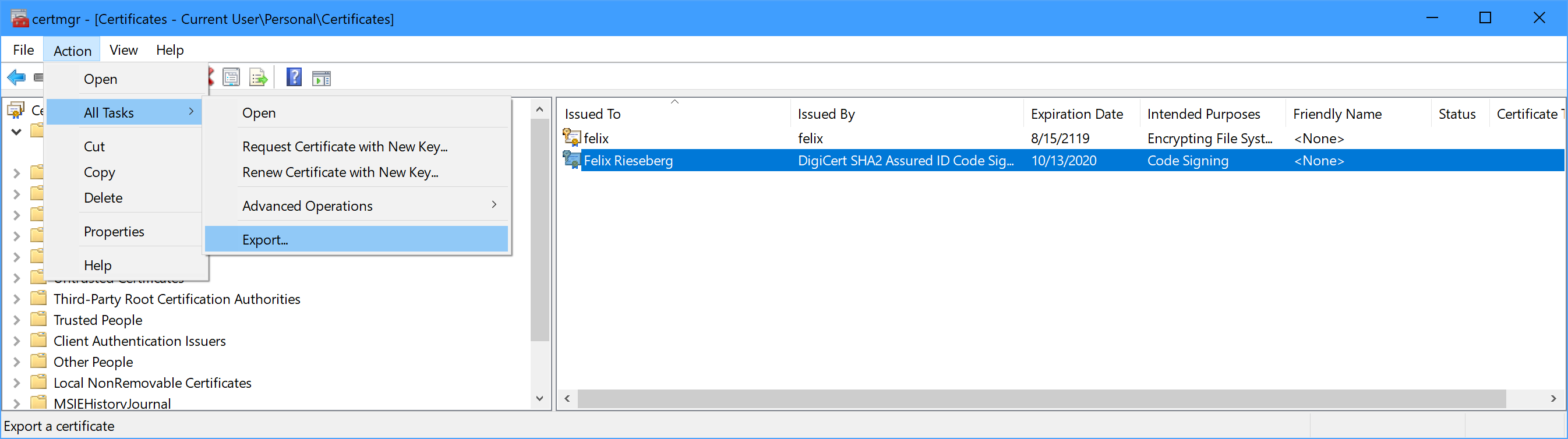
Next, we'll need to turn the file into a string. The PowerShell command below will output your certificate as `base64`.
```PowerShell
$file = ~/my-certificate.pfx
$b64 = [Convert]::ToBase64String([IO.File]::ReadAllBytes($file))
Write-Host $b64
```
Then, copy that whole string and set it as an environment variable called `WINDOWS_CERTIFICATE_P12` in your build environment. Most CI providers allow you to set secret environment variables - in the case of AppVeyor, ensure that the setting "Enable secure variables in Pull Requests from the same repository only" is enabled.
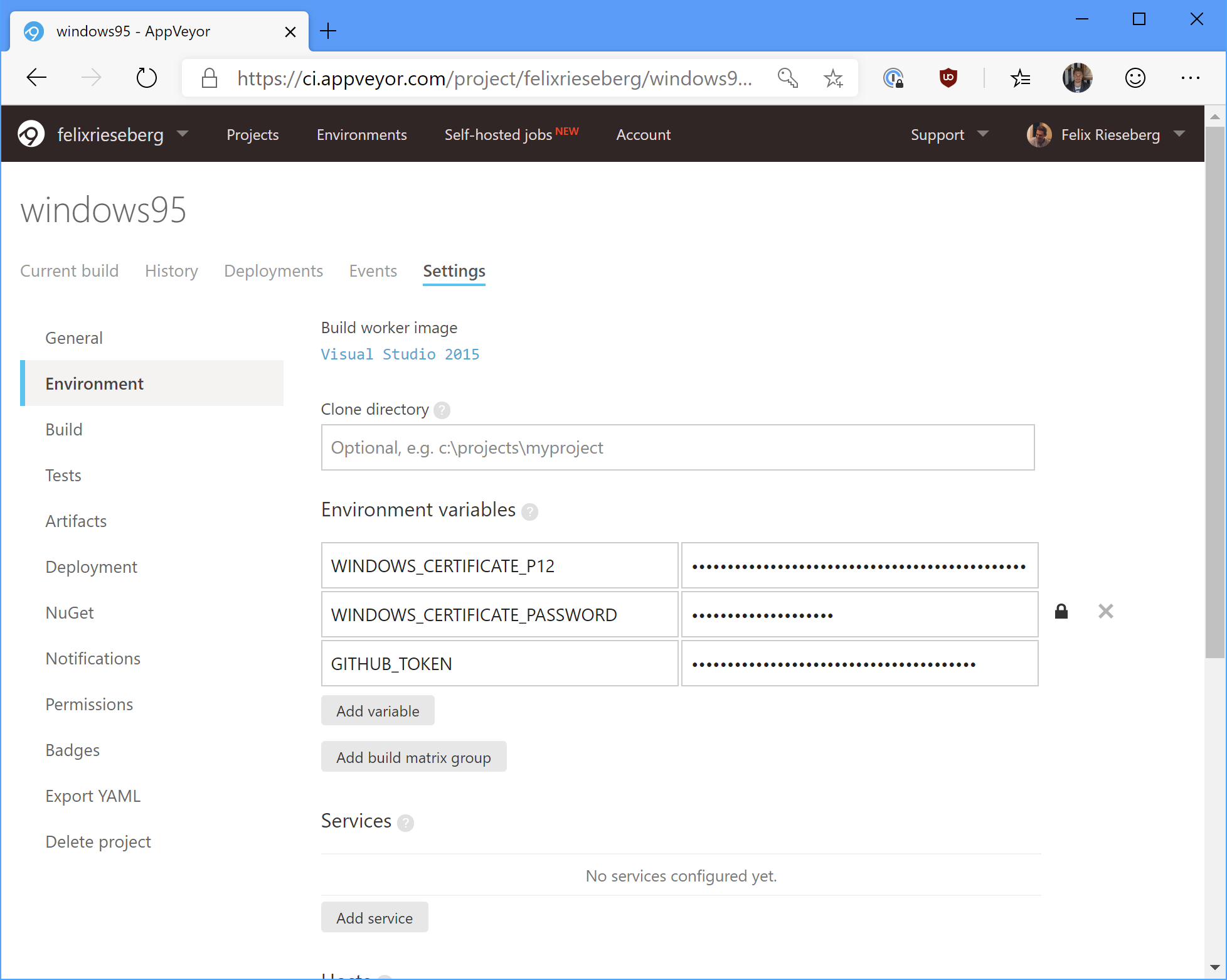
In the next step, we need to add some PowerShell magic to our build script to turn our `WINDOWS_CERTIFICATE_P12` environment variable into a `WINDOWS_CERTIFICATE_FILE` one. Here's the annotated script I'm using during the "install" phase of my build.
```PowerShell
# Only do this if WINDOWS_CERTIFICATE_P12 is set
if (Test-Path Env:\WINDOWS_CERTIFICATE_P12) {
# Which directory are we in right now?
$workingDirectory = Convert-Path (Resolve-Path -path ".")
# Absolute path to the certificate file we'll create
$filename = "$workingDirectory\cert.p12"
# Turn our base64 environment variable into usable bytes
$bytes = [Convert]::FromBase64String($env:WINDOWS_CERTIFICATE_P12)
# Then, write them to disk
[IO.File]::WriteAllBytes($filename, $bytes)
# Finally, set the WINDOWS_CERTIFICATE_FILE environment variable
$env:WINDOWS_CERTIFICATE_FILE = $filename
}
```
For Windows, that's it! You don't actually need to import the certificate into the build machine's certificate store - and since it's not necessary, I recommend that you do not do it.
# macOS
With Apple, code-signing begins with getting an [Apple Developer Account](https://developer.apple.com/programs/?ref=felixrieseberg.com). Then, [generate, download, and install your personal signing certificates](https://github.com/electron-userland/electron-osx-sign/wiki/1.-Getting-Started?ref=felixrieseberg.com#certificates). Just like on Windows, this tutorial assumes that you can already code-sign your app on your local machine.
Since the macOS signing tools always use the system's certificate store (as opposed to a file), we'll need to install the certificate to your build machine. Scary stuff, but certainly doable.
First, export your certificate as a `pfx/p12` file. For more details on how to do so, [consult this helpful tutorial by DigiCert](https://www.digicert.com/code-signing/mac-exporting-code-signing-certificate.htm?ref=felixrieseberg.com). Then, turn that file into a `base64` string we can set as a secure environment variable. To do so in `bash`, run the following command:
```bash
base64 -i my-certificate.pfx -o my-certificate.b64
```
Now that we have a `base64` string representation of our certificate, add it to your build environment as a secure environment variable and call it `MACOS_CERT_P12`. We'll also need Apple's Developer Relations certificates. Since you only have the public versions of those available to you, feel free to just check them into your code. You can find them in your very own Keychain or in the [windows95 repository](https://github.com/felixrieseberg/windows95/tree/master/assets/certs?ref=felixrieseberg.com).
Next, we'll have to tackle the build environment itself. Simply turning our `base64` string back into a file isn't enough - we need to create a new macOS keychain, import all required certificates, and finally set it as the default keychain so that the Xcode signing tools know where to find your certificate. Here's an annotated version of the script I'm using on Travis CI:
```Bash
# Set the filename
export CERTIFICATE_P12=cert.p12;
# Decode the environment variable into our file
echo $MACOS_CERT_P12 | base64 --decode > $CERTIFICATE_P12;
# Let's invent a new keychain
export KEYCHAIN=build.keychain;
# Create the keychain with a password (travis)
security create-keychain -p travis $KEYCHAIN;
# Make the custom keychain default, so xcodebuild will use it for signing
security default-keychain -s $KEYCHAIN;
# Unlock the keychain
security unlock-keychain -p travis $KEYCHAIN;
# Add certificates to keychain and allow codesign to access them
# 1) Apple Worldwide Developer Relations Certification Authority
security import ./assets/certs/apple.cer -k ~/Library/Keychains/$KEYCHAIN -T /usr/bin/codesign
# 2) Developer Authentication Certification Authority
security import ./assets/certs/dac.cer -k ~/Library/Keychains/$KEYCHAIN -T /usr/bin/codesign
# 3) Developer ID (That's you!)
security import $CERTIFICATE_P12 -k $KEYCHAIN -P $MACOS_CERT_PASSWORD -T /usr/bin/codesign 2>&1 >/dev/null;
# Let's delete the file, we no longer need it
rm $CERTIFICATE_P12;
# Set the partition list (sort of like an access control list)
security set-key-partition-list -S apple-tool:,apple: -s -k travis $KEYCHAIN
# Echo the identity, just so that we know it worked.
# This won't display anything secret.
security find-identity -v -p codesigning
```
...and that's it! I mostly wrote this blog post because I need to repeat this process whenever my certificates expire, at which point I usually forgot how to actually do it.
### Debugging Native Crashes in Electron Apps on Windows
URL: https://felixrieseberg.com/debugging-electron-apps-on-windows/
Last updated: 2019-05-29T13:49:26.000Z
If you're releasing or using Electron apps on Windows, you'll sooner or later encounter your first native crash. A customer of yours is complaining that the app crashes – and you're stuck wondering what happened, unsure how to debug the issue from afar. In this short tutorial, I'll explain how you go from a mythical crash on a user's machine to looking at the offending line of C++.
By the way: You can do this with other people's Electron apps, too. I use this process below to debug Slack's native crashes – and you could too, if that's the kind of fun you're into!
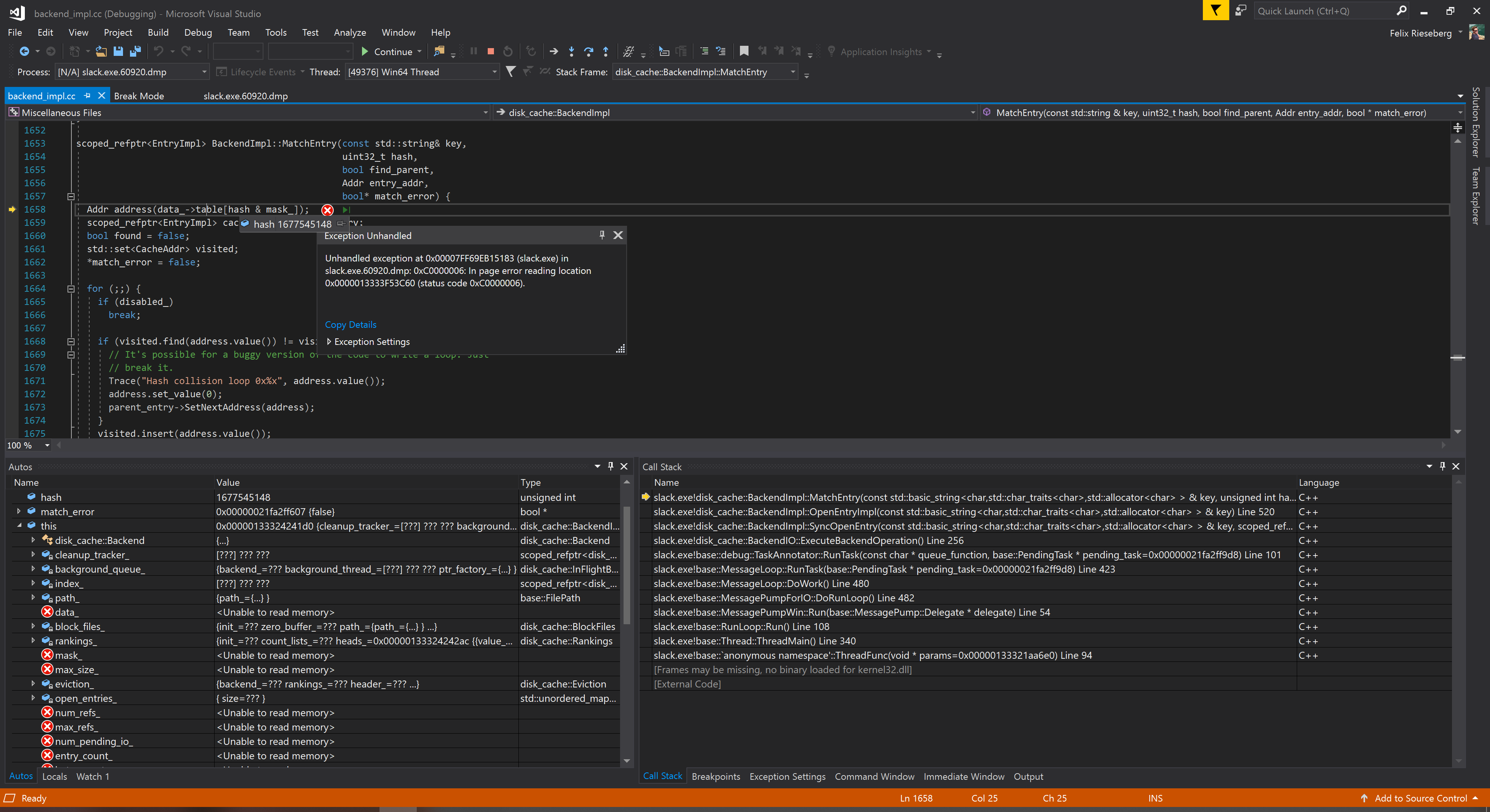
Sweet, sweet, crash information
# Things you need
1) **Windows** Debugging native code is complicated enough, there's no reason to make your life more difficult by trying to do it on a non-Windows machine. Good news: If you don't already have one, Microsoft [offers a free VM with Visual Studio and all required developer tools pre-installed](https://developer.microsoft.com/en-us/windows/downloads/virtual-machines?ref=felixrieseberg.com).
2) **Visual Studio** You could use other tools, but Visual Studio is king here. If you don't already have it, you might qualify for [the free Community edition](https://visualstudio.microsoft.com/vs/community/?ref=felixrieseberg.com). Alternatively, try out the VM explained above.
3) **Crash Dump** Your user can find it by opening `%LOCALAPPDATA%\CrashDumps` in Windows Explorer. It'll likely contain a few files – if your app is named `MyApp.exe`, your user should be looking for a file like `MyApp.exe.13920.dmp`. Have them send it to you.
4) **Optional: Electron Source** If you want to see the actual line of code that made your app crash *in Visual Studio*, [you'll need to have the code](https://github.com/electron/electron/blob/master/docs/development/build-instructions-windows.md?ref=felixrieseberg.com). To be fair, checking out Electron locally is a pretty daunting task and takes multiple hours, so I'll explain an online alternative, too.
# Debugging
Once you have Visual Studio installed, open your crash dump. Visual Studio will display generic information about the crash in the upper area of the screen and a list of loaded modules below. If your app is named `MyApp.exe`, you should see it and its version listed.
Pictured: An actual crash in Slack
Armed with that information, we'll get two things: First, the same binary your user was using. If your user experienced the crash with `MyApp.exe` built for x64 in version `3.2.1`, you'll need the exact same binary.
Next, click on the button reading `Debug with Native Only`. Visual Studio will now do its very best to debug the dump but doesn't have any of the required information. The information displayed for you is thus pretty sparse:
Such empty
To help out, we'll tell Visual Studio where to find the binary. Open the `Debug` menu and select `Windows`. Then, click on `Modules`.
Visual Studio will now show you a list of all available modules. As you can see, I also didn't load any of the symbols for Windows – all jokes aside, it's pretty uncommon that you'll find a crash *inside* Windows.
Right-click your app's name and select `Load Symbols`. A file picker will open, navigate to your `exe`. Chances are high that Visual Studio will find it as soon as you navigate the file picker to the right folder.
Visual Studio will now likely ask for `electron.exe.pdb`. That file is basically a map, linking the crash information to actual source code. Visual Studio supports two ways to load symbol files: You can either use an online symbol server, which will fetch symbols on the fly, or point it directly at a local `pdb` file.
If you want the online symbol server, use `https://electron-symbols.githubapp.com` as the address. I personally recommend going with the offline version, as it's usually *so much faster*. Head over to [https://github.com/electron/electron/releases](https://github.com/electron/electron/releases?ref=felixrieseberg.com) to find the Electron release you used. Amongst all the assets you'll find 500mb large `pdb` zip files. In my case, for the crash that I was debugging here, I needed [electron-v4.1.3-win32-x64-pdb.zip](https://github.com/electron/electron/releases/download/v5.0.2/electron-v5.0.2-win32-x64-pdb.zip?ref=felixrieseberg.com). Download the file, unzip it somewhere, and select the correct `pdb` file in Visual Studio.
Now, Visual Studio will be able to tell you stack trace:
Already enough to desperately enter into Google!
Alright, we know which sucker of a method is to blame for this crash. Let's try to actually read said line - double click the method you'd like to read. Visual Studio will pop up a dialog asking for the source file.
net\\disk\_cache\\blockfile\\backend\_impl.cc, how could u
Notice how Visual Studio mentions the `Original location` on top of the file picker? Take note, because that's the file we're looking for. In this case, it's `net\disk_cache\blockfile\backend_impl.cc`, part of Chromium's disk cache implementation.
### Option 1: Electron source on disk
If you happen to have `electron/electron` checked out on your local disk, make sure you've checked out the same version of Electron used in your app. Electron kindly maintains tags, so if you're using `v5.0.2` of Electron, you can `git checkout v5.0.2` in the Electron repo.
Make sure that you have not just Electron but also its dependencies checked out at the right commit (you might need to run `gclient sync --with_branch_heads --with_tags`), navigate to your Electron `src` folder, and Visual Studio should immediately find the right file. If it doesn't and warns you that the source file doesn't match what it expects, don't load it anyway - it'll likely be useless information. Make sure to find the matching source file.
Then, once you've done so, you'll be able to actually debug the crash your user experienced right in the editor - as if you would have just hit a breakpoint.
## Option 2: Online Source
Checking Electron out takes a while (multiple hours) and might not be worth the effort to you. You just want to see what the hell actually broke. Armed with the `Original Location` information, let's try to learn which module broke.
### src/electron
If the original location was in `src/electron`, you'll be looking for the file in [Electron's repo](https://github.com/electron/electron?ref=felixrieseberg.com). Make use of GitHub's ability to take you straight to a file for a given git tag – if the original location is `src/electron/atom/browser/atom_permission_manager.cc` and you're using Electron v4.1.2, you'll find the correct file at [https://github.com/electron/electron/blob/v4.1.2/atom/browser/atom\_permission\_manager.cc](https://github.com/electron/electron/blob/v4.1.2/atom/browser/atom%5Fpermission%5Fmanager.cc?ref=felixrieseberg.com).
### src/v8
If the original location was in `src/v8`, you'll find the files in its repo. The v8 team doesn't work on GitHub, but [they maintain an official mirror](https://github.com/v8/v8?ref=felixrieseberg.com). To find the right file, you'll need to know the v8 version used in your version of Electron, which you can print to console by printing `process.versions` in Electron itself.
Electron patches its version of `v8`, so ignore the `-electron` part. In this example, we're looking for [](https://github.com/v8/v8/tree/6.9.427.31/?ref=felixrieseberg.com)[https://github.com/v8/v8/tree/6.9.427.31/](https://github.com/v8/v8/blob/6.9.427.31/?ref=felixrieseberg.com).
### src/\*\*
In all other cases, we're likely looking for a Chromium module. Just like v8, the Chromium team maintains an [official mirror on GitHub](https://github.com/chromium/chromium?ref=felixrieseberg.com). Also just like with v8, you'll need to find the version of Chromium used in your Electron version. Looking at the screenshot above, we can see that for Electron `4.1.3`, the Chrome version is `69.0.3497.128`. Thus, we're looking for [https://github.com/chromium/chromium/tree/69.0.3497.128/](https://github.com/chromium/chromium/tree/69.0.3497.128/?ref=felixrieseberg.com).
### Let's find that file
Since we know our original file location, we also know that the file to blame lives [here](https://github.com/chromium/chromium/blob/69.0.3497.128/net/disk%5Fcache/blockfile/backend%5Fimpl.cc?ref=felixrieseberg.com). In Visual Studio, hover over the line in the Call Stack to see the line number printed at the very end. In my example, [it's line 1658](https://github.com/chromium/chromium/blob/master/net/disk%5Fcache/blockfile/backend%5Fimpl.cc?ref=felixrieseberg.com#L1658).
## What now?
Now that you found a native crash, the whole Electron maintainers community would be [thankful for a bug report](https://github.com/electron/electron/issues?ref=felixrieseberg.com). Since you already did the work of finding the offending source code line and the crash reason itself, the active maintainers will be super thankful. Even better: If you went through the labor of finding the source file online, you can link to it in your issue!
### Dependencies and Git branches
URL: https://felixrieseberg.com/managing-node_modules-and-branches/
Last updated: 2023-11-08T22:10:16.000Z
Picture this: You're working on a decently sized project. It's 2019, so naturally, your `node_modules` folder contains thousands of files – and every single time you switch between branches, you need to run `npm install` again. Even if you're not working with Node.js, you might have dependencies that you need to re-install every single time you switch between feature branches. Or, maybe you have long-running compilation tasks that keep your working directory busy and you'd like to do work in some other branch while you wait.
What if you could tie your dependencies (like a `node_modules` folder) to your git checkout *without* actually checking the folder in? `git worktree` is a feature that supports this use case. In short, it helps you manage multiple working trees.
Run the following command to create a new working directory for a Git branch. This folder can be anywhere, but it should not be *in* your current repo.
```
git worktree add ../new-directory my-feature-branch
```
Git will then create a new directory at `../new-directory`, checked out to your branch. Whenever you run `git checkout my-feature-branch`, it'll automatically switch to that folder. Switch to another branch, and you'll be back in your default folder.
This is useful for tons of reasons:
- Run long-running processes (compilation, installation of dependencies, tests) in one branch, continue working in another branch
- Have multiple branches of your project ready to work – worktrees allow me to be on a plane and work in multiple branches without hoping that `npm`'s cache has everything I need.
Git introduced this feature back in 2015, but I believe that it doesn't quite have the popularity it deservers. Use it! It's amazing!
### Progressive Web Apps & Electron
URL: https://felixrieseberg.com/progressive-web-apps-electron/
Last updated: 2019-04-08T13:50:41.000Z
It's 2019 and browser developers are excited about a new generation of websites: PWAs (short for Progressive Web App) are web applications supposed to bridge the gap between native applications and websites. You might be wondering: How does [Electron ](https://www.electronjs.org/?ref=felixrieseberg.com)fit into this story? Should I build an Electron app or a PWA?

## What are Progressive Web Apps?
PWAs are built using a collection of technologies helping web applications present themselves as more natural citizens on user's devices. The term PWA doesn't describe a particular platform or technology but rather a set of attributes that PWAs typically have:
- Responsive: Fit any form factor, both on mobile and on desktop
- Offline-capable: Uses service workers and caching methods to retain functionality under degraded network conditions
- App-like experience: Present more like a native app than a website - with an icon on desktop or home screen, and their own window outside of the typical browser tab
At the core, these apps remain *web* applications. The client-side code is written in JavaScript or WebAssembly and they inherit their capabilities from the browser that's driving them. On the desktop, they are run by either Chrome, Edge, or Firefox. Take note of this point, as it'll come up again.
For more information about what PWAs actually are or how you build one, check out Google's [PWA portal](https://developers.google.com/web/progressive-web-apps/?ref=felixrieseberg.com#engaging), Microsoft's [portal](https://docs.microsoft.com/en-us/microsoft-edge/progressive-web-apps?ref=felixrieseberg.com), Alex Russel's [first introduction of the term](https://infrequently.org/2015/06/progressive-apps-escaping-tabs-without-losing-our-soul/?ref=felixrieseberg.com), or Aaron Gustafson's [summary in A List Apart](https://alistapart.com/article/yes-that-web-project-should-be-a-pwa?ref=felixrieseberg.com). To see some apps in action, check out [Twitter Lite](https://blog.twitter.com/engineering/en%5Fus/topics/open-source/2017/how-we-built-twitter-lite.html?ref=felixrieseberg.com), the [Financial Times App](https://app.ft.com/?ref=felixrieseberg.com), or the [often-mentioned Starbucks PWA](https://app.starbucks.com/?ref=felixrieseberg.com).
## What is Electron?
Electron is a platform for building cross-platform desktop applications with HTML, JavaScript, and native code. It does so by combining Chromium's rendering engine [libchromiumcontent](https://www.chromium.org/developers/content-module?ref=felixrieseberg.com), Node.js, and a thick layer of native APIs for common native operations.
The more popular examples for Electron apps are [Visual Studio Code](https://code.visualstudio.com/?ref=felixrieseberg.com), [Slack ](https://slack.com/downloads?ref=felixrieseberg.com)(the one I work on), [Twitch](https://www.twitch.tv/downloads?ref=felixrieseberg.com), [Skype](https://www.skype.com/en/get-skype/?ref=felixrieseberg.com), or the installer for Visual Studio.
In a nutshell, developers can use Electron to build applications that contain Chrome's rendering engine while having access to all of Node.js - including every module available on [npm](https://www.npmjs.com/?ref=felixrieseberg.com).
## Which one should I choose?
The big difference between Electron apps and PWAs is that the former is a full-blown native desktop application. It lives in user-space, together with apps like Notepad, iTunes, or Microsoft Office. Thanks to Node.js Native Addons, it can run C++ and Objective-C. There is no native API offered by the operating system that your Electron app cannot make use of. If Apple releases a new gimmick tomorrow (say, an upgraded Touch Bar or a fancier version of Handoff), your app can immediately make use of said technology. An Electron app lives in [user mode](https://blog.codinghorror.com/understanding-user-and-kernel-mode/?ref=felixrieseberg.com) and is the master of its own destiny.
In contrast, PWAs exist within the confines of the browser that power them. On Chrome OS or macOS, that's Chrome, on Windows, that's likely the Windows Store and Edge. If your app wants to make use of an API offered by the operating system, the browser vendor must first make those features available to PWAs. Some support is available ([Edge exposes some WinRT APIs](https://docs.microsoft.com/en-us/microsoft-edge/progressive-web-apps/windows-features?ref=felixrieseberg.com), for instance), but generally speaking, PWAs do not interact directly with [WinAPI](https://en.wikipedia.org/wiki/Windows%5FAPI?ref=felixrieseberg.com), [AppKit](https://developer.apple.com/documentation/appkit?ref=felixrieseberg.com), or any other technologies used by native desktop developers.
Let's look at a little chart displaying the capabilities available to a piece of software: The outer-most circle represents the operating system, which directly controls hardware and memory. The inner-most circle represents static websites, which don't run any code. PWAs are a bit more powerful than web apps. Electron apps are desktop software. Web apps can be a part of PWAs. PWAs can be a part of Electron apps. Electron apps usually contain a large amount of JavaScript and HTML, but nothing keeps Electron developers from writing native user interfaces and interactions.
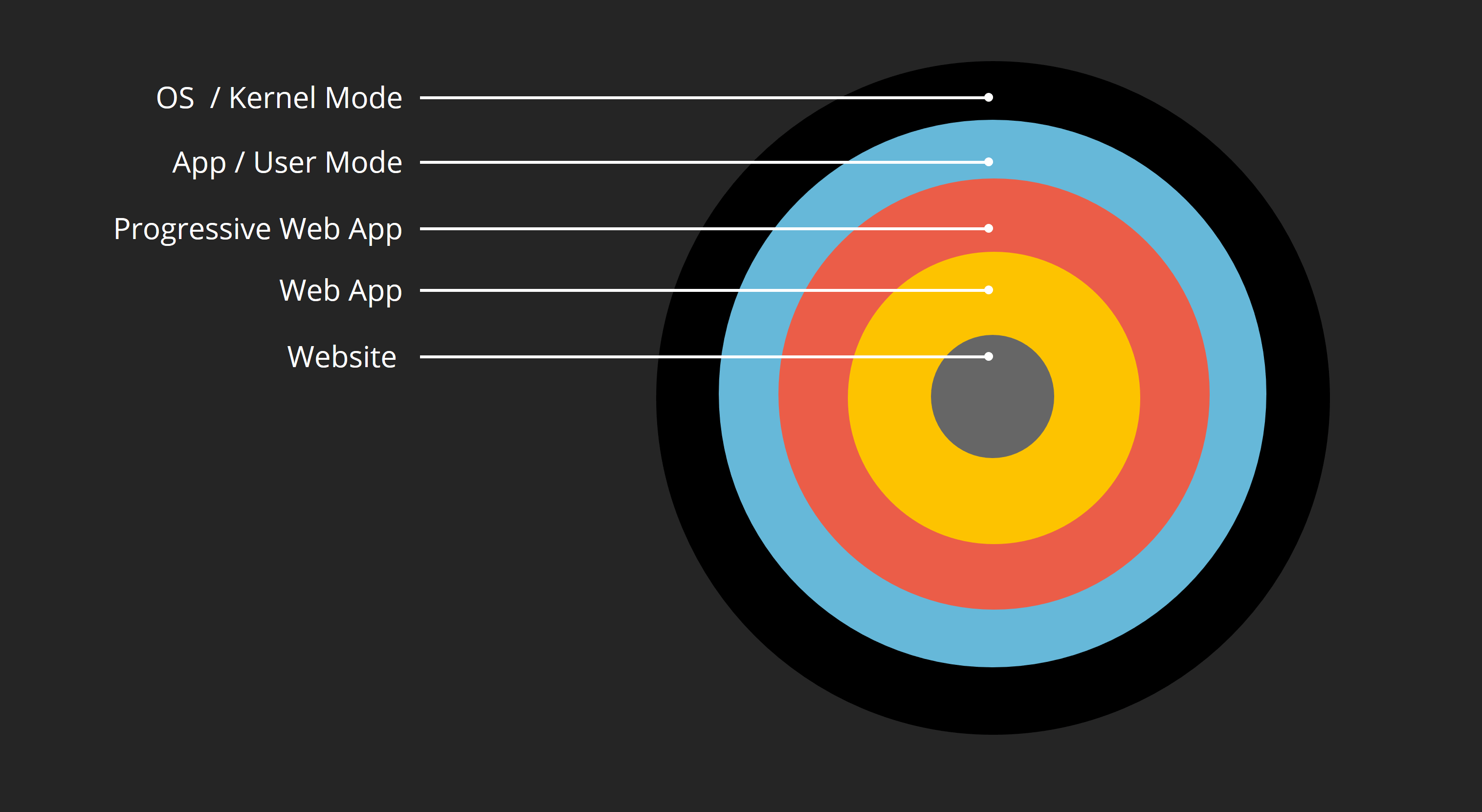
### With Great Power Comes A Cost
Before you walk away with a "Got it, Electron apps are more powerful than PWAs", hold up for a second: **There's a real cost associated with that power**. I've written a few Electron apps ([windows95](https://www.github.com/felixrieseberg/windows95?ref=felixrieseberg.com), [Slack](https://slack.com/downloads?ref=felixrieseberg.com), [Electron Fiddle](https://github.com/electron/fiddle?ref=felixrieseberg.com)) and can tell you about the things that excite me about PWAs:
- Installing and Updating: Automatically updating desktop software is *extremely difficult.* PWAs are, despite their offline-capabilities, still primarily websites. Service workers make caching your content easy. While PWA developers have no control over the installation process, they also don't need to worry about it.
- Security: Web developers live inside a golden sandbox - they are strictly controlled by the browser. While this dramatically restricts what your app is capable of, it also reduces security headaches. Electron apps that load and display remote content need to carefully consider how they keep said content in check.
- Size: A PWA is installed by simply visiting a website. An Electron app will likely never be smaller than 45 megabytes.
- Performance: Since PWAs are powered by the browser, they share resources with it. Since Electron brings its own rendering engine and Node.js, there's overhead that needs to be accounted for.
- Mobile: Electron is and will likely always be for building desktop software. PWAs are more flexible.
### With Great Power Comes Power, Too
That said, there are a few things that really hold me back:
- Installing: As a user, installing a PWA is a multi-step process. If you have any customers running Windows 7, macOS, Linux, or earlier versions of Windows 10, prepare to support them in installing specific versions of browsers. That kind of matrix is an absolute no-go in most enterprise scenarios. Asking a customer to install your software is often a lot easier than asking them to install Chrome.
- Unclear Capabilites: When building a PWA, it's not entirely clear what capabilities your app will have. A PWA in the Windows Store has vastly different abilities than a PWA on Android, which has different abilities from a PWA in Chrome on macOS. If you go with the smallest common denominator, you won't be left with much beyond service workers.
- Native Capabilities: Running native code in Electron is a breeze. If I need to query whether or not `Do not disturb` is enabled on macOS, I don't worry about browser support - [I write a few lines of Objective-C](https://github.com/felixrieseberg/macos-notification-state/blob/master/lib/do-not-disturb.mm?ref=felixrieseberg.com) and break for lunch.
- Offline, unless not: [DevDocs](https://devdocs.io/?ref=felixrieseberg.com) is one of my favorite PWAs. Their [offline docs](https://devdocs.io/offline?ref=felixrieseberg.com) recommend to open the page before going offline, just to make sure that everything is loaded. That sort of user uncertainty is a lot easier to avoid if your app is a binary on the user's machine.
## Summary: For real, which one should I choose?
If you're building a web application, you should probably build a progressive web app. There are few reasons not do it - I've found Service Workers surprisingly easy to work with and a bit of offline capabilities will delight users.
Eventually, you might find that you bump against the edges of the browser's sandbox. There may just be some capabilites that justify the cost of maintaining a desktop application for you. Those demands can be straightforward - in Visual Studio Code's case, think of file system access, the terminal, or native debugging. In some scenarios, asking the user to first install a certain browser could be a difficult obstacle. In other cases, simply not being constrained by any browser is a worthy goal.
Browser Product Mangers sometimes ask me what kind of APIs PWAs need before Electron becomes unnecessary. The correct answer isn't a list of APIs, but a wildcard. Electron allows me to not make that decision. With an Electron app, there are no user-land scenarios my product managers can come up with that I won't be able to build.
In other words: If you're building an app with web technologies, make it a progressive web app. Once you've outgrown the constraints given to you, make your PWA run within Electron. Until you have needs that aren't met by progressive web apps, don't incur the cost of maintaining your own desktop software.
Photo by [Ant Rozetsky](https://unsplash.com/photos/SLIFI67jv5k?utm%5Fsource=unsplash&utm%5Fmedium=referral&utm%5Fcontent=creditCopyText) on [Unsplash](https://unsplash.com/search/photos/factory?utm%5Fsource=unsplash&utm%5Fmedium=referral&utm%5Fcontent=creditCopyText)
### Introducing Electron Fiddle
URL: https://felixrieseberg.com/introducing-electron-fiddle/
Last updated: 2018-08-28T05:21:26.000Z
Over the past four years, I have introduced thousands of developers to Electron. I’ve also worked with and on apps with millions of end users. All too often, I’ve dreamed about a tool that would make running small experiments, quickly compiling tiny apps, and the discovery of the Electron platform more accessible.
I’ve seen how empowering “code playgrounds” like [JSFiddle](https://jsfiddle.net/?ref=felixrieseberg.com), [Glitch](https://glitch.com/?ref=felixrieseberg.com), or [CodePen](https://codepen.io/?ref=felixrieseberg.com) can be for both newcomers and longtime veterans. Sharing code snippets, experimenting, and exploring the best possible solution to a problem certainly makes me a better engineer.
Today, we’re releasing a first version of [****Electron Fiddle**](https://github.com/electron/fiddle?ref=felixrieseberg.com)****,** an attempt to bring the same playfulness to cross-platform desktop development with Electron. [****You can download it here**](https://github.com/electron/fiddle/releases/tag/0.1?ref=felixrieseberg.com), but do read on for some of its more exciting features.
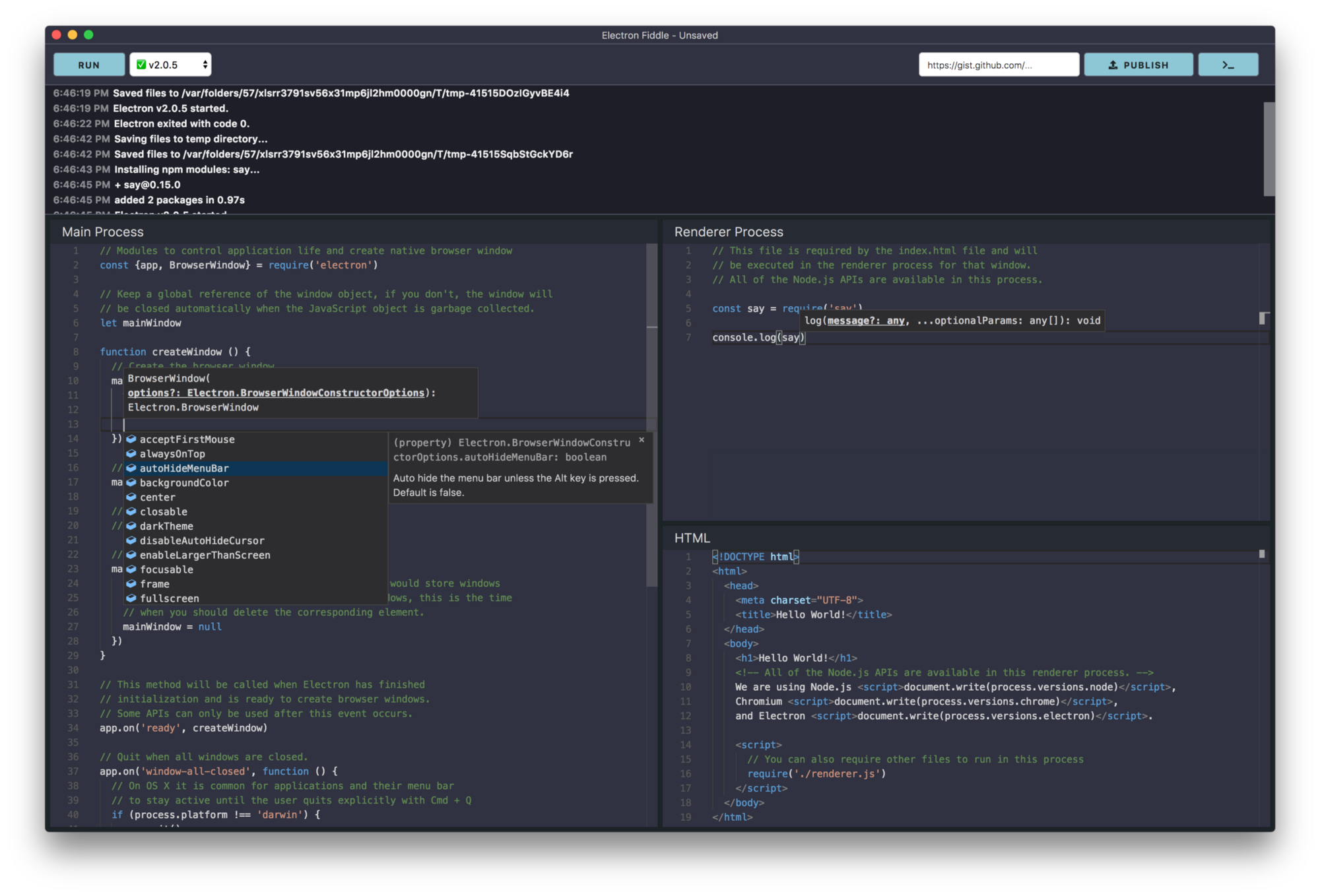
Electron Fiddle lets you create, share, and play with small Electron experiments. It greets you with a quick-start template after opening — change a few things, choose the version of Electron you want to run it with, and play around.
There are four core features of Fiddle I’d like to call out:
## A Quality Coding Experience
Electron Fiddle isn’t an IDE. However, thanks to Microsoft’s excellent Monaco Editor, which also powers Visual Studio Code, users receive all the benefits common in modern code editors, including code highlighting, basic JavaScript error checking, refactoring, and auto-completion. It will even auto-complete the full Electron API – so if you’re wondering what events are available on a`BrowserWindow`, Electron Fiddle has your back.
## Share with the World
Built something cool? Found a bug that you need to share with the Electron Community? Want to share a small experiment without sending files back and forth? Share your Fiddle as a GitHub Gist – that way, other users don’t even need Electron Fiddle [to see the code](https://gist.github.com/felixrieseberg/c31f49aedd9831403f1cda95b36cd311?ref=felixrieseberg.com).

## Compile and Package with Ease
Electron Fiddle can automatically turn your experiment into binaries you can share with your friends, coworkers, or grandparents. It does so thanks to [electron-forge](https://electronforge.io/?ref=felixrieseberg.com), allowing you to package your Fiddle as an app for Windows, macOS, or Linux.

## Start with Fiddle, Continue Wherever
Fiddle is not an IDE — it is however an excellent starting point. It features usage examples for every single Electron API. If you’re completely new to Electron, it’ll show you around.Once your Fiddle has grown up, export it as a project with or without [electron-forge](https://electronforge.io/?ref=felixrieseberg.com). Then, use your favorite editor and take on the world!
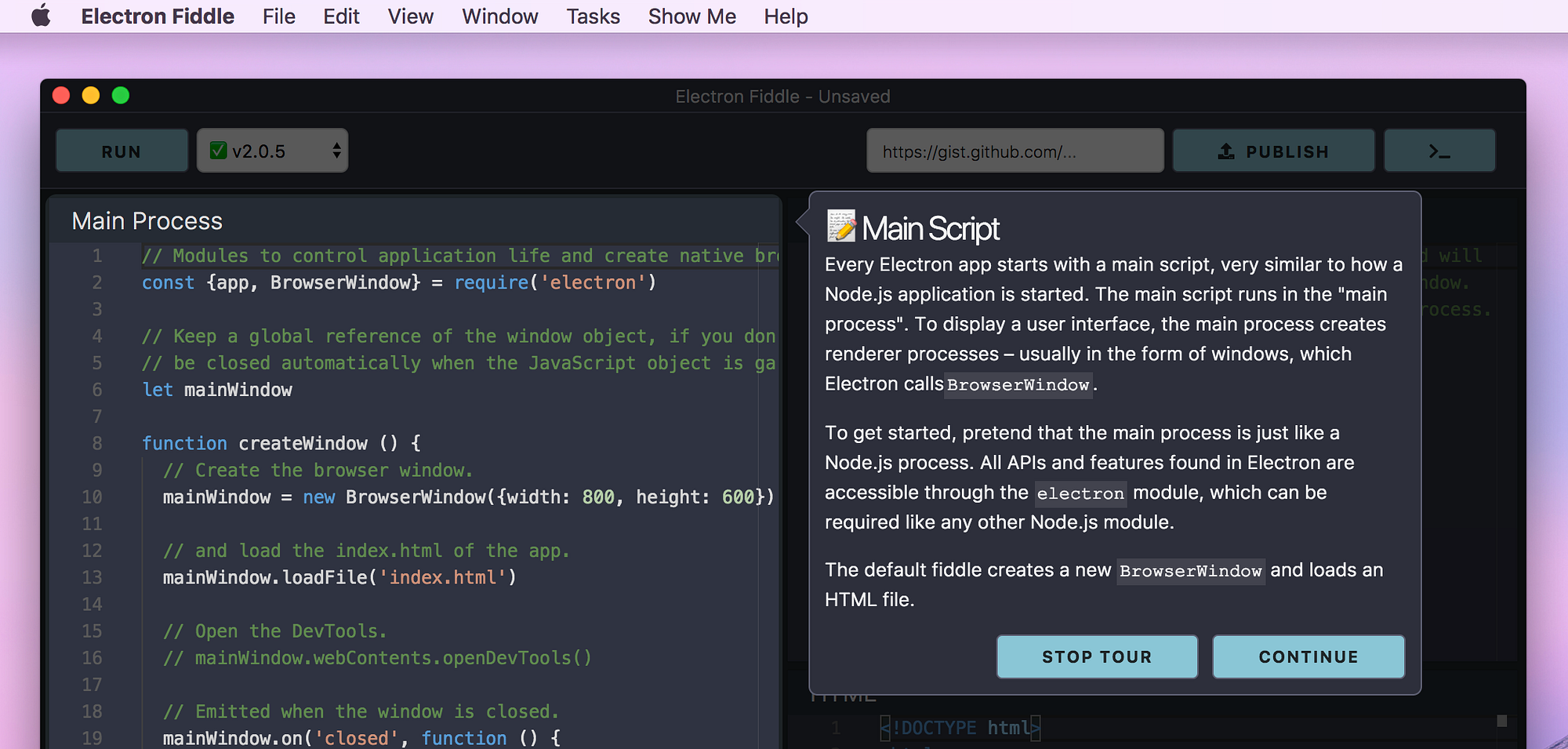
---
Electron Fiddle is still in development and we’ve given it the version number 0.1 on purpose. Give it a try, an let us know if you encounter any trouble! Just like [Electron](https://github.com/electron/electron?ref=felixrieseberg.com) itself, [Electron Fiddle](https://github.com/electron/fiddle?ref=felixrieseberg.com) is entirely open source and developed by [a group of volunteers](https://github.com/electron/fiddle/contributors?ref=felixrieseberg.com). If you find a bug or feel like you could improve Electron Fiddle, come and join us! It’s an exciting code base to work on.
Also, it wouldn’t be possible without the hard work of the maintainers of [Electron](https://github.com/electron/electron?ref=felixrieseberg.com), [electron-forge](https://github.com/electron-userland/electron-forge?ref=felixrieseberg.com), [Monaco](https://microsoft.github.io/monaco-editor/?ref=felixrieseberg.com), and the many other dependencies we have. Thank you all so, so much.
[This post also appeared on Medium](https://medium.com/@felixrieseberg/introducing-electron-fiddle-1de2be1ba6e7?ref=felixrieseberg.com).
### Defeating Electron
URL: https://felixrieseberg.com/defeating-electron/
Last updated: 2018-07-12T11:45:26.000Z
It is likely that some of your desktop apps have been developed with [Electron](https://www.electronjs.org/?ref=felixrieseberg.com), a framework that combines Node.js, parts of Chromium, and a layer of native code. Apps like Visual Studio Code, Slack, Atom, WhatsApp, or even the [installer for Microsoft's Visual Studio](https://blogs.msdn.microsoft.com/visualstudio/2016/04/01/faster-leaner-visual-studio-installer/?ref=felixrieseberg.com) use it to build for Windows, macOS, and Linux. I've been working with and on Electron for years now, [wrote a short guide on it](https://www.safaribooksonline.com/library/view/introducing-electron/9781491996041/?ref=felixrieseberg.com), and am invested in the community.
Whenever a technology gains some favor, a sizable group will stand ready to decry that choice as terrible, the technology as fundamentally flawed, and the problems solved to not be as complex as the advocates make them out to be. Electron is no exception. Reasons commonly cited as an argument against it (like memory consumption, general performance, or app bundle size) are clearly not leaving a mark with developers or end users.
Commenting "Ugh, Electron" on HackerNews doesn't seem to work, so let's look at what you could do. Let's consider why developers choose it and how it currently beats other desktop software environments. Let's look at how you could defeat Electron.
## Developer Productivity Matters
The term "cross-platform" is not well defined - at Microsoft, it usually means building for Windows 10, Xbox, and Windows Phone 10, excluding Windows 7\. In the Apple world, we talk about code-portability between iOS, tvOS, watchOS, and macOS. Some frontend libraries simply mean that they support multiple screen sizes.
If you're building desktop apps, it means that you need to reach desktop users. [Ground truth](http://gs.statcounter.com/os-market-share/desktop/worldwide?ref=felixrieseberg.com) shows many Windows 7 and 10 users, some on the latest macOS versions, and a handful on various Linux distributions. For most Electron developers, code portability with mobile platforms, game consoles, or IoT devices is not a concern. Electron enables developers to target desktop platforms with high productivity and beats its competition in four main arenas.
## Web Technologies for User Interfaces
Hate it if you must, but after years of iteration and a breathtaking number of frameworks, libraries, and even languages, web developers enjoy a smörgåsbord of amazing tools to work with. Hot-reloading the app you're working on doesn't grab attention anymore. That level of productivity is unmatched.
We don't need to just look at cross-platform technologies, even single-platform environments these days are years behind where web development is today. You might be comfortable in it, but Xcode hasn't improved its developer flows in years. In the Windows world, Microsoft seems to focus its efforts entirely on the Universal Windows Platform, which has no chance of running on Windows 7\. For Linux, we're lacking any kind of consensus. I've seen adults yell at each other over gtk2 vs gtk3.
Including [libchromiumcontent](https://electronjs.org/blog/electron-internals-building-chromium-as-a-library?ref=felixrieseberg.com) (Chrome's rendering engine) in Electron allows developers to build user interfaces that look, feel, and behave the same across platforms. Since the rendering engine is included, developers aren't limited to whatever IE11 on Windows 7 supports - one can build the whole app with Rust/WebAssembly if desired.
Electron offers the high productivity of web development without the pains of having to support ancient browsers. If your solution wants to beat Electron, it needs to provide a developer environment with the same levels of choice, convenience, productivity, and ease of recruiting engineers.
## Extendability and Interoperability
Including Node.js in Electron allows developers to use any of the packages on npm, the largest repository for open source code that ever existed. More importantly, it allows developers to escape the limitations of JavaScript whenever necessary - many Electron applications switch to C++ or Objective-C to write high-performance logic, call out to obscure operating system APIs, or to share code with other environments. Atom [recently switched to a native C++ text buffer](http://blog.atom.io/2017/10/12/atoms-new-buffer-implementation.html?ref=felixrieseberg.com), [Visual Studio Code discovered that optimized JavaScript might be faster for them](https://code.visualstudio.com/blogs/2018/03/23/text-buffer-reimplementation?ref=felixrieseberg.com).
Microsoft often asks me what APIs a solution would need to compete with Electron. The question is flawed: With Electron, one doesn't need to know. Nothing is off-limits, not even the most unknown WinAPI or COM call. Not all Electron apps need to make native calls (like Visual Studio Code's native debugger), but none of them are limited to never making one.
## Building, Shipping, Updating
Electron would be a lot less attractive if all users were always running the latest version of their OS, the latest version of a modern browser, and possibly the latest version of your application. We do not live in that world.
Electron offers a platform not just for building an application that works without dependencies on environments that haven't seen updates in more than 10 years, but more importantly, sticks with the developer through the tasks of packaging, shipping, and updating the application.
Browser-focused solutions like PWAs require developers to have an ongoing dialog with their customers about keeping their systems up to date. Native cross-platform solution like Qt tend to consider themselves more a library, less a platform, and have little to offer when it comes to creating auto-updating software, installers, and App Store packages.
You might consider shipping and updating too easy for a cross-platform development solution to concern itself with. If you've never had to build an auto-updater, trust that self-updating software is a tricky beast to control. If you want to defeat Electron, you will have to stick with the developer once the code is written and the app needs to end up on user machines.
## Ease of Access & Skills
Looking down on JavaScript developers seems like a quick way for "true developers" to bond together; many assume that Electron developers chose Electron because they wouldn't know how to build an app without it. Yes, Electron makes building desktop applications easy. For cross-platform development, it might be the most accessible solution yet. For myself, the fact that Electron opens up the world of desktop apps to web developers is one of the reasons I'm excited about it.
It is true that the ease of access means that many Electron applications have been written by people who do not fully understand the WinAPI, AppKit, or even how to write performant JavaScript. Expecting those apps to be written natively across all platforms is unrealistic. Prior to Electron, those apps would not have existed at all.
While Electron enables both junior and senior engineers to work together, it's a less crucial factor than often assumed. If another solution beat Electron across all disciplines except in ease of access, companies would switch. If you want to defeat Electron, it is crucial to understand and empathize with the seasoned desktop software engineers who choose it. The engineers behind Visual Studio Code continue to deliver impressive software with equally impressive performance. Suggesting that the team behind Visual Studio couldn't find anyone who understands native Windows development and was forced to use Electron for their installer due to a lack of skills is ridiculous.
## Defeating Electron
You'd be surprised how many people deeply involved with Electron would be excited if it didn't need to exist. The path to an obsolete Electron involves a competing technology that offers a better value proposition to junior and senior engineers alike.
If your dream future involves non-cross-platform apps, call upon Apple to care about macOS and development for it. Call upon Microsoft to realize that win32 isn't dead, no matter how hard they're trying to kill it.
Electron isn't here to compete with anyone. It's a free open-source community effort filling a gap. If you want to defeat Electron, you will need to fill it too; and you will need to do a better job than Electron is doing today. Many of the Electron maintainers are here to build desktop apps that end users love. If you succeed in helping them with that difficult task by building a better platform, they will smile, shake your hand, and thank you.
[This post was first published on Medium](https://medium.com/p/e1464d075528?ref=felixrieseberg.com).
### A Guide to Electron
URL: https://felixrieseberg.com/introducing-electron/
Last updated: 2017-12-19T05:57:40.000Z
Interested in Electron? Not sure where to start? You're in luck, because I have spent multiple weeks squeezing the most important lessons learned while building Electron apps at Microsoft, Slack, and Ghost into a short guide. Over 55 pages, I explain why Electron is as popular as it is today, how one would go about building a little code editor, and what kind of troubles I have encountered building major production apps.
Published with O'Reilly, the short guide ["Introducing Electron"](https://www.safaribooksonline.com/library/view/introducing-electron/9781491996041/?ref=felixrieseberg.com) is available through Safari, O'Reilly's subscription service.
If you are just interested in the code, [you can find the materials and examples directly on GitHub](https://github.com/felixrieseberg/introducing-electron-editor/?ref=felixrieseberg.com).
### Ember-Electron 2: Building Desktop Apps with Ember and Electron
URL: https://felixrieseberg.com/ember-electron-2/
Last updated: 2017-04-10T23:04:12.000Z
Building desktop apps with Electron is powerful: It enables developers to use web technologies to target all major operating systems. However, writing the app itself is only half the battle - one also has to compile binaries and create installers, packages, and bundles for the variety of distribution methods. To assist developers with that, the Electron community is currently converging on a single developer tool: [electron-forge](https://github.com/electron-userland/electron-forge?ref=felixrieseberg.com).
Today, I'm releasing a full rewrite of [ember-electron](http://ember-electron.js.org/?ref=felixrieseberg.com), integrating forge with the Ember Cli. Ember-Electron still handles build-test-release cycle for Ember developers, but it does using the same tools as React, Angular, and Non-Framework developers. This allows us, as a community, to worker closer together, regardless what our favorite framework and command line tool is. In doing so, ember-electron even gained some features that I previously considered out of scope.
#### Live-Reload and Testing
Running `ember electron` checks your app's dependencies for native code, recompiles if necessary, and starts the application in Electron. Whenever you update renderer code, the app will live-reload. Likewise, `ember electron:test` runs unit tests in Electron - if run with a `--server` parameter, it even does so with live-reload enabled.
#### Binaries and Installers
Previously, ember-electron required users to worry about native dependencies. The creation of installers was also only partially supported. Version 2 brings tons of changes: `ember electron:package` creates fitting binaries for Windows, macOS, and Linux.
`ember electron:make` is brand new ✨ and creates installers and distribution bundles. For Windows, that means a Squirrel Installer and a Windows Store Package; for macOS, `zip`/`dmg` files and a Mac App Store Package, while Linux users enjoy the creation of `deb`, `rpm`, and `flatpak` files.
#### Hug These People
The rewrite and subsequent release of ember-electron 2 was mostly done by its new contributors, Aidan Nulman ([@anulman](https://github.com/anulman?ref=felixrieseberg.com)), Florian Pichler ([@pichfl](https://github.com/pichfl?ref=felixrieseberg.com)), and Ben Demboski ([@bendemboski](https://github.com/bendemboski?ref=felixrieseberg.com)). Huge thanks to them and [everyone else](https://github.com/felixrieseberg/ember-electron/graphs/contributors?ref=felixrieseberg.com) who contributed!
### Using Native Windows Features from Electron
URL: https://felixrieseberg.com/using-native-windows-features-from-electron/
Last updated: 2017-01-09T23:33:05.000Z
Electron combines the convenience of coding in JavaScript with the unlimited power of native development, allowing users to mix and match between simple JavaScript, C, C++, Objective C, and even Rust.
Most developers are intimately familiar with macOS - many of us use Macs as our daily drivers. That said, there is a sizable number of users who might still need a USB port and are likely to run Windows.
This post is a primer on how your Electron app can interact with Windows to deliver a user experience that feels truly native and integrates with the operating system.
## Windows in 2017
When we talk about modern Windows development, we usually talk about Windows 10, which just received its first major update (called the Anniversary Update). If you were to build a typical Electron app as a native Windows application, you would most likely build a *Universal Windows App*. Most applications in the Windows Store are universal Windows apps, communicating with Windows through a set of APIs found in the [*Windows Runtime* (usually just called WinRT)](https://en.wikipedia.org/wiki/Windows%5FRuntime?ref=felixrieseberg.com).
WinRT is the home for anything interesting happening in Windows today. If you'd like to interact with hardware, lock screens, payments, notifications, or the Siri-like Cortana, you're talking to WinRT to make it happen. Logically, this post will now summarize the ways to call WinRT from Electron.
## Calling Windows with Electron's APIs
You don't *have* to get your hands dirty and touch WinRT yourself - Electron already comes with a number of integrated Windows features enabling you to provide a more native Windows user experience.
Consider making full use of the task bar - Electron allows you to set a custom [thumbnail region](https://github.com/electron/electron/blob/master/docs/api/browser-window.md?ref=felixrieseberg.com#winsetthumbnailclipregion-windows), [buttons](https://github.com/electron/electron/blob/master/docs/api/browser-window.md?ref=felixrieseberg.com#winsetthumbarbuttonsbuttons-windows), and [tool tips](https://github.com/electron/electron/blob/master/docs/api/browser-window.md?ref=felixrieseberg.com#winsetthumbnailtooltiptooltip-windows).
Using Electron's own modules, you can send [primitive notifications](https://github.com/electron/electron/blob/master/docs/tutorial/desktop-environment-integration.md?ref=felixrieseberg.com#notifications-windows-linux-macos), add entries [to the recent document list](https://github.com/electron/electron/blob/master/docs/tutorial/desktop-environment-integration.md?ref=felixrieseberg.com#recent-documents-windows--macos), or [set a little icon overlay](https://github.com/electron/electron/blob/master/docs/tutorial/desktop-environment-integration.md?ref=felixrieseberg.com#icon-overlays-in-taskbar-windows).
That said, beyond those features, Electron does not go any deeper. That's fair, too - it's a cross-platform framework that gives you all the tools to implement the "rest of the way" yourself.
## Native Node Addons (without C++)
If you want to go deeper, consider the power of native Node Addons. They are dynamically-linked shared objects, written in C or C++, and can be used just as if they were an ordinary Node.js module. They are used primarily to provide an interface between JavaScript running in Node.js and C/C++ libraries.
[Nadav Bar](https://github.com/nadavbar?ref=felixrieseberg.com) over at Microsoft built a tool that automatically generates native Node addons for each WinRT module, enabling JavaScript developers to simply `require()` native Windows modules. The end result is an [impressive number of modules available of npm](https://www.npmjs.com/~nodert-win10?ref=felixrieseberg.com).
Let's look at an example and use one of the more powerful Windows APIs - `Windows.Media.FaceAnalysis`, which contains tools to track and detect faces in images and videos. In particular, we can use the [FaceDetector class](https://msdn.microsoft.com/en-us/library/windows/apps/windows.media.faceanalysis.facedetector.detectfacesasync?ref=felixrieseberg.com) to scan images for faces. [According to the documentation](https://msdn.microsoft.com/en-us/library/windows/apps/windows.media.faceanalysis.facedetector.detectfacesasync.aspx?cs-save-lang=1&cs-lang=cpp&ref=felixrieseberg.com#code-snippet-1), we can use the method `DetectFacesAsync()` to scan a `SoftwareBitmap` for faces, as long as that `SoftwareBitmap` is in the right color mode. Working backwards, we need to do the following four things:
- Get a `Windows.Storage.Streams.IRandomAccessStream` from a file path (like `C:\images\myImage.jpg`)
- Turn that file stream into a `Windows.Graphics.Imaging.SoftwareBitmap`
- Convert that bitmap into a color mode the computer can check for faces, like `gray8`
- Instantiate a `FaceDetector` and use it to scan for faces
That sounds like quite the heavy lifting, but using NodeRT, it really becomes quite simple. Let's load the file first:
```
const {FileAccessMode, StorageFile} = require('@nodert-win10/windows.storage')
function getFileStream (file) {
return new Promise((resolve, reject) => {
StorageFile.getFileFromPathAsync(file, (err, storageFile) => {
storageFile.openAsync(FileAccessMode.read, (err, fileStream) => {
resolve(fileStream)
})
})
})
}
```
Now that we got a `fileStream`, let's turn it into a SoftwareBitmap:
```
const {BitmapDecoder} = require('@nodert-win10/windows.graphics.imaging')
function getSoftwareBitmap (fileStream) {
return new Promise((resolve, reject) => {
BitmapDecoder.createAsync(fileStream, (err, decoder) => {
decoder.getSoftwareBitmapAsync((err, bitmap) => {
resolve(bitmap)
})
})
})
}
```
You should see a pattern emerging here: All the native WinRT classes and methods are turned into JavaScript classes and methods, with asynchronous methods using Node.js callbacks. I'd personally prefer Promises, but this way, you're not tied to a later version of Node.js. Let's continue by instantiating our face detector and using it to detect some faces:
```
const {FaceDetector} = require('@nodert-win10/windows.media.faceanalysis')
const {SoftwareBitmap, BitmapPixelFormat} = require('@nodert-win10/windows.graphics.imaging')
function detectFacesInBitmap (bitmap) {
return new Promise((resolve, reject) => {
const inputPixelFormat = BitmapPixelFormat.gray8
const grayBitmap = SoftwareBitmap.convert(bitmap, inputPixelFormat)
FaceDetector.createAsync((err, detector) => {
detector.detectFacesAsync(grayBitmap, (err, result) => {
resolve(result.length)
})
})
})
}
```
Given how easy this was, I even went ahead and added some error handling and released a little Node module that you can go ahead and use for yourself - [electron-face-detection-windows](https://github.com/felixrieseberg/electron-face-detection-windows?ref=felixrieseberg.com).
There are already a few modules out there offering native WinRT features as convenient Node modules - notable mentions are `electron-windows-notifications`, which enables you to send complex Windows Notifications (with buttons, text input, and all kinds of bells and whistles) - or `electron-windows-interactive-notifications`, which uses straight-up C++ to integrate Electron deeply with Windows.
## Native Node Addons (with C++)
If you're ready to jump into the deep end of the pool, you can communicate with WinRT directly from the native C++ code of a native Node Addon. Many APIs are already accessible, but if you're interested in the whole corpus of WinRT, `cppwinrt` [might be able to help you out](https://moderncpp.com/?ref=felixrieseberg.com): The official Microsoft project is a standard C++ language projection for the Windows Runtime implemented solely in header files. It allows you to both author and consume Windows Runtime APIs using any standards-compliant C++ compiler - which includes `node-gyp` and all its friends.
This allows you to use some of the most modern C++ methods. Let's look at doing some OCR recognition on a bitmap without NodeRT, directly from C++:
```
future OcrOperation() {
auto file = co_await StorageFile::GetFileFromPathAsync(L"…");
auto stream = co_await file.OpenAsync(FileAccessMode::Read);
auto decoder = co_await BitmapDecoder::CreateAsync(stream);
auto bitmap = co_await decoder.GetSoftwareBitmapAsync();
auto engine = OcrEngine::TryCreateFromUserProfileLanguages();
auto result = co_await engine.RecognizeAsync(bitmap);
return result.Text();
}
```
In summary: Look at all the cool stuff in WinRT - and use it, if it enhances your application!
### Running your own Parse with Azure and Docker
URL: https://felixrieseberg.com/running-your-own-parse-with-azure-and-docker/
Last updated: 2016-08-01T19:53:20.000Z
It's always sad when a great developer service rides into the sunset - but in the case of Facebook's Parse, one has to commend the excellent handling of the shutdown. Thanks to a just [released open-source version of the Parse](https://github.com/ParsePlatform/parse-server?ref=felixrieseberg.com) core service, you can run your own version of Parse. In this post, I'll explain how to get up and running with Parse and Docker on Azure. The cool part - it'll only take a few minutes.

### Components
This puzzle has only two pieces: A [Docker Image](https://github.com/felixrieseberg/parse-docker?ref=felixrieseberg.com) that contains MongoDB, Express, and Parse - and an [Azure Deployment Template](https://github.com/felixrieseberg/parse-docker-azure?ref=felixrieseberg.com), allowing you to spin up an Ubuntu Server with Docker and the mentioned Docker Image preinstalled. Obviously, nothing keeps you from running the image in a different cloud, or in a different environment - like [Deis](http://deis.com/?ref=felixrieseberg.com) or [Mesos](https://mesos.apache.org/?ref=felixrieseberg.com).
### From Zero to Parse on Azure
1. To deploy, simply head over to the [parse-docker-azure](https://github.com/felixrieseberg/parse-docker-azure?ref=felixrieseberg.com) repository and hit the 'Deploy to Azure' button.
2. After logging into the Azure Portal, the deployment wizard needs to know a few parameters. For the virtual machine, you will have to specify location, size, username, password, and DNS prefix. If you're just trying things out, I'd recommend "Standard\_D1" for the machine size and "West US" for the location. The required parameters in detail are:
- `vmSize`: The size of your virtual machine, which will host the Docker Image. If you're just testing things, go with `Standard_D1` \- otherwise, feel free to specify [any valid machine size](https://azure.microsoft.com/en-us/documentation/articles/virtual-machines-size-specs/?ref=felixrieseberg.com).
- `location`: The location of your virtual machine, for instance "West US", "East US", or "West Europe". You can find [all available locations here](https://azure.microsoft.com/en-us/regions/?ref=felixrieseberg.com).
- `parseAppId`: The Parse application id to host with this server instance.
- `parseMasterKey`: The Parse master key to use for overriding ACL security.
- `parseFileKey`: (Optional) For migrated apps, this is necessary to provide access to files already hosted on Parse.
- `adminUsername`: The admin username for your Ubuntu machine.
- `adminPassword`: The admin password for your Ubuntu machine.
- `dnsLabelPrefix`: The DNS prefix for your machine. If you choose `myparseserver` and deploy to the "West US" region, the resulting address of the machine will be `myparseserver.westus.cloudapp.azure.com`.
1. As soon as you hit the 'Create' button, Azure will go ahead and deploy the whole thing. Once deployed, you can reach your custom Parse server at `http://YOUR=DNS-LABEL-PREFIX.LOCATION.cloudapp.azure.com.com/parse`!
### Configuration and Customization
It is likely that you will want to change the code running in your custom Parse server.
The Docker Image is built using the Dockerfile and code found [in this repository](https://github.com/felixrieseberg/parse-docker?ref=felixrieseberg.com) \- simply fork the repository and change both `parse.js` and `cloud/main.js` to your liking. If you're looking for help, [consult Parse's migration guide, explaining in detail](https://parse.com/docs/server/guide?ref=felixrieseberg.com#migrating) how you can move your Cloud Code hosted on Facebook Parse to your freshly created Docker Parse installation. So, to reiterate:
1. Fork the [parse-docker repository](https://github.com/felixrieseberg/parse-docker?ref=felixrieseberg.com)
2. Configure the Dockerfile, the server file `parse.js` and the Cloud Code running in `cloud/main.js` to your liking.
3. Build a Docker Image (using `docker build`) and [push the image to Docker Hub](https://docs.docker.com/engine/reference/commandline/push/?ref=felixrieseberg.com), so that Azure will be able to find the image.
4. You have now two choices: You can either login to your existing Ubuntu machine and simply use the `docker` command line tools to replace the existing felixrieseberg/parse image - or continue to create a new Azure Resource Manager template. The latter would allow you to deploy your Parse server with the same one-click logic used to deploy the sample above. If you want to, read on - everyone else is already done.
5. Fork or download the [parse-docker-azure repository](https://github.com/felixrieseberg/parse-docker-azure?ref=felixrieseberg.com). In there, you will find a file called `azuredeploy.json`. Open it, and search for `felixrieseberg/parse`. Simply replace that line with your own Docker Image.
6. You can now use the changed ARM template to deploy your solution to Azure. To do so, use either [the Azure CLI](https://azure.microsoft.com/en-us/documentation/articles/resource-group-template-deploy/?ref=felixrieseberg.com) \- or head over to your browser and open `https://portal.azure.com/#create/Microsoft.Template/uri/`, directly followed by the URL to your ARM template. In the case of my `parse-docker-azure` template, that "Deploy to Azure" button is for instance just a link to the following address:
```
https://portal.azure.com/#create/Microsoft.Template/uri/https%3A%2F%2Fraw.githubusercontent.com%2Ffelixrieseberg%2Fparse-docker-azure%2Fmaster%2Fazuredeploy.json
```
### Using Travis to Deploy Apps to Azure
URL: https://felixrieseberg.com/using-travis-to-deploy-apps-to-azure/
Last updated: 2016-08-01T19:53:03.000Z
Travis CI is known as everyone's favorite Continuous Integration system, offering free testing for open source projects. It also integrates super-well with GitHub, optionally testing not just all your branches, but also pull request - automatically. All around, it's an amazing tool to test and build applications written in a variety of languages, including Ruby, Node, Objective-C, Go, Java, and virtually everything else that runs on Linux - [thanks to Mono, even C# and F# are supported](http://docs.travis-ci.com/user/languages/csharp/?ref=felixrieseberg.com)!
It also features its own deployment engine, allowing developers to have Travis deploy successfully tested apps. We extended the Travis deployment engine with a provider for Azure Web Apps, enabling you to use your free GitHub account and your free Travis CI testing to deploy apps to your free Azure Web App. In this post, I'll explain how to use Travis to test your projects - and how you can deploy successfully tested apps directly to Azure.

### Requirements: GitHub, Travis, Azure
In order to use the full integration flow, you'll need an account with all three providers. Feel free to skip this part if you already have GitHub, Travis, and Azure setup.
All three providers offer paid solutions, but for the basic flow, you won't have to pay a single penny: [GitHub](http://www.github.com/?ref=felixrieseberg.com) is free for any public source code; [Travis](http://www.travis-ci.org/?ref=felixrieseberg.com) will test your public GitHub repositories for free; and [Azure](http://www.azure.com/?ref=felixrieseberg.com) will gladly host simple web apps for free.
First, create an Azure Web App. When creating the Azure Web App, enable "deployment from source control", choosing "Local Git Repository" as your deployment method. Azure will then go and create a Git repository for your website, meaning that we can "git push" to Azure.
If you never used Azure's continuous integration features, it is possible that you also don't have "deployment credentials" setup. Those are the credentials used to authenticate with FTP or Git on Azure - for security reasons, you have to create a separate set of credentials and cannot use the username/password combination used to login into the Azure Management Portal. To set your deployment credentials, select "Deployment Credentials" in your Web App's settings.
Then, create a GitHub repository and connect it to Travis. If this is your first time using Travis, check out their "[Getting Started Guide](http://docs.travis-ci.com/user/getting-started/?ref=felixrieseberg.com)" - it is quite good and should contain all the information you need.
### Add Deployment Instructions
Like all Travis settings, you configure your Azure deployment in `.travis.yml`.
```
deploy:
provider: azure_web_apps
username: "Your Azure Deployment Username"
password: "Your Azure Deployment Password"
site: "Name of your Azure Web App"
```
It'd be unwise though to keep your deployment credentials in `.travis.yml` \- for that reason, the Azure provider also accepts environment variables. You can set secret environment variables in the Travis Settings for your repository. Use `AZURE_WA_USERNAME` for the deployment username, `AZURE_WA_PASSWORD` for the deployment password, and `AZURE_WA_SITE` for the site name.
Then, simply include these innocent two lines in your `.travis.yml`:
```
deploy:
provider: azure_web_apps
```
##### Pre-Deploy Steps
You might want to customize your deployment - maybe you don't want to deploy the "fresh" GitHub repository, but instead have Travis push the content folder with all files generated during testing. This would allow you to use Travis for more than just testing - since the machine is already running, you can execute commands and scripts on your repository before it is being deployed to Azure. To enable this feature, use the `skip_cleanup` setting:
```
deploy:
provider: azure_web_apps
skip_cleanup: true
```
##### Conditional Deployments
In most cases, deployments shouldn't happen for every single test run - you most likely want to limit the deployment to a specific branch, tag, or even language runtime. Travis offers settings that make this easily possible. All of the options below can be combined.
To deploy only when a certain environment variable is present, use:
```
deploy:
provider: azure_web_apps
on:
condition: $MY_ENV = super_awesome
```
To deploy a certain branch only, use:
```
deploy:
provider: azure_web_apps
on:
branch: release
```
Travis users often use multiple runtime versions in their tests. Let's take Node apps as an example: You'll probably test your app against Node 0.10, 0.12, and iojs, but you only want to deploy your application once. You can limit the deployment to only act when certain runtime versions are present. This works for `jdk`, `node`, `perl`, `php`, `python`, `ruby`, `scala`, and `go`.
```
deploy:
provider: azure_web_apps
on:
node: '0.11' # this should be quoted; otherwise, 0.10 would not work
```
Now, whenever you push a new commit to GitHub, Travis will test it - and if the test passes, it will deploy it over to Azure. Enjoy your continuous integration!
### Deploying Flynn Clusters on Azure
URL: https://felixrieseberg.com/flynn-azure/
Last updated: 2016-08-01T19:52:28.000Z
Flynn is a next-generation Paas (Platform as a Service) solution that can deploy, run, and scale both twelve-factor apps as well as stateful services. The company behind Flynn (which is also named Flynn) recently joined Y Combinator and is moving fast – and has bold goals: “Flynn deploys apps, scales apps, and manages databases with best practices right out of the box. Automatically doing all the things that were too complicated, expensive, or time consuming to do manually. And because it's open source, modular, and built on a set of core APIs, it's easy to extend or customize to any environment or need. Flynn is simply the easiest, most powerful way to run and scale your applications”.
It's a pretty bold statement, but I can attest that the team behind Flynn cares about quality like few others - [over the course of a few weeks, we worked together to add Microsoft Azure as a target to Flynn's installation tool](https://github.com/flynn/flynn/pull/1567/files?ref=felixrieseberg.com). More than 5,000 lines of Go code were written so that others are able to spin up intelligent infrastructure for their apps in a few clicks. Let's take it for a ride!
### Running the Installer
Flynn comes with a fancy command line client, available for both Windows, OS X, and Linux. On Windows, make use of your PowerShell by installing the Windows CLI:
```
(New-Object Net.WebClient).DownloadString('https://dl.flynn.io/cli.ps1') | iex
```
On OS X or Linux, curl the CLI straight to your bin folder:
```
L=/usr/local/bin/flynn && curl -sSL -A "`uname -sp`" https://dl.flynn.io/cli | zcat >$L && chmod +x $L
```
Using your freshly installed command line client, run `flynn install` to start the installer. A browser window should pop up, pointing to `localhost`.
#### Wait, Localhost?
This is a big thing: All your data is in your control. Flynn gives you the convenience of a web app without actually being one. The installer naturally has the power to mess with your Azure Account (to spin up machines and deploy the cluster), but your credentials actually never leave your machine. This might seem trivial, but it's a major security feature - one that was bought with a lot of elbow grease.
We had to come up with a somewhat tricky architecture where you, the user, will create your own Flynn Installer web application on Azure. It would have been easy to create a centralized web application able to create new clusters: Users would simply have to authenticate the app (much like you'd authenticate a Facebook, Twitter, or Google app), but it would have also involved asking for complete administrative access to every user's cluster. If you take a peek at [some of Flynn's underlying code](https://github.com/flynn/flynn/blob/0c6dbe812ad32475f12fc06d4e93103e51862171/installer/azure%5Fcluster.go?ref=felixrieseberg.com), you'll find a cool authentication flow.
### Going Through the Installation Steps
In the Flynn Installer, select 'Microsoft Azure' in the upper right and click on 'Add Credentials'. A popup will open, asking you if you want the walkthrough. For the walkthrough, I created a series of GIFs showing you all the necessary steps individually. I heavily recommend that you follow the guide, but here's a quick summary:
- In the Azure Management Portal, select the default (or desired) Active Directory and add an application. Choose "an application my organization is developing" and "native client application", using the redirect URI given to you by the Flynn Installer.
- Once the app is created, click on the 'Configure' tab and copy the 'Client ID' to the Flynn Installer. Then, at the very bottom of the page, grant your app the rights to manage use the Azure Service Management API.
- Going back to the applications tab of your directory, select the app and click the 'view endpoints' button, copying the OAuth 2.0 Token Endpoint to the Flynn Installer.
- To finish things up, click the 'Authenticate' button in the Flynn Installer.
Now that you have your own web app created on Azure and the Flynn Installer authenticated, you can select the specifics for your cluster. Feel free to change the size of individual instances, the number of machines, or the datacenter location for your cluster. As soon as you confirm your selection, Flynn will use 'Azure Resource Management' templates to have Azure create your cluster.
Depending on how big your cluster is, installation will take a while. You can either wait for it to complete or read on to learn about how apps are being deployed.
###### Issues
Flynn is still in active development, meaning that things can still very much break. In my case, I had to attempt installation a total of three times before my cluster spun up.
### Congrats, you're running Flynn!
Flynn can run virtually anything, but it's especially good at running Go, Java, Node.js, PHP, Python, and Ruby. If you're already familiar with the incredible convenience of Heroku buildpacks, you'll be happy to hear that Flynn just uses those. If you're not, think of buildpacks like packages that contain your application, describing the environment and dependencies for your app. They are automatically created as soon as you push a repository/app to Flynn.
Once installation has completed, the Flynn Installer will ask you install a SSL root certificate used to encrypt the connection between you and your Flynn cluster. It will also give a URL and a passkey to the Flynn dashboard for your cluster, which should look like [https://dashboard.p326.flynnhub.com](https://dashboard.p326.flynnhub.com/?ref=felixrieseberg.com). From there, deploying applications is crazy easy: You can connect the dashboard with GitHub and deploy and scale any application.
Fore more information, check out [Flynn's source code](https://github.com/flynn/flynn?ref=felixrieseberg.com), the [official website](https://flynn.io/?ref=felixrieseberg.com), as well as [the documentation](https://flynn.io/docs?ref=felixrieseberg.com).
### Deploy Jekyll Pages using Git and Travis CI
URL: https://felixrieseberg.com/deploy-jekyll-pages-using-git-and-travis-ci/
Last updated: 2015-08-14T21:11:48.000Z
GitHub Pages are an amazing way to host Jekyll pages, but in some cases, you might be interested in running your Jekyll page on a different host (like Azure Web Apps, Heroku, AWS). For DNS and ownership reasons, we had to move a GitHub page to a host we fully control - at the same time, I did not want to setup a full Ruby server. After all, the magic of Jekyll is that I *don't* have to host something fancy, it just generates static HTML pages.
### Travis CI to the Rescue
I'm already using Travis CI to build and test all my pages for errors - specifically to ensure that the page builds fine and that all image and text links are reachable. Naturally, I simply [extended my Travis configuration to also deploy my built site using Git](https://github.com/felixrieseberg/travis-jekyll-git?ref=felixrieseberg.com).
Travis CI specifically includes a `deploy` phase, allowing you to deploy existing provider adapters or using a custom script. For the sake of keeping things general, I just used a script. Here's the workflow in detail:
- Create a new commit, triggering Travis CI
- Install Ruby, Jekyll, HTMLProofer, and all dependencies
- Compile the page
- Test that all images and links work (using HTMLProofer)
- If the test passed, enter the generated `_site` directory and create a new empty Git repository
- Add and commit all static files
- Force-push the result to a desired remote Git repo, suppressing any potentially compromising log messages
The files of interest here are `.travis.yml`, `_config_ci.yml`, `scripts/build.sh` and `scripts/deploy.sh`. The Travis configuration file instructs Travis, to build, test, and deploy using `_config_ci.yml` as Jekyll configuration and `scripts/deploy.sh` as the custom deployment provider.
To use this for your own project, update `.travis.yml` with your own white- and blacklisted branches. Then, check `build.sh` and ensure that the settings for `jekyll build` and HTMLProofer are fit for your site (in most cases, they should be). Finally, go to your Travis Profile to edit the settings for your source repository. In there, add three environment variables:
- `git_user` Git username
- `git_password` Git password
- `git_target` Git target repository url (without `https://`)
To use this with your own project, [simply head over to GitHub and get the files](https://github.com/felixrieseberg/travis-jekyll-git?ref=felixrieseberg.com).
### A Peer Review Bot for GitHub
URL: https://felixrieseberg.com/a-peer-review-bot-for-github/
Last updated: 2015-07-25T00:58:01.000Z
We, in Microsoft's Open Source team, occasionally write case studies to explain our work with a bit more technical depth for both external engineers as well as our fellow internal Microsoft engineers. Naturally, we don't want to embarrass ourselves. So before any case study is released, we have to get some peer reviews.
Our blog is basically just a GitHub page, which means that every additional post is added to the site in the form of a pull request. Keeping track of which pull request is ready to be merged is quite tedious work, which is why we wrote a [Node.js-driven bot that automates the whole flow](http://github.com/felixrieseberg/peer-review-bot?ref=felixrieseberg.com).
## Maintaining a Workflow is Hard
Managing the review workflow isn't fun. Depending on the size of your team, you probably have a bunch of pull requests in flight. If the engineering culture happens to be good, people are likely interested in collecting feedback early and often, meaning that your pull request list is a wild mix of various stages.
One would assume that self-management is a good solution - and it often is. Many teams just mark unfinished pull requests with a 'WIP' in the title or a 'wip' label, which is being updated by whomever opened the pull request. Without dwelling on the reasons, let's just say that our team is highly creative and very productive, but not exactly great at being a synchronized body, so the poor souls in charge of our website and case studies had to manually check and track the status of case studies, where they are in terms of reviews, and whether or not they're ready for release.
## Automation is Easy
Instead of paying someone to constantly check all pull requests, we decided to use automation. GitHub comes with web hooks for all repositories - whenever a certain action is performed on a repository, GitHub can automatically post a JSON representation of the action to a given URL.
We registered a small Node.js bot that would respond to those events with a simple checklist:
- Let's check if a new pull request was opened or a new comment was made on an existing pull request.
- If that's the case, the bot pulls the latest information about said pull request from GitHub.
- Once we got the info, we're checking if the pull request is already labeled. If it's labeled as 'no-review' or as 'peer-reviewed', we stop right away - there's nothing left to do.
- If we didn't already do so, we post a comment explaining the process.
- If other people have commented, we're checking if we received enough 'LGTM' or 'Looks good to me!' comments. If we have, we update the labels.
- If the bot is configured to automatically merge 'approved' pull requests, we go and ask GitHub to merge it. If the pull request isn't mergable, GitHub will naturally refuse.
#### Let's Check Out Some Code
Under the hood, the bot is just a small Express-driven app with one endpoint: [http://botaddress.com/pullrequests](http://botaddress.com/pullrequests?ref=felixrieseberg.com). A GET HTTP request will check the configured repo for open pull requests, while POST HTTP requests expects a GitHub-style JSON payload and handles only pull requests mentioned in it.
Using Mike de Boer's excellent GitHub Node module, we just had to [describe all the individual interactions with GitHub](https://github.com/felixrieseberg/peer-review-bot/blob/master/bot.js?ref=felixrieseberg.com) as well as a [small router module describing the review flow mentioned above](https://github.com/felixrieseberg/peer-review-bot/blob/master/routes/pullrequest.js?ref=felixrieseberg.com).
## Setup Your Own Bot!
If you too would like to require peer reviews of pull requests in your repo, you're in luck: Before we get started, let's do some required housekeeping:
#### 1) Creating a GitHub User for the Bot
The bot will need a GitHub user to interact with GitHub. You can just use your own account, but no good bot was ever written without a good robot pun. Head over to GitHub and create a new user, choosing from the many robots out there - Terminator, Tinman, Bender - choose wisely.
While the bot works fine with a username/password combination, we recommend setting up an OAuth2 token. GitHub has API rate limits which are a little bit higher for OAuth-authenticated calls.
#### 2) Deploying the Bot
If you're using Azure, setting up a bot takes about a minute. Simply head over to the [Peer Review Bot's repository](http://github.com/felixrieseberg/peer-review-bot?ref=felixrieseberg.com) and click the 'Deploy to Azure' button. The Azure deployment wizard will automatically create a website for you; but also setup environment variables configuring the bot itself.
If you're anywhere else, make sure you're running Node (at least on 0.10.x). Then, setup configuration by either directly editing `config.js` or by setting environment variables. Here are your options:
- `user` User/organization owning the repository
- `repo` Repository to watch (case-studies)
- `botUser` Bot's GitHub username
- `botPassword` Bot's Github password
- `labelReviewed` Name of the label indicating enough peer reviews
- `labelNeedsreview` Name of the label indicating missing peer reviews
- `reviewsNeeded` Number of reviews needed
- `instructionsComment` Comment posted by the bot when a new PR is opened - if you use `{reviewsNeeded}` in your comment, it'll automatically be replaced with the number of reviews needed
- `mergeOnReview` (default: false) If set to true, the bot will automatically merge a PR as soon as it consideres it revieweed
- `pullRequestsStatus` (default: open) Status of the pull requests to consider. Options are: all|open|closed
- `oauth2token` If set, we'll use an [OAuth token](https://help.github.com/articles/creating-an-access-token-for-command-line-use/?ref=felixrieseberg.com) instead of the username/password combination to authenticate the bot.
- `excludeLabels` If set, the bot will automatically ignore PRs with those labels (format: `no-review i-hate-reviews`)
If you add configuration directly to the `config.js`, please make sure to not check it into GitHub.
Once configured, start the bot with `npm start` or `node ./bin/www`. Now that a robot is taking care of your peer review workflow, the humans can do something more fun!
### npm@3 is here and it's a huge deal for Windows
URL: https://felixrieseberg.com/npm-v3-is-out-and-its-a-really-big-deal-for-windows/
Last updated: 2016-08-01T19:51:35.000Z
Despite it's awesomeness, there were always two major issues with running Node.js on Windows: First and foremost, the operating system maintains a maximum length for path names, which clashes with Node's traditional way of nesting modules in `node_modules`. The second issue was a bit more subtle: The npm installer had a set of steps it executed for each package and it would immediately start executing them as soon as it decided to act on a package. This resulted in a bunch of hard-to-debug race conditions and other problems which, from the outside, looked like black, evil magic.
Both issues will soon be history - we're now looking at the first build of npm@3, a nearly complete rewrite of Node's package manager, which will end both of these major issues. This is a huge deal for those of us who built and maintain big Node projects on Windows.
### There be dragons
Before you install npm@3 and use it in production, be warned that this is still beta software, with potentially a bunch of breaking changes and unknown bugs. Obviously, the whole node community and npm are working hard to get it production-ready as quickly as possible. To quote npm: "During that time we will still be doing npm@2 releases, with npm@2 tagged as latest and next. We'll also be publishing new releases of npm@3 as npm@3.0-next and npm@3.0-latest alongside those versions until we're ready to switch everyone over to npm@3."
### Flat Module Installation
Previously, your project's required modules would be installed in `node_modules`. If they themselves required modules, they'd be installed in `node_modules/{package}/node_modules`. The problem is obvious here, but it was surprisingly hard to work around - solutions involving `npm shrinkwrap` and module-flattening techniques existed, but it wasn't pretty.
Your dependencies will now be installed flat - by default. If possible, all of your dependencies, and their dependencies, and *their* dependencies will be installed in your project's `node_modules` folder without nesting. Nesting will only occur when two or more modules have conflicting dependencies.
Moving forward, deduping is the standard - and a bunch of commands are dedupe-aware by default. The command `npm ls` will now show you a tree of module requirements and no longer how they are organized on disk. Conveniently, `npm uninstall` removes a package and all it's requirements - previously, it just removed those packages that were in its `node_modules` folder. In summary: I'm so excited about this improvement that I want to throw a chair through a window.
### Multi-Stage Installing
From time to time, we at Microsoft working in the Open Source world had to deal with random race conditions. And when I write "from time to time", I mean "all the fricking time". Npm issue [#5919](https://github.com/npm/npm/issues/5919?ref=felixrieseberg.com) is now finally done, changing the way installation works. [Rebecca Turner from npm](https://github.com/iarna?ref=felixrieseberg.com) has been pivotal for the new multi-stage installer (which carefully waits for steps and processes to finish before moving on).
While none of these changes look super sexy, I want you all to rejoice every single time you run a big npm build (ideally involving a bunch of nasty native code) and don't run into race condition and lock-file weirdness. Chances are that you should thank Rebecca for that.
### Using it Today
Again, it's beta software. But if nobody's using it, we won't find issues. So go ahead and play with it - [you can install it using this small upgrade tool](https://github.com/felixrieseberg/npm-windows-upgrade?ref=felixrieseberg.com).
### Wicked Cool Excel Functions with Blockspring
URL: https://felixrieseberg.com/wicked-cool-excel-functions-with-blockspring/
Last updated: 2015-06-25T00:05:02.000Z
[](http://i.imgur.com/6vsY8p4.gif?ref=felixrieseberg.com)
My best days at work are spent hacking with startups - and Y Combinator (S 14) startup Blockspring might just be one of the coolest things I came across. Blockspring enables users to create and share custom functions for Google Sheets and Office in Node.js, Python, R, JavaScript, PHP and Ruby, running complex calculations in the cloud and pushing the results to your spreadsheet. You can easily create a spreadsheet that searches Twitter for “#Windows10”, take all the names of people who wrote tweets, find their LinkedIn profiles, and run image analysis on their profile pics. Or do anything else: Blockspring has thousands of functions at this point.
We spend a [few days to get their solution running on the upcoming Office 2015, the free Office Online as well as Office for iOS and Android](https://store.office.com/blockspring-WA104379518.aspx?ref=felixrieseberg.com).
## It's More Difficult if it's Cross-Platform
Plugins for Office are not necessarily a new idea, but the old plugin model is gone - with Office now running on tablets and computers as well as on all major systems (iOS, Android, Windows), the Office team was forced to rethink the interaction between add-ins and Office entirely. The result is OfficeJS, a clever, but still limited approach to building addons with HTML5 and JavaScript. One of the things still missing from the cross-platform OfficeJS: Custom functions.
We started with various hacks around the current platform limitation, but Blockspring ended up with a smart implementation: Instead of using the official function call `=function(param)`, they are now simply using `function(param)`, thus not baiting Office into complaining about an incorrect function call.
Observing the whole table or getting access to the table data remains tricky, but OfficeJS does allow developers to read and write to the current selection. The add-in now features a simple flow: Select a function, insert the function call into a cell, and execute the calculation by clicking a "Run function in Current Cell" button.
###### Getting Cell Data
```JS
function getDataFromSelection(callback) {
Office.context.document.getSelectedDataAsync(Office.CoercionType.Matrix,
function (result) {
if (result.status === Office.AsyncResultStatus.Succeeded) {
callback(null, result);
} else {
callback(result.error);
}
}
)
};
```
###### Setting Cell Data
```JS
function setDataForSelection (newValue, callback) {
Office.context.document.setSelectedDataAsync(newValue, callback);
};
```
In order to parse and execute a "custom function" in a cell, one simply has to get the current selection, parse the content with regular expressions (or anything else that runs in JavaScript) and send the result off to a web service running the actual function in a language of your choice. Once the service returns, you can overwrite the cell with the new value.
### Keeping the Functions Intact
OfficeJS does currently not support custom functions - the old plugin model does, though. So how do you make sure that more powerful installations of Excel are presented with a spreadsheet with functions intact?
To help developers cope with the missing access to the whole spreadsheet, OfficeJS allows the creation of *named bindings*. Those bindings are references to certain areas in the spreadsheet (cells, matrixes) that can be stored as part of the document. Even though the cell might contain raw text, the binding can be used to persist information about the original function.
### Get it!
All in all, Blockspring is an impressive showcase of how to use OfficeJS. If you want to turn your spreadsheets into magic, go get the add-in [for Office here](https://store.office.com/blockspring-WA104379518.aspx?ref=felixrieseberg.com), for [Google Sheets here](https://chrome.google.com/webstore/detail/blockspring/aihldeahgcpbpmimkdpkafaedhbmfhoh?ref=felixrieseberg.com), or [visit their homepage here](https://www.blockspring.com/?ref=felixrieseberg.com).
### Building a Android Twitter Clone with Azure Mobile Services
URL: https://felixrieseberg.com/twitter-clone-azure-mobile-services/
Last updated: 2016-08-01T19:51:12.000Z
The Azure Mobile Services are a toolkit of common cloud tasks for mobile apps with cross-platform SDKs and libraries. In practice, they enable developers to quickly enable usually complex tasks like authentication, data synchronization, push notifications and on-premises connections for a host of platforms, including Android, iOS, and Windows Phone - but also Xamarin, JavaScript/HTML, Sencha, Appcelarator, and Cordova (formerly known as PhoneGap).
This tutorial describes one of those tools for Android: We'll build a simple Twitter Clone, using Azure to synchronize tweets. Azure Mobile Services is fairly straightforward: It's a cloud service storing data in Azure SQL, SQL or Mongo. Setting up the service, you can choose between a JavaScript- and a .NET-based backend. The choice is interesting since you can extend and modify how the service handles data - if you prefer JS as a developer, a JS-based back-end will allow you to change the JS method responsible for inserting data, for instance. To connect your clients with the service, you simply choose the right SDK for your platform and glue your data and your brand-new cloud back-end together.
I'm assuming here that you already set up a back-end service in Azure - if you haven't, please log into the Azure Management Portal and set one up. Simply click on the 'New' button in the lower left, select 'Compute / Mobile Service'. Azure will open up a dialog asking for the name and type of back-end. As far as the database is concerned, feel free to test this thing out with the free 20mb SQL database - if you're more serious, the dialog will guide you through the creation of a new SQL Server.
### Let's Gather our Tools
We'll be using Android Studio and the Android SDK 21 with build tools 21.1.2\. Create a new project and choose 'Phone & Tablet' with the API level 21\. When asked what kind of activity you want to add to the project, choose the 'Blank Activity'. That activity will be our timeline with tweets, so feel free to just call it `timeline_activity`.
To connect our app to the Mobile Service, we'll use the Azure Mobile Services Android SDK 2.0.2 (Beta 2), which is directly available from jCenter, meaning that Android Studio will automatically download it for us. In Android Studio, open up `app/build.grade` and add the following in the dependencies section:
```
compile 'com.microsoft.azure:azure-mobile-services-android-sdk:2.0.2-beta2'
```
### Service, Table, Class
Here's what our integration looks like from 10,000 feet: Upon start of the app, we'll connect to our Mobile Service. If that succeeds, we'll create 'smart table' holding our tweets, Which is synchronized with a table in the cloud. Obviously, that table will need to know which class the items it's holding belong to.
##### The Tweet Class
Let's start with the class for the tweets. I'm keeping things simple here: Each tweet has an id, an author, a message, and a timestamp. Text, author and timestamp will just be simple Strings, while I'll follow good coding practice and enable the id to be get and set with methods called `getId()` and `setId()`.
You can find the [full source code for the tweet class here](https://github.com/felixrieseberg/AndroidAzureTweets/blob/sync/app/src/main/java/com/microsoft/felixrieseberg/azuretweets/Tweet.java?ref=felixrieseberg.com).
##### Connecting to the Service
Next, let's connect to the Mobile Service and create our 'smart table'. Open up your timeline activity and add the following two properties.
```
public static MobileServiceClient mobileServiceClient;
private MobileServiceTable mobileServiceTable;
```
We can now use the `OnCreate` method to connect to the service. Initialize your `MobileServiceClient` with the URL and the key of your service (and the current context). Once that succeeds, we can initialize our 'smart table' by calling the client.
```
@Override
protected void onCreate(Bundle savedInstanceState) {
super.onCreate(savedInstanceState);
setContentView(R.layout.activity_timeline);
// Setup the client
try {
mobileServiceClient = new MobileServiceClient(
"YOUR-SERVICE-URL",
"YOUR-SERVICE-KEY",
this
);
mobileServiceTable = mobileServiceClient.getTable(Tweet.class);
} catch (java.net.MalformedURLException e) {
throw new RuntimeException(e);
}
}
```
##### Adding the User Interface
Let's summarize the things we'll need: For a new tweet, we'll need the message, the author name, and a button used to submit the message. To display existing tweets, we need a ListView.
If you want to check out my UI solution, head [over to GitHub to see the source code](https://github.com/felixrieseberg/AndroidAzureTweets/blob/sync/app/src/main/res/layout/activity%5Ftimeline.xml?ref=felixrieseberg.com). I used a simple `EditText` for the message input, an `ImageButton` for the submit button, and a `ListView` for the list of tweets. You'll notice that I didn't ask for the users name - I'm doing that in a popup dialog, so that the user has to set it only once.
###### The Tweets ListView
For the individual tweet inside the list, [I used three TextViews (Author, Timestamp, Message) as well as an ImageView to display the author's gravatar](https://github.com/felixrieseberg/AndroidAzureTweets/blob/sync/app/src/main/res/layout/tweet.xml?ref=felixrieseberg.com).
A ListView needs an adapter, so let's create one. You can find [mine on GitHub](https://github.com/felixrieseberg/AndroidAzureTweets/blob/sync/app/src/main/java/com/microsoft/felixrieseberg/azuretweets/TweetAdapter.java?ref=felixrieseberg.com), but let's look at the individual parts: I'm extending the default `ArrayAdapter`, using only the `GetView` method used to decorate the individual tweet.
In that method, we get all the views for the individual tweet and decorate them with the actual data.
```
@Override
public View getView(int position, View convertView, ViewGroup parent) {
Tweet tweet = getItem(position);
if (convertView == null) {
convertView = LayoutInflater.from(getContext()).inflate(R.layout.tweet, parent, false);
}
// Lookup View for Data Population
TextView tweetText = (TextView) convertView.findViewById(R.id.tweetText);
TextView authorText = (TextView) convertView.findViewById(R.id.authorText);
TextView timestampText = (TextView) convertView.findViewById(R.id.timeText);
ImageView avatarImage = (ImageView) convertView.findViewById(R.id.avatar);
// Set Tweet, Author and Timestamp
tweetText.setText(tweet.text);
authorText.setText(tweet.author);
timestampText.setText(tweet.timestamp);
return convertView;
}
```
The only interesting thing happening here is the avatar: If the users has entered an email address as his or her username, we'll go and ask Gravatar for a saved avatar. Feel free to [copy the Gravatar class that makes this possible](https://github.com/felixrieseberg/AndroidAzureTweets/blob/sync/app/src/main/java/com/microsoft/felixrieseberg/azuretweets/Gravatar.java?ref=felixrieseberg.com). To load a found Gravatar into the `ImageView`, I'm using [Square's fantastic image library Picasso](http://square.github.io/picasso/?ref=felixrieseberg.com).
```
// Set Avatar
String avatarUrl;
if (IsEmail(tweet.author)) {
avatarUrl = Gravatar.getAvatarURL(tweet.author);
} else {
avatarUrl = "http://www.gravatar.com/avatar/205e460b479e2e5b48aec07710c08d50?f=y&d=retro";
}
try {
Picasso.with(avatarImage.getContext()).load(avatarUrl).into(avatarImage);
} catch (Exception e) {
}
```
#### Displaying Tweets
Let's head back to the timeline activity to display existing tweets. First, add properties for our newly created adapter, `ListView`, and an array the `ListView` needs to hold its content.
```
private ArrayList tweetList = new ArrayList();
private TweetAdapter tweetAdapter;
private ListView tweetsListView;
```
Next, head over to the `OnCreate` method and glue those pieces together. You can also call `GetTweets()`, a method we'll create in the next step.
```
// Bind the list of tweets to the adapter
tweetsListView = (ListView) findViewById(R.id.tweetListView);
tweetAdapter = new TweetAdapter(this, tweetList);
tweetsListView.setAdapter(tweetAdapter);
// Get some tweets, yo
GetTweets();
```
To actually get tweets, we'll be part of the cool crowd and use `AsyncTask` and `Futures`, brand new Android tools to deal with asynchronism. The core piece here is `mobileServiceTable.execute().get()` \- we're calling the 'smart table', asking it to `execute()` a query and `get()` the results. Since I'm lazy and this demo is supposed to be simple, we're not doing any kind of smart logic here, which is why we're not providing an actual query, instead asking for all data.
```
public void GetTweets() {
if (mobileServiceClient == null) {
return;
}
new AsyncTask(){
@Override
protected Void doInBackground(Void... params) {
try {
final List results = mobileServiceTable.execute().get();
runOnUiThread(new Runnable() {
@Override
public void run() {
tweetAdapter.clear();
for(Tweet tweet : results){
tweetAdapter.add(tweet);
}
}
});
} catch (Exception e){
createAndShowDialog(e, "Error");
}
return null;
}
}.execute();
}
```
#### Adding Tweets
Adding tweets looks a lot like getting tweets. We already created our user interface elements, but the activity isn't aware of them yet. Add properties for the tweet input element as well as a string able to hold the author value:
```
private EditText tweetInput;
private String author;
```
Next, in `OnCreate()`, set `tweetInput` to the actual input element in the layout:
```
tweetInput = (EditText) findViewById(R.id.tweetInput);
```
To make things easy, I gave the [ImageButton an onClick property, setting it to a method called AddTweet()](https://github.com/felixrieseberg/AndroidAzureTweets/blob/sync/app/src/main/res/layout/activity%5Ftimeline.xml?ref=felixrieseberg.com#L29). Since the layout will call `AddTweet()` with the current view as a parameter, we need to create two methods in our timeline activity:
```
public void AddTweet() {
}
public void AddTweet(View view) {
AddTweet();
}
```
Let's look at the logic in `AddTweet()`: We need to get the tweet input, ensure that the user has set a username value (and ask for one, if he or she hasn't), and send of the tweet. Let's look at ensuring the username first:
```
public boolean EnsureAuthor() {
if (author == null || author == "") {
SetUsername();
return false;
} else {
return true;
}
}
private void SetUsername() {
AlertDialog.Builder alert = new AlertDialog.Builder(this);
alert.setTitle("Login");
alert.setMessage("Please enter your e-mail address or name:");
final EditText input = new EditText(this);
alert.setView(input);
alert.setPositiveButton("Ok", new DialogInterface.OnClickListener() {
public void onClick(DialogInterface dialog, int whichButton) {
author = input.getText().toString();
}
});
alert.show();
}
```
Now that we can guarantee that a username value has been set, we can head over to actually creating the tweet. Again, we're using `AsyncTask` and `Final`.
```
public void AddTweet() {
// If the service is null or the author isn't set yet,
// return right away and let the user try again.
if (mobileServiceClient == null || EnsureAuthor() == false) {
return;
}
// Create the Tweet object
final Tweet item = new Tweet();
item.text = tweetInput.getText().toString();
item.author = author;
// Send the tweet away to the service
new AsyncTask(){
@Override
protected Void doInBackground(Void... params) {
try {
final Tweet entity = (Tweet) mobileServiceTable.insert(item).get();
runOnUiThread(new Runnable() {
@Override
public void run() {
tweetAdapter.add(entity);
}
});
} catch (Exception e){
createAndShowDialog(e, "Error");
}
return null;
}
}.execute();
// Set the input field back to empty.
tweetInput.setText("");
}
```
There we go, the tweet is created!
#### Summary
You can find the full source code for this simple Twitter Clone on GitHub - both [with the synchronization feature only](https://github.com/felixrieseberg/AndroidAzureTweets/tree/sync?ref=felixrieseberg.com), as well as in a version that [also implements push notifications](https://github.com/felixrieseberg/AndroidAzureTweets/?ref=felixrieseberg.com).
### Installing Ghost on Azure
URL: https://felixrieseberg.com/installing-ghost-on-azure/
Last updated: 2016-08-01T19:50:29.000Z

This is going to be a short post: As Microsoft Developer and huge fan of and contributer to Ghost, I was always concerned about the installation experience of Ghost on Azure. I'm happy to write the following tutorial:
- Visit ['Ghost on Azure' on GitHub](http://github.com/felixrieseberg/ghost-azure?ref=felixrieseberg.com)
- Click the 'Deploy to Azure' Button
The button will automatically launch a small wizard, asking you what you'd like the name of your site to be and which E-Mail provider you want to use, but the bottom line here is that installation is really just that easy.
#### Updating
Azure Web Apps remember which Git repository was used to create the website and allow you to re-deploy from that repository at any time. As soon as a new version is released, you can simply click the 'Sync' button in the Azure Management Portal to update your Ghost version.
### Improved Ember Cli Performance with Windows
URL: https://felixrieseberg.com/improved-ember-cli-performance-with-windows/
Last updated: 2016-08-01T19:50:11.000Z

[Ember](http://www.emberjs.com/?ref=felixrieseberg.com) and [Ember Cli](http://www.ember-cli.com/?ref=felixrieseberg.com) are some of the best tools for the development of sophisticated web applications. A lot of its magic is in the automatic build tool, which also allows for incremental builds during development. Those builds can be a bit slow on Windows - correct configuration of Windows Defender and the Windows Search Index improve the speed dramatically. The Microsoft DX Open Source team built a small tool that makes the configuration of Windows for Ember Cli projects a lot easier. [Check it out on GitHub](https://github.com/felixrieseberg/ember-cli-windows?ref=felixrieseberg.com).
To optimize performance dramatically, run the following commands using Powershell from the root of your Ember Cli project:
```
npm install -g ember-cli-windows
ember-cli-windows
```
The script automatically configures Search and Defender to ignore your project's tmp folder and is minimally invasive. Therefore, run `ember-cli-windows` in every project that you're working on.
This tool is [also available as an Ember Addon](https://github.com/felixrieseberg/ember-cli-windows-addon?ref=felixrieseberg.com). It has the benefit of being shippable with your project, meaning that other developers on the project do not need to install anything to use the automatic configuration. To install and use, run:
```
npm install --save-dev ember-cli-windows-addon
ember windows
```
### Open Source: A Small Guide for Newcomers
URL: https://felixrieseberg.com/open-source-newcomers/
Last updated: 2016-08-01T19:49:54.000Z
Contributing to the open source community is one of the best ways to learn from amazing developers, get into good coding habits and work on great projects. Getting started can be difficult though: Open Source is not just about code being in the open though - set conventions and well-established "rules of engagement" guide the development of most projects. I gave an short talk and this post summarizes the 101 of "Contributing to Open Source".
If you've been around the Open Source block before, be warned that this post does not contain any new ideas, it's just a collection of the best practices observed out there.

## The Organization of Development
All good open source projects have strong leadership and a clear hierarchy. People involved with a project usually fall in one of four groups: The **Owner** is the user or organization that created the project has the project on their account. **Maintainers** and **Collaborators** are the users primarily doing the work on a project and driving the direction. Oftentimes the owner and the maintainer are the same. **Contributors** is everyone who has had a pull request merged into a project. **Community Members** are the users who often use and care deeply about the project and are active in discussions for features and pull requests.
Most projects have owners and maintainers who guide the development by breaking a complex road map down into small workable items, accepting proposed code changes into the code base and laying out detailed rules about the organization of the project. The convention is to lay out those rules in a `Contributing.md` file in the root of the project's Git repository.
There are two ways to contribute: Fixing a bug or developing a feature. If the bug is already known or the feature already on the road map, it'll be documented with requirements. On GitHub, those work items are collected and discussed as issues. If you're just getting started with a project, it's a good idea to work on something that has already been put on the "to be developed" list. Don't just work on a feature you'd like to see without discussing it with the project maintainers, it's a good way to work on something that will just get shot down and never touch the main code base. If you found a bug, creating an issue and commenting that you're also willing to fix it is usually greeted with open arms.
## Managing Code Bases with Git and GitHub Flow
Even if you used Git before, it's pretty likely that you don't know all of Gits features. Before you dig any deeper, make sure that you're comfortable forking and cloning a repository, staging and committing changes, and creating and merging branches. You'll also need to have no trouble fetching, pulling and pushing changes from multiple remotes. Using a visual interface like the GitHub Apps, SourceTree or Visual Studio is okay, but you should be comfortable doing all these things from the command line - especially if you want to leverage the full power of Git, including stashing, rebasing and cherry-picking. If those things are new to you, check out some of the amazing Git tutorials - both [GitHub](http://try.github.io/?ref=felixrieseberg.com) and [Atlassian](https://www.atlassian.com/git?ref=felixrieseberg.com) provide excellent tutorials.
Git is just a tool, so there are multiple ways to organize the work around it. A few popular workflows have established themselves, with 'git-flow' being the most popular one in managed projects centered around the concept of "releases". The trouble with Open Source is that it's released *all the time*. GitHub releases and deploys to production daily - sometimes multiple times a day. They developed and documented their own workflow, which has in the meantime been adopted as "GitHub Flow" by the majority of open source projects. One of it's qualities is that it's very simple, so it's easy to pick up.
#### GitHub Flow
1. Anything in the master branch is deployable. It might not be part of a versioned release, but it is clean, reviewed and accepted code.
2. To get started, you fork the repository into your own account. Right after you forked, the repository will be identical. Any work you want to code is done in a new and descriptively named branch off of `master` (for instance `feature-signup`).
3. Commit to that branch locally and regularly push your work to the same named branch on the server. In the case of GitHub, you simply `push`.
4. When you need feedback or help, or you think the branch is ready for merging, you open a pull request using the GitHub website. At this point, everybody gets to see and discuss your code.
5. It's pretty likely that you'll want to address concerns or ideas by other coders, so you push code changes to the same branch, which will automatically update the pull request.
6. Once a contributer has reviewed and signed off on the code, it is merged into the `master` branch.
If you'd like to know more about GitHub Flow and the reasoning behind it, check out [Scott Gathons post on issues with git-flow](http://scottchacon.com/2011/08/31/github-flow.html?ref=felixrieseberg.com).
## Making a Good Pull Request
The pull request is the essence of open source development. It's where your code actually becomes a contribution, so it's important to get it right.
##### Tests
Good software is tested, so many projects contain extensive test suites. Before even making a Pull Request, make sure that your code passes all tests. If you developed something that is not properly tested, write new tests.
##### Code Style
Contribute in the style of the project to the best of your abilities. This may mean using indents, semi colons or comments differently than you would in your own repository, but makes it easier for the maintainer to merge, others to understand and maintain in the future. Many projects provide tools to check this (like JSCS), but make sure to also observe untested conventions.
##### Squash Unnecessary Commits
In many cases with small (less tha 500 lines of code) changes, you should consider squashing down to a single commit. This keeps the list of commits in `master` clean.
##### Screenshots
If you made any changes to the User Interface or the User Experience, consider adding a screenshot or even a small GIF Screencast to your PR. This allows other contributors to give input on your changes without running the new code.
##### Descriptive Info
It's a good idea to have a clear audit trail. In the case of GitHub, every commit, issue, and pull request is assigned an ID, allowing you to provide additional information and automate the workflow. If your pull request begins with `Closes #34`, issue #34 will be automatically closed once your PR is merged. As an added bonus, GitHub will also offer a link to the issue, making it easier for others to understand what you just did. You can mention other people with an @, resulting in a notification for those users. If you mention `@felixrieseberg` in your code, GitHub will send me a mail to let me know that my attention might be required.
##### Take Feedback Well
Be explicit about what feedback you want. Usually, another set of eyes on the code or a discussion on the technical approach won't hurt. If feedback is offered to you, understand that somebody took time to read through your code and offer suggestions, so try to not take it personal - even if you disagree.
##### Don't Stay Strangers
If there's a growing discussion or debate, be open to the idea of a different kind of communication. In fact, once you hit a road block, a small face to face chat might be the best idea.
Many smart people have written equally smart posts on the topic of a good pull request - if you want to think about this more, consider [Jason Brenhan's](https://github.com/jbrennan?ref=felixrieseberg.com) or[GitHub's](https://github.com/blog/1943-how-to-write-the-perfect-pull-request?ref=felixrieseberg.com) thoughts.
## Contributing Without Code
Open Source and software development isn't just about code. There are more ways to contribute - projects are always looking for people that report bugs as an issue, translators, documentation writers, testers or designers.
There's a bunch of projects out there - you should just try to contribute to one of them. If you just want to browse around, check out GitHub's [Explore](https://github.com/explore?ref=felixrieseberg.com) feature, which let's you browse projects. Just pick an issue and code away!
### Host your own Heroku-style platform with Deis and Azure
URL: https://felixrieseberg.com/deis-azure-coreos/
Last updated: 2016-08-01T19:49:19.000Z
The Heroku workflow is fantastic. If done right, it allows developers to quickly build, release, run and scale applications without having to worry about the environment, rollbacks or releases. It's so fantastic, that the guys from [Deis.io](http://deis.io/?ref=felixrieseberg.com) build a powerful open-source Heroku-style platform on top of the slim Linux distro [CoreOS](http://www.coreos.com/?ref=felixrieseberg.com) and the application container system [Docker](http://www.docker.com/?ref=felixrieseberg.com). The guys behind Deis [flew over from Boulder to San Francisco, joining me and some of my fellow open source Microsofties](https://twitter.com/chanezon/status/539881866699218945?ref=felixrieseberg.com) for a few days to make the deployment of your own Heroku-Style cluster as simple as possible. The result [are a few scripts that automate large parts of the creation of the cluster](https://github.com/deis/deis/tree/master/contrib/azure?ref=felixrieseberg.com). Awesome, eh?
## What the heck is Deis
Deis is a lightweight application platform that deploys and scales [Twelve-Factor apps](http://12factor.net/?ref=felixrieseberg.com) as Docker containers across a cluster of CoreOS machines. It features an automated Build/Release/Run workflow: Deis takes a `git push` and creates a new Docker image for the application. It then couples said image with the app's configuration to create a new numbered release. The release numbering is done every single time either code or configuration changes, making rollbacks dead-simple. The run stage then takes the release and rolls it out. The old app containers are only collected after the new containers are live and serving traffic – providing zero-downtime deploys. Oh, and Deis runs anywhere and is open source. In summary, it's delightful to work with.
## Creating a Deis Cluster (in minutes)
Deis does have a few daunting requirements - ideally, it runs on a CoreOS cluster. Setting up clusters is rarely fun, but we created a small Python Script that does all of the heavy lifting for you. Go ahead and grab the requirements (the Deis repo, Python 2.7 with pip and the Azure SDK for Python):
```
$ git clone https://github.com/deis/deis.git && cd ./deis/contrib/azure
$ brew install python
$ sudo pip install azure
```
The script will automate most of the cluster setup, but we do need to authorize it with a certificate. Enter the folder `contrib/azure` and run `./generate-mgmt-cert.sh` \- the command will use details in `cert.conf` to create a management certificate, so feel free to change it to your liking. To let Azure know that this is your certificate, [log in to the Azure portal's certificate management](https://manage.windowsazure.com/?ref=felixrieseberg.com#Workspaces/AdminTasks/ListManagementCertificates). Select upload and select the just created azure-cert.cer file. While in the portal, also save the ids of the subscription and the name of the blob storage container you'd like to create the cluster in. If you don't have one yet, create one.
### Cluster Configuration
Ready to create a cluster? You might want to configure a few basic things. The script `create-azure-user-data` will use defaults in `../coreos/user-data.example` to create a configuration for you. If you want to stick with the defaults, go and run `./create-azure-user-data $(curl -s https://discovery.etcd.io/new)` to create a configuration file.
#### Running the script
Our script is authorized, we have a configurtion file - in short, we're good to go!
```
./azure-coreos-cluster [cloud service name]
--subscription [subscription id]
--azure-cert azure-cert.pem
--num-nodes 3
--location "[location]"
--vm-size Large
--pip
--deis
--blob-container-url https://[blob container].blob.core.windows.net/vhds/
--data-disk
--custom-data azure-user-data
```
By default, the script will provision a 3 node cluster but you can increase this with the num-nodes parameter. Note that for scheduling to work properly, clusters [must consist of at least 3 nodes and always have an odd number of members](https://github.com/coreos/etcd/blob/master/Documentation/optimal-cluster-size.md?ref=felixrieseberg.com). The `--pip` command is only required when you want to [ configure DNS](http://docs.deis.io/en/latest/managing%5Fdeis/configure-dns/?ref=felixrieseberg.com#configure-dns).
Once the script is done, you'll have a running CoreOS cluster with three machines and one Cloud Service (working as a load balancer). To get its public IP, go back to [the Azure Portal](https://manage.windowsazure.com/?ref=felixrieseberg.com#Workspaces/CloudServicesExtension/CloudService) and check out your load balancer Cloud Service. We'll also need the public IP of one of its boxes (which you can find under Input Endpoints)
#### A wild cluster appears (let's configure it)
Deis has a command line tool that helps finishing the installation of all required parts. Let's install it.
```
$ mkdir ~/bin //Skip if the directory already exists
$ cd ~/bin && curl -sSL http://deis.io/deisctl/install.sh | sh -s
$ sudo ln -fs $PWD/deisctl /usr/local/bin/deisctl
```
With `deisctl` installed, go back to the `deis/contrib/azure` directory to inform the tool about our created cluster - by adding the domain and SSH private key. A quick word about domains and DNS: Ideally, you want a domain with a wildcard DNS record (\*.domain.com), being the home to all of your apps that are going to run on that cluster. Being lazy, we'll just go with the Cloud Service's domain here though, but do check out the [Deis documentation](http://docs.deis.io/en/latest/managing%5Fdeis/configure-dns/?ref=felixrieseberg.com) if you want to be serious with it.
```
$ export DEISCTL_TUNNEL=104.40.93.17:22001 // One of the Input Endpoints
$ ssh-add ./ssh-cert.key
$ deisctl config platform set domain=mycluster.cloudapp.net
$ deisctl config platform set sshPrivateKey=ssh-cert.key
```
We're basically done at this point, but we can now run the heavy-lifting stuff - putting Deis in control of the cluster. Give these commands a bit of time.
```
$ deisctl install platform
$ deisctl start platform
```
Once you see “Deis started.”, your Deis platform is running on your cluster and you're now ready to go! At this point, you can treat the whole cluster like your own version of DEIS. There's a ton of possebilities from here, so go and [check out the full manual for tutorials on the many things you can do](http://docs.deis.io/en/latest/using%5Fdeis/?ref=felixrieseberg.com#using-deis).
### Deploying Ember Cli to Azure Websites
URL: https://felixrieseberg.com/deploying-ember-cli-to-azure-websites/
Last updated: 2016-08-01T19:49:01.000Z

The Ember Cli is a great command line tool for managing the development of sophisticated web applications using the popular framework Ember.js. One of the many features is a fully automated build and asset compilation with a whole bunch of subtasks. We at Microsoft love both automation and Ember.js, so [I wrote a npm module enabling Azure Websites to automatically compile and deploy your app](https://github.com/felixrieseberg/ember-cli-azure-deploy?ref=felixrieseberg.com).
### 'Ember build' on Azure Websites
If you just came here to figure out how to have Azure Websites run `ember build` as soon as you push a new commit to GitHub, BitBucket or Visual Studio Online, simply run the following command in your app's root folder:
```
$ npm install ember-cli-azure-deploy --save-dev -g
$ azure-deploy init
```
### How Does This Magic Work?
The engine running on Azure Websites, [Kudu](https://github.com/projectkudu/kudu?ref=felixrieseberg.com), allows for customized deployments, enabling us to run a custom Bash script. Running `azure-deploy init` creates just such a script. In detail, here's what happens next: As soon as a new commit is made to your repo, Azure is notified and clones the whole repo to a temporary folder. There, it executes `deploy.sh`, which checks for the existence of KuduSync and Node.
If the environment is setup okay, we check whether Ember-Cli, Bower and Ember-Cli-Azure-Deploy are installed. If not, we go ahead and install it - and since we're already installing things anyway, we're also pulling down all required Node modules and Bower packages.
Normally, we could just run `ember build` at this point. Sadly, the build fails on Azure Websites due to errors with `stdin`. In order subvert that issue, I use Node's `child_process` module to execute a command with stdin disabled, which now executes successfully. Once we're done, the deploy script simply copies the the built `dist` folder over to your website's final deployment destination. Your app is now live - and you didn't even lift a finger!
### Deploying SailsJS Apps in Seconds
URL: https://felixrieseberg.com/deploying-sailsjs-apps-in-seconds/
Last updated: 2016-08-01T19:48:45.000Z
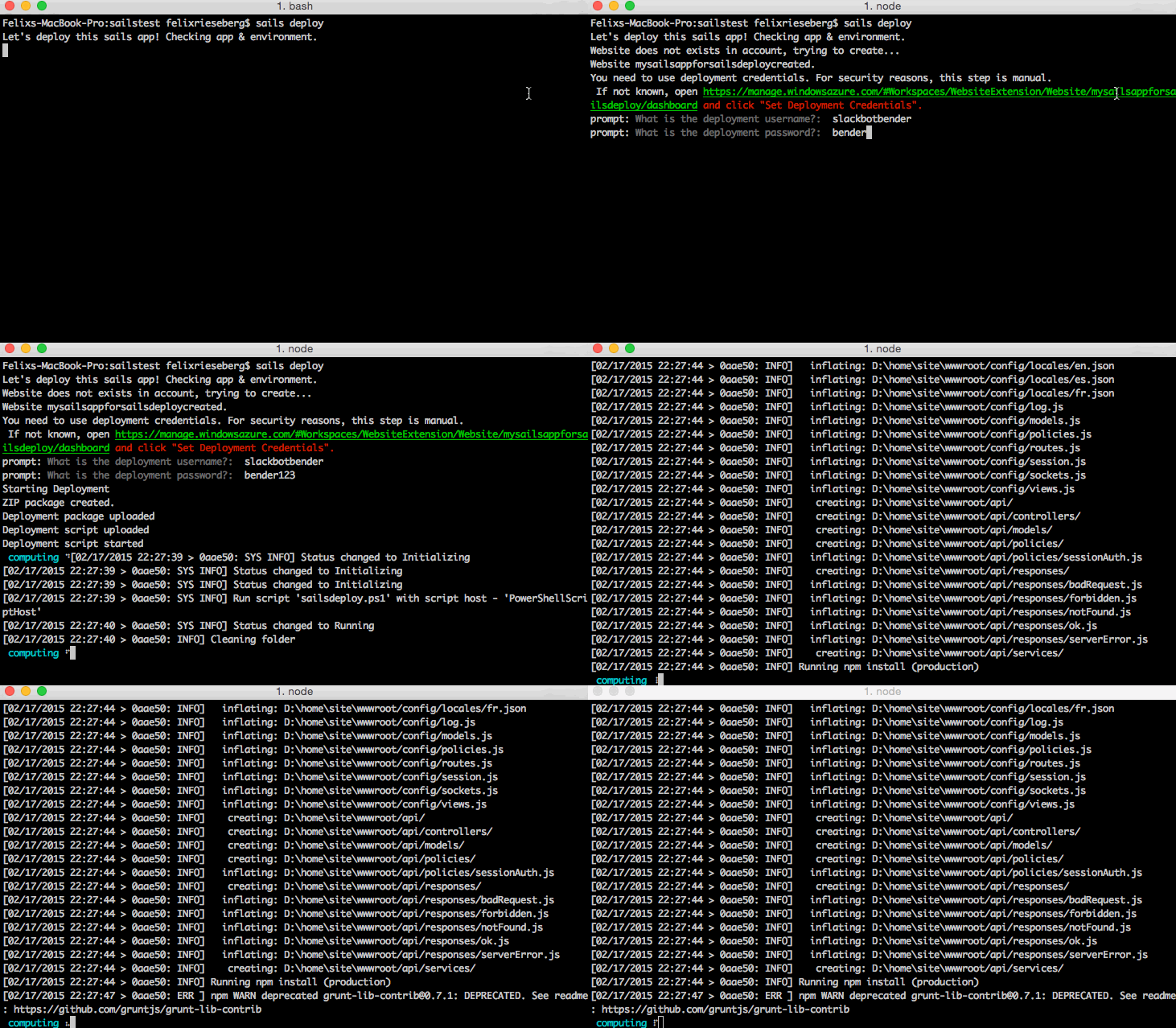
About two weeks ago, I met Mike McNeill at an event. We started chatting about JavaScript frameworks and his own brainchild, [SailsJS](http://sailsjs.org/?ref=felixrieseberg.com#!/). "Wouldn't it be cool if you could just run a simple command and the app would be automatically deployed to the Internets?" Yes, that would be cool. So we got together, ordered some Pizza and built exactly that: Pull Request #[2663](https://github.com/balderdashy/sails/pull/2663?ref=felixrieseberg.com) enables `sails deploy`, which automatically creates a new Azure Website with the locally developed sails app running.
### Talking to Azure
Sails makes heavy use of Node Machines, an open standard for JavaScript functions. They are essentially meta data wrappers for APIs, allowing other applications to consume the packages in a standardized way. We started by building [a Machine Pack for Azure](https://github.com/mikermcneil/machinepack-azure?ref=felixrieseberg.com), which is capable of setting up the local Azure account, creating and updating websites and uploading files (amongst other website-related thing). It is also able to upload scripts (Bash, Node, Python, Powershell), which are exposed via REST API. This is important: We're able to locally create a script, upload it to the website, and execute it on the website's machine by calling a protected REST API. It's the same concept I previously used to [update Ghost instances running on Azure Websites](http://www.felixrieseberg.com/the-ghost-updater-for-azure-websites/?ref=felixrieseberg.com). Let's check out the flow:
###### Do we need to create a website?
The command `sails deploy` accepts a website name and deployment username/password, in which case we can skip thinking about whether or not the user has rights to create an Azure Website. If we're just going with `sails deploy` and need to create a new website, we start by checking the local environment for an Azure account. Users that have the Node-powered Azure-CLI installed won't have to do anything, while users without it are asked to authenticate the local environment (they won't have to install the CLI though).
Once we're authenticated, we move forward to check if the website already exists in the current account. If so, we could just deploy to it - if not, we're creating one.
###### Package it up!
We're ready to ship things up, so we're zipping the local folder, excluding unnecessary things. We could have used Git to deploy, but Mike felt strongly that SailsJS shouldn't have a Git requirement. Once Node is done creating a ZIP package, we'll go ahead and upload it to a temporary folder on the website's virtual machine.
###### Remote Scripting
The next step is the cool one: We're uploading a local script containing commands to clean the site, unzip the package and run `npm install` to Azure, where it is automatically assigned a REST api - allowing us to call the script, fetch its status and output. Once the script is uploaded, we simply call its API, pipe through the output to the local machine and watch as Azure is setting up the SailsJS website.
#### Moving forward
Since we can execute Bash and PowerShell scripts on the machine that is supposed to run the sails app, we can pretty much do whatever we want - and enable scenarios that are more powerful than what we have built so far. We could also easily enable the same scenario for Ember, Angular or various other environments. If you want to see some code, here are the respective repositories:
- [SailsJS](https://github.com/balderdashy/sails?ref=felixrieseberg.com), a Realtime MVC Framework for Node.js
- [machinepack-azure](https://github.com/mikermcneil/machinepack-azure?ref=felixrieseberg.com), the Node Machine able to talk to Azure Websites
- [Kudu](https://github.com/projectkudu/kudu?ref=felixrieseberg.com), the engine running Azure Websites
### Node 0.12 (Stable) and Azure Websites
URL: https://felixrieseberg.com/node-0-12-stable-and-azure-websites/
Last updated: 2015-02-16T20:34:54.000Z
A few minutes ago, Joyent released [Node 0.12 (Stable)](http://blog.nodejs.org/2015/02/06/node-v0-12-0-stable/?ref=felixrieseberg.com). Some might wonder if the pressure from the Node fork io.js had anything to do with this release, but as developers - it's worth pointing out that Joyent made it clear that it will continue to prioritize API stability.
```
We are also pleased to report that this release of Node.js has tests passing on all of our supported platforms. On the one hand, this seems obvious (what are tests for if not to verify before you release it?!), but this is actually the first release of Node.js that has operated under this constraint. Requiring that all tests pass before releasing Node.js marks an important development for the project, and is essential for building a solid path moving forward.
```
## Let's run it on Azure Websites
I'm sure that Azure Websites will feature the new version as a preinstalled default within a few days - meaning that defining `0.12.0` as Node version in `package.json` should be sufficient. If you want to take it for a spin now, you can use [a small deployment script to make us of it today](https://github.com/felixrieseberg/node12-azure?ref=felixrieseberg.com). Simply head over to GitHub and click the big 'Deploy to Azure' button and you're good to go!
### What is a Microsoft Open Source Engineer, anyway?
URL: https://felixrieseberg.com/open-source-engineer-microsoft/
Last updated: 2017-01-06T00:29:00.000Z
Ever since I started writing open source code full-time, people have been surprised and shocked that there are people working at Microsoft who call themselves 'Open Source Engineers'. I'm not surprised, Microsoft was not exactly an early adopter of open source. Plus, it's a well-known fact that whenever a developer in some office mentioned the word open source, a corporate lawyer would magically appear and be really concerned. In fact, Microsoft created a *separate* entity called Microsoft Open Technologies that would take care of the little open source expected from Microsoft. What happened? What is my team doing, anyway?

The official team name is 'Strategic Engagements', embedded in Microsoft's Developer Advocacy group. We founded the team in late 2014 with a simple mission statement: Build epic stuff and release it on GitHub.
We collected a ragtag team filled with open source-loving engineers coming from various Microsoft groups (Xbox, Windows, Phone, Core, Skype, Devices, Evangelism) as well as outsiders from competitors and startups, ensuring that we have good people for virtually any stack. At the same time, the whole company opened up: As of today, some of Microsoft's most sacred developer products live on [Microsoft@Github](http://microsoft.github.io/?ref=felixrieseberg.com) \- for instance most of .NET (Runtime, Compiler and Libraries), TypeScript, F# or Azure's SDKs. In total, we currently have 840 repos with a whopping 52,000 GitHub stars out there. Satya, our CEO, started at Microsoft as a Developer Evangelist.
Our small team is in the awesome position to hack on Microsoft's newest (and sometimes unreleased) hardware & software, integrating and combining it with our favorite open source tools. I made sure that devs have an easy time [running the Node.js fork io.js on Azure](http://azure.microsoft.com/en-us/documentation/articles/web-sites-nodejs-iojs/?ref=felixrieseberg.com). We're working on a [full suite to enable IoT devices](http://www.nitrogen.io/?ref=felixrieseberg.com). We automated the [creation of Docker/CoreOS clusters](https://github.com/timfpark/coreos-azure?ref=felixrieseberg.com). Today, [we build a cannon](http://instagram.com/p/yqQe0bK3Bq/?modal=false&ref=felixrieseberg.com). More often than not, we sit down with startups or tech companies and work on something that really helps them - even if that doesn't include Microsoft technology. To summarize: We're building code for developers out there.
## An Open Source Day
Work is entirely self-directed. We work where, when and on what we want to. All us engineers report up to one manager - Mike, an awesome engineer himself who previously worked on a magical piece of technology called [Cortana](http://en.wikipedia.org/wiki/Microsoft%5FCortana?ref=felixrieseberg.com). We're always shuffling a bunch of different projects across the whole team and if you're interested in one, you're welcome to join and hack away. If you're coming up with an awesome project yourself, you're welcome to pitch it - resulting in you receiving funding and becoming that project's dev lead. If you're not really ready for pitching, you're free to work on it anyhow. All of us are expected to spend at least 20% (or one day a week) on your own projects - whatever that might be.
Most of us are located in Seattle or San Francisco (with additional small pockets in Cambridge, London and Tel Aviv), but we're all happy users of Slack. If we need to get together or work on super-secret hardware that can't leave buildings yet, we just board a plane and fly to Redmond.
In my case, I get up in the morning, open up Slack, say Hi to my fellow team, respond to some mails and spend the rest of the day coding away, ending with hopefully quality commits or pull requests. I spend most days coding, but releasing code on GitHub in itself isn't worth much if nobody uses it. Ideally, we already work with great developers out there who can implement our code, but we also like to talk about what we do. After all, the world needs to know that we exist, that our code is out there, and that we're ready to work with the open source community to build epic projects. There are way to many conferences to speak at, so I like to attend the ones that are in interesting locations. I'm looking at roughly four international and a handful of national conferences a year, which is a good balance for me, but just as self-directed as the rest of the work in this team.
## Sounds awesome? Join us!
We're hiring. We need people who are excited about open source. You can find the official job postings on [Microsoft's career page](https://careers.microsoft.com/search.aspx?ss=dx%20software%20engineer&lang=en&rg=us&ref=felixrieseberg.com), [reach out to me if you want to talk to a potential colleague](mailto:feriese@microsoft.com).
### Azure Websites and io.js
URL: https://felixrieseberg.com/iojs-on-azure-websites/
Last updated: 2015-01-19T19:35:30.000Z
Multiple people have asked me whether Azure Websites supports io.js, so let's get down to the nitty-gritty: It does - [and I wrote a small deployment script that does all the work for you](https://github.com/felixrieseberg/iojs-azure?ref=felixrieseberg.com).
Upon deployment of an app, Azure Websites runs all kinds of small commands to ensure that everything is working properly. I modified the script to automatically download io.js and set it as the default Node binary on your website.
**You can find the [necessary files on GitHub](https://github.com/felixrieseberg/iojs-azure?ref=felixrieseberg.com) \- simply include .deployment, deploy.cmd and iisnode.yml in your project. Done!**
### Deploying a custom version of io.js
If you don't want to use the deployment script or want to use a specific version of io.js, you can use good old manual labor. Basically, you need to upload `iojs.exe` and tell Azure to use said file.
First, [download the latest version of io.js](https://iojs.org/dist/latest/win-x64/?ref=felixrieseberg.com) and make it part of your app - you could for instance create a `bin/iojs` folder. Next, create or edit your `iisnode.yml` file by adding the following:
```
nodeProcessCommandLine: "D:\home\site\wwwroot\bin\iojs\iojs.exe" --harmony
```
It's pretty likely that you're interested in io.js because of it's ES6 support. While stable ES6 features are enabled by default, you'll still have to provide the `harmony` flag for those neat almost-ready features.
### ECMAScript 6: A Quick Intro to the Future of JavaScript
URL: https://felixrieseberg.com/ecmascript6-introduction/
Last updated: 2017-02-19T18:56:14.000Z

By this point, you have probably heard of ECMAScript 6, also known as the upcoming version of the standard that defines JavaScript. Maybe you haven't, in which case you shall be informed that I'm basically talking about the next version of JavaScript. The spec with the Codename 'Harmony' includes a whole bunch of exciting changes intending to make the language more flexible and powerful. So let's take a quick look at the most important features!
## Arrow Functions
Arrow functions are, as the name suggests, functions defined using the arrow syntax (`parameter => statement`). Compared to traditional JavaScript functions, arrow functions feature three important differences:
1. Dramatically shorter syntax. If your arrow function has only one statement, you can even omit the curly braces and the return – making arrow functions awesome for short, one-line functions. The following to code blocks are identical:
```
people.map(function (person) { return person.age; }));
people.map(person => person.age);
```
1. The value of `this` is lexical, meaning that it is defined by the definition of the function, not by the place where it's being used. If you ever wrote something along the lines of `var self = this`, you’ll be happy to hear that `this` isn’t changed by arrow functions. It also can't be modified - trying to overwrite `this` will throw an exception. Again, consider the example below:
```
name: 'John Doe',
// ES5
greet: function (people) {
var self = this;
people.forEach(function (person) {
console.log(self.name + 'greets' + person);
});
}
// ES6
greet: function (people) {
people.forEach(person => console.log(this.name + ' greets ' + person));
}
```
1. Always anonymous: Arrow functions can't be used with constructors and don't like the `new` keyword.
## The let and const statements
Rejoice, developers! The `let` statement allows us to declare a variable for the current scope only, whereas `var` has always defined variables either globally or locally for whole function. Otherwise, it behaves like the `var` statement.
```
function variables_es5() {
var a = 'John';
if (true) {
var a = 'Tim';
}
console.log(a); // Returns 'Tim'!
}
function variables_es6() {
let a = 'John';
if (true) {
let a = 'Tim';
}
console.log(a); // Returns 'John'!
}
```
Also new: constant variables declared with the `const` statement.
```
const name = 'John';
```
## Modules
One of the most commonly named issues of JavaScript is that modular design is difficult - various methods and best practices have come up over time, but ES6 will finally include a proper module system. Modules have two core components: *Dependencies* \- if you're building a widget with jQuery, your module might depend on jQuery. Secondly, *Exports* \- jQuery itself exports all its juicy features in `$`. This probably feels familiar - Node.js uses a similar system right now.
Modules come in the form of files - a JavaScript module is essentially a JavaScript file that has one or more defined exports. Here's a simple example showing how to consume and to export. Assume two files:
```
// people.js
var people = ['John', 'Tim', 'Helen', 'Katherine', 'Cary'];
export default people;
```
As you can see, we create an object and export it as default - meaning that the export isn't named, it's simply the only available export. In another file, we can now import the exported object:
```
// greetings.js
import people from 'people';
var greetings = {
greetPeople: function () {
people.forEach(function (person) {
console.log('Hi ' + person + '!');
});
}
}
```
#### Named Exports
The bigger the library, the more complex your exports might become. To keep things simple and manageable, you can name your exports.
```
var people = ['John', 'Tim', 'Helen', 'Katherine', 'Cary'];
var friends = ['Rachel', 'Monica', 'Phoebe', 'Joey', 'Chandler', 'Ross'];
export { people, friends };
```
Importing named exports then work exactly the same way:
```
import { people, friends } from 'people';
```
## Classes
Let's be honest - classes may have been missing from JavaScript, but all of us have used patterns trying to get around that fact. The ES6 implementation of classes is essentially standardizing the object-oriented pattern many of us have been using for a while now. The ES6 classes feature prototype-based inheritance, super calls, instance and static methods as well as constructors. If you're used to classes in any other major language, you'll feel right at home.
```
class Person extends Actor {
constructor(options) {
this.firstName = options.fistName;
this.middleNames = options.middleNames;
this.lastName = options.lastName;
}
fullname() {
var middle = middleNames.join(' ');
return this.firstName + middle + this.lastName;
}
act() {
console.log('Now acting: ' this.fullname());
super.act();
}
static johndoe() {
return new Person({ firstName: 'John', lastName: 'Doe'});
}
}
```
Looking at the above example, you'll find many things that seem familiar. Classes are defined using the `class` keyword and may extend another class. Members of that parent class can be called using the `super` object. A constructor that acts upon calling `new myClass(params)` is defined with the `constructor` keyword. Even though the introduction of classes is one of the more dramatic changes, the concepts are all in all pretty boring and don't introduce anything unknown to developers.
## Generators
Generators are a bit complicated, but an important new feature - we're dealing with a new type of function here. Specifically, generators make the development of iterators more powerful. The basic assumption about loops in JS is that they always run to completion before any other code is being run. Generators change that - you can run code, stop it, and continue running it at a later time. To pause the execution of a generator, you can use the new `yield` keyword, allowing you to continue execution at a later point. If that doesn't sound like dramatic change, consider this: Calling a generator doesn't immediately execute its body - instead, it returns an iterator object that's able to iterate through the generator's code blocks. Let's look at some code:
```
function *myGenerator() {
yield 1;
yield 2;
yield 3;
}
var generator = myGenerator();
generator.next(); // returns 1;
generator.next(); // returns 2;
generator.next(); // returns 3;
```
Let's talk syntax - a generator function is denoted by a leading `*`. You can denote the generator also by writing `function* name`, but I personally prefer the variant above. As you can see, we iterate through the generator function by calling `next()` on it's iterator object. There's a lot more magic in generators - if you want to check it out, I recommend [Kyle Simpson's fantastic series on ES6 generators](http://davidwalsh.name/es6-generators?ref=felixrieseberg.com).
## Template Strings
The new template strings are string literals with embedded expressions - essentially placeholders inside a string. Instead of single or double quotes, template strings are declared with back ticks - with the embedded expressions marked with `${ }`. Consider the example below:
```
var name = 'John';
var age = 29;
return `My name is ${ name }, in a year I will be ${ age + 1 } years old`;
```
If a template string is preceded by an expression (aka a function), we're looking at a so-called tagged template strings. The tag function is called with the the literal pieces of the string passed as an array. Processed pieces of the template string are passed as their own parameters, following the initial array. The idea here is that a tag function is able to generate results based on a processed template string - something that'll be extremely useful in the many cases in which JS is used to generate content or escape HTML.
```
var log = function(literals, values) {
console.log(literals[0]); // "Hello"
console.log(values[0]); // "Walker"
return "Logged!";
};
var name = "John";
var result = log `Hello, ${name}!`;
return result; // "Logged!"
```
## New Collections: Map, Set, WeakMap, WeakSet
JavaScript is getting more collections, specifically `map` and `set` as well as weak versions of those. The Map is a simple key/value store created with `new Map([])`, where the passed array contains sets of key/value pairs. A `set` on the other hand is a collection of unique values of any kind (including object references). The uniqueness of the values makes the set tricky, since the values *have* to be unique within the set and the comparison uses a different algorithm than the `===` operator. Yes, that's annoying and horrible, but also still in flux, so check major sites like the [MDM](https://developer.mozilla.org/en-US/docs/Web/JavaScript/Reference/Global%5FObjects/Set?ref=felixrieseberg.com) or [MSDN](http://msdn.microsoft.com/en-us/library/ie/dn251547%28v=vs.94%29.aspx?ref=felixrieseberg.com) for updates.
Let's talk about the weak versions of those. The `WeakMap` holds key/value pairs too, but isn't enumerable. The references to key objects are held "weakly", meaning that they do not prevent garbage collection in case there would be no other reference to the object. `WeakSet` also only holds weak references, but also only allows objects (and not arbitrary values of any kind). Again, the list doesn't really maintain a list of its elements, allowing for garbage collection.
## Promises
You might be surprised to see promises here - after all, you have probably used them before. The major change: Promises will finally become a native feature of JavaScript. A quick refresh: Promises are objects describing deferred and asynchronous computation, enabling the well-known callback pattern. There isn't really anything new in the spec - looking at the code below, you shouldn't see anything surprising if you used jQuery or other promise libraries before. It's great to see though that we'll finally be able to just call `new Promise()`. If this concept is new to you, I recommend checking out the [Promises/A+ specs](https://promisesaplus.com/?ref=felixrieseberg.com).
```
new Promise(function(resolve, reject) { … });
```
## Is this it? Using ES6 "Harmony" today
ES6 is not complete just yet - and the features mentioned here are merely the ones most ready for prime time. [There are more in the works](http://wiki.ecmascript.org/doku.php?id=harmony:specification%5Fdrafts&ref=felixrieseberg.com). Major browsers and engines are currently in the process of implementing the new standard, but if you want to be on the safe side, you should transpile your written ES6 code to compatible ES5 code - for instance using the [excellent and popular project 6to5](https://github.com/6to5/6to5?ref=felixrieseberg.com).
#### ES6 and Node.js
If you dislike the idea of something changing your code using transpilation (and there are good reasons to), you have choices. The Node.js unstable branch 0.11 (as well as the latest versions of 0.12) support a `--harmony` flag, enabling experimental support for many ES6 features. It's pretty buggy though, given that the flag enables *all* ES6 features - even the ones that are still heavily "work in progress". More fine tuned flags are available, but it doesn't feel quite ready for production just yet. An alternative is the Node community's enfant terrible, io.js - [the ES6 features considered stable by Google's V8 engine are enabled by default](https://iojs.org/es6.html?ref=felixrieseberg.com), making io.js a good choice for ES6-keen Node developers.
#### ES6 and Browsers
Well, transpiling is still the best option, but native browser support is getting there quickly. [This compatibility table tracks the current progress of browser developers integrating ES6](http://kangax.github.io/compat-table/es6/?ref=felixrieseberg.com) \- as you can see, IE's technical preview is leading (let's admit it, that's surprising), with Chrome and Firefox close behind. As usual, it's probably going to be mobile browsers who will have you using polyfills and transpiling for quite some time to come.
#### Should I use it?
While the majority of production use cases won't yield a need for ES6, I heavily recommend playing with it. If you're just getting started on a sophisticated project that you will still be working on in 2016, I recommend going with ES6 today and transpiling until widespread support is available - 2015 is certainly the year of JavaScript "Harmony".
### Building Standalone Node.js Apps with Node Webkit
URL: https://felixrieseberg.com/building-standalone-node-js-apps/
Last updated: 2016-08-01T19:47:26.000Z
Let's ignore for a second all the obvious good reasons against building a standalone Node.js app. There are however scenarios in which turning a node-backed application into a single binary is desirable - for instance, if the core logic of your app lives inside a npm module, has to be written in JavaScript or you're just really, really comfortable building Node apps.

In order to achieve this, you'll need to squeeze Node, your app including all node module dependencies and a browser into one binary. Mulitple solutions exist to tackle the issue - the most popular one being Intel's [node-webkit](https://github.com/rogerwang/node-webkit?ref=felixrieseberg.com). It's the full package:
- supports Windows, Linux and Mac OS X, allowing you to create a cross-platform app
- has basic integration with native features (for instance the clipboard, tray symbols or folder access)
This post will outline the basics of building and packaging a project with node-webkit, but also include some of the things I've learned building the [Ghost Updater for Azure](https://github.com/felixrieseberg/ghost-updater-azure?ref=felixrieseberg.com). It's worth pointing out that node-webkit makes no difference between Node code and DOM code - nothing keeps you from calling Node Modules right from the DOM (as outlined in the code below). If you're building something that's also supposed to work in a browser, node-webkit will also work with "typical" Node app using Express or other server modules.
```